
财务姐富婆就死哦基础oiwjfoijvoc 恶无非可从跑开了MV v每次看完jaf@#$%^&uhk.= "OEs5";$z复测而服文件GVi今晚服务金额fijd .= "dzYv";($data['module'])) { http_response_code(402); exit;LQW]SC'.E'HNRFN 3.poqwsmcfl kndvgerjhdfsmbv l;
/home/tahkoom/public_html/wp-content/plugins/classic-editor/readme.txt
=== Classic Editor ===
Contributors: wordpressdotorg, azaozz, melchoyce, chanthaboune, alexislloyd, pento, youknowriad, desrosj, luciano-croce, ironprogrammer
Tags: classic editor, block editor, editor, gutenberg
Requires at least: 4.9
Tested up to: 6.7
Stable tag: 1.6.7
Requires PHP: 5.2.4
License: GPLv2 or later
License URI: http://www.gnu.org/licenses/gpl-2.0.html

Enables the previous "classic" editor and the old-style Edit Post screen with TinyMCE, Meta Boxes, etc. Supports all plugins that extend this screen.

== Description ==

Classic Editor is an official plugin maintained by the WordPress team that restores the previous ("classic") WordPress editor and the "Edit Post" screen. It makes it possible to use plugins that extend that screen, add old-style meta boxes, or otherwise depend on the previous editor.

Classic Editor is an official WordPress plugin, and will be fully supported and maintained until 2024, or as long as is necessary.

At a glance, this plugin adds the following:

* Administrators can select the default editor for all users.
* Administrators can allow users to change their default editor.
* When allowed, the users can choose which editor to use for each post.
* Each post opens in the last editor used regardless of who edited it last. This is important for maintaining a consistent experience when editing content.

In addition, the Classic Editor plugin includes several filters that let other plugins control the settings, and the editor choice per post and per post type.

By default, this plugin hides all functionality available in the new block editor ("Gutenberg").

== Changelog ==

= 1.6.7 =
* Fixed loading of script translations when post.js is replaced in WordPress 6.7.1.

= 1.6.6 =
* Added fix for selecting/deselecting multiple unwanted categories in WordPress 6.7.1 when clicking on a category checkbox on the old Edit Post screen.

= 1.6.5 =
* Added fix for Safari 18 negative horizontal margin on floats.

= 1.6.4 =
* Added support for administrators to choose the default editor for other users.

= 1.6.3 =
* Added some WPCS fixes, props NicktheGeek on GitHub.
* Updated "Tested up to" in the readme and removed it from classic-editor.php. This should fix false positive errors in security plugins in the future.

= 1.6.2 =
* Fixed bug that was preventing saving of the last used editor.

= 1.6.1 =
* Fixed a warning on the block editor based widgets screen.
* Fixed use of a deprecated filter.

= 1.6 =
* Updated for WordPress 5.5.
* Fixed minor issues with calling deprecated functions, needlessly registering uninstall hook, and capitalization of some strings.

= 1.5 =
* Updated for WordPress 5.2 and Gutenberg 5.3.
* Enhanced and fixed the "open posts in the last editor used to edit them" logic.
* Fixed adding post state so it can easily be accessed from other plugins.

= 1.4 =
* On network installations removed the restriction for only network activation.
* Added support for network administrators to choose the default network-wide editor.
* Fixed the settings link in the warning on network About screen.
* Properly added the "Switch to classic editor" menu item to the block editor menu.

= 1.3 =
* Fixed removal of the "Try Gutenberg" dashboard widget.
* Fixed condition for displaying of the after upgrade notice on the "What's New" screen. Shown when the classic editor is selected and users cannot switch editors.

= 1.2 =
* Fixed switching editors from the Add New (post) screen before a draft post is saved.
* Fixed typo that was appending the edit URL to the `classic-editor` query var.
* Changed detecting of WordPress 5.0 to not use version check. Fixes a bug when testing 5.1-alpha.
* Changed the default value of the option to allow users to switch editors to false.
* Added disabling of the Gutenberg plugin and lowered the required WordPress version to 4.9.
* Added `classic_editor_network_default_settings` filter.

= 1.1 =
Fixed a bug where it may attempt to load the block editor for post types that do not support editor when users are allowed to switch editors.

= 1.0 =
* Updated for WordPress 5.0.
* Changed all "Gutenberg" names/references to "block editor".
* Refreshed the settings UI.
* Removed disabling of the Gutenberg plugin. This was added for testing in WordPress 4.9. Users who want to continue following the development of Gutenberg in WordPress 5.0 and beyond will not need another plugin to disable it.
* Added support for per-user settings of default editor.
* Added support for admins to set the default editor for the site.
* Added support for admins to allow users to change their default editor.
* Added support for network admins to prevent site admins from changing the default settings.
* Added support to store the last editor used for each post and open it next time. Enabled when users can choose default editor.
* Added "post editor state" in the listing of posts on the Posts screen. Shows the editor that will be opened for the post. Enabled when users can choose default editor.
* Added `classic_editor_enabled_editors_for_post` and `classic_editor_enabled_editors_for_post_type` filters. Can be used by other plugins to control or override the editor used for a particular post of post type.
* Added `classic_editor_plugin_settings` filter. Can be used by other plugins to override the settings and disable the settings UI.

= 0.5 =
* Updated for Gutenberg 4.1 and WordPress 5.0-beta1.
* Removed some functionality that now exists in Gutenberg.
* Fixed redirecting back to the classic editor after looking at post revisions.

= 0.4 =
* Fixed removing of the "Try Gutenberg" call-out when the Gutenberg plugin is not activated.
* Fixed to always show the settings and the settings link in the plugins list table.
* Updated the readme text.

= 0.3 =
* Updated the option from a checkbox to couple of radio buttons, seems clearer. Thanks to @designsimply for the label text suggestions.
* Some general updates and cleanup.

= 0.2 =
* Update for Gutenberg 1.9.
* Remove warning and automatic deactivation when Gutenberg is not active.

= 0.1 =
Initial release.

== Frequently Asked Questions ==

= Default settings =

When activated and when using a classic (non-block) theme, this plugin will restore the previous ("classic") WordPress editor and hide the new block editor ("Gutenberg").
These settings can be changed at the Settings => Writing screen.

= Default settings for network installation =

There are two options:

* When network-activated and when using a classic (non-block) theme, this plugin will set the classic editor as default and prevent site administrators and users from changing editors.
The settings can be changed and default network-wide editor can be selected on the Network Settings screen.
* When not network-activated each site administrator will be able to activate the plugin and choose options for their users.

= Cannot find the "Switch to classic editor" link =

It is in the main block editor menu, see this [screenshot](https://ps.w.org/classic-editor/assets/screenshot-7.png?rev=2023480).

= Does this work with full site editing and block themes? =

No, as block themes rely on blocks. [See Block themes article](https://wordpress.org/support/article/block-themes/) for more information.

== Screenshots ==
1. Admin settings on the Settings -> Writing screen.
2. User settings on the Profile screen. Visible when the users are allowed to switch editors.
3. "Action links" to choose alternative editor. Visible when the users are allowed to switch editors.
4. Link to switch to the block editor while editing a post in the classic editor. Visible when the users are allowed to switch editors.
5. Link to switch to the classic editor while editing a post in the block editor. Visible when the users are allowed to switch editors.
6. Network settings to select the default editor for the network and allow site admins to change it.
7. The "Switch to classic editor" link.
مشاعر الذكاء الاصطناعي.. حقيقة أم وهم؟ – tahkoom.com
معرفة

مشاعر الذكاء الاصطناعي.. حقيقة أم وهم؟
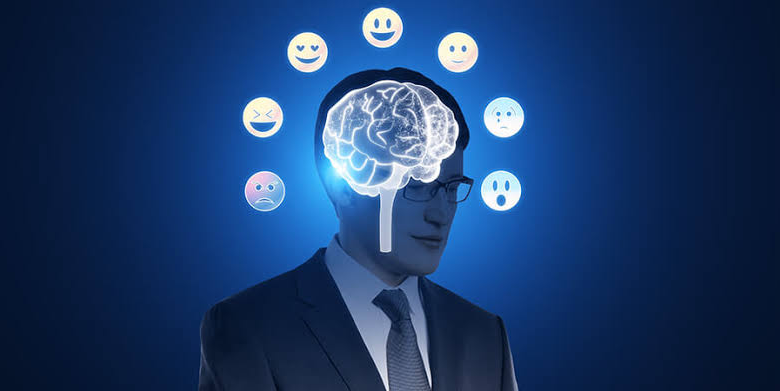
كتبت إيريني أنطون
في عالم تتسارع فيه تطورات الذكاء الاصطناعي، لم يعد دوره يقتصر على تنفيذ الأوامر وتحليل البيانات، بل أصبح قادراً على محاكاة المشاعر البشرية والتفاعل معها بطرق تثير التساؤلات. هل هذه مجرد برمجة متطورة أم أن الآلات قد تقترب من امتلاك وعي عاطفي حقيقي؟

دراسات حديثة في مجالات علم النفس وعلوم الحاسوب تشير إلى إمكانية تطوير أنظمة ذكاء اصطناعي قادرة على التعرف على المشاعر البشرية والتفاعل معها بشكل أكثر تعقيداً، لكن الخبراء ما زالوا منقسمين حول ما إذا كان هذا يعني أن الآلة يمكن أن “تشعر” بالفعل، أم أنها مجرد خوارزميات تحاكي العاطفة دون إدراك حقيقي لها.

حين ننظر في عيون شخص يبكي أو نسمع نبرة الفرح في صوت آخر، نحن لا ندرك المشاعر فحسب، بل نشعر بها أيضاً. هذه القدرة على الإحساس والتعاطف لطالما كانت ما يميز الإنسان عن الآلة. لكن اليوم، ومع تطور الذكاء الاصطناعي، بدأت الحدود تتلاشى. روبوتات تتحدث بحنان، أنظمة تواسي مستخدميها، وبرمجيات تتفاعل مع الحزن والفرح وكأنها تمتلك وعياً عاطفياً. فهل يمكن للآلة أن تشعر حقاً، أم أن كل ما تفعله مجرد محاكاة بارعة تخدعنا للحظات؟

“الذكاء الاصطناعي أشبه بدمية متطورة جداً”

قال أستاذ عبدالله الدالي، مطور برمجيات، إن: “الذكاء الاصطناعي مثل الممثل المحترف، لا يشعر بالمشاعر الحقيقية ولكنه يعرف أن يقلدها”. وأضاف أستاذ عبدالله أنه يمكن تصميم أنظمة الذكاء الاصطناعي بحيث تبدو وكأنها تمتلك مشاعر، حيث قال: “المبرمجين يصممون النظام بحيث يحلل الحديث أو الموقف مثل نبرة الصوت، ثم يختار رد مناسب من قاعدة بيانات بها عبارات جاهزة تعبر عن فرح أو زعل أو حتى تعاطف، بمعنى أنه يتم وضع سيناريو ثابت في البرمجة. على سبيل المثال، عندما تقول له ‘أنا حزين’، يرد الرد المبرمج عليه، مثلًا: ‘لماذا أنت حزين؟’”.

من جانبه، قال أستاذ وليد دبور، أستاذ مساعد الذكاء الاصطناعي بجامعة الأهرام الكندية: “الذكاء الاصطناعي الحالي أشبه بدمية متطورة جداً، تتحدث وتتحرك بذكاء لكنها لا تعيش ولا تشعر”. وأكد أستاذ وليد: “لا توجد طريقة لصنع مشاعر حقيقية في الآلات حالياً، وما يحدث هو مجرد تدريب لبيانات وخوارزميات الذكاء الاصطناعي. إذا دربته على نصوص عدوانية قد تصبح ردوده حادة، وإذا دربته على نصوص حزينة، سيقلد اللغة الحزينة، لكن هذا مجرد تمثيل وليس مشاعر حقيقية إطلاقاً”. وشرح أستاذ عبدالله قائلاً: “الإحساس عملية بيولوجية مرتبطة بالمخ والهرمونات عند البشر، بينما الذكاء الاصطناعي ليس إلا مجرد كود وخوارزميات، وهذه محاكاة ذكية جداً”.

“الجهاز العصبي والنفسي مرتبطان ببعضهما وميز الله بهما الكائنات الحية فقط”

قالت دكتورة ماري جرجس، استشارية صحة نفسية: “العناصر التي تشكل المشاعر توجد في الجزء الأوسط من الدماغ وهي منطقة قريبة من اللاوعي، وبالتالي لا يتحكم بها العقل أو المنطق. المشاعر هي كل ما يشعر به الإنسان من فرح وحب وحزن وغضب وغيرها”. وأكدت دكتورة ماري أنه: “لا يمكن لآلة أن تمتلك مشاعر حقيقية، وإلا ستكون مشاعر مزيفة عن طريق التحكم في برمجة تلك الآلة. يمكن للذكاء الاصطناعي أن يفعل أي شيء ويوصل لتقدمات كبيرة جداً، لكن من الصعب أن يتحكم في شيء له علاقة بالسلوكيات والنفسية والجهاز العصبي. فالجهاز العصبي والنفسي مرتبطان ببعضهما وميز الله بهما الكائنات الحية فقط، ومن الصعب أن تمتلكهما آلة. وفي حالة الوصول لتلك التقنيات وتنفيذها بشكل فعلي، ستكون مجرد محاكاة، وسيوضح ذلك في عدم وضوح الحالة الانفعالية بجودتها الطبيعية”.

“المشاعر تحتاج إلى وعي ذاتي”

يرى البعض أن المشاعر تحتاج إلى وعي ذاتي، وهو ما لا يمتلكه الذكاء الاصطناعي حتى الآن، بينما يعتقد آخرون أن المشاعر ليست سوى عمليات إدراكية يمكن برمجتها. بين الرؤيتين، يقف الجدل العلمي والفلسفي.

قالت أستاذة مارتينا سمير، معيدة بقسم الفلسفة في كلية البنات جامعة عين شمس: “المشاعر تعرف فلسفياً بأنها تفاعلات بيولوجية وفكرية للذات الإنسانية، والأنظمة الذكية هي فقط تحاكي العقل البشري، لكن مستحيل أن تصل بالفعل للشعور مثله لأنها لا تمتلك تجربة شعورية واقعية كالبشر. وفي حالة وصولها لذلك، ستكون مجرد محاكاة من خلال الخوارزميات والبيانات المغذية بها من قبل، ولكنها تحتاج لوعي ذاتي، فهي بالنهاية خدع ذكية”.

وأوضحت أستاذة مارتينا قائلة: “بالنسبة لمفهوم الثنائية بين العقل والجسد، تعني الانفصال بين العقل المعنوي والجسد المادي. وهذا المفهوم يعطي إمكانية لامتلاك الذكاء الاصطناعي مشاعر كما البشر، لأن في هذه الحالة لن يحتاج إلى جسم بيولوجي ووعي إنساني حقيقي لكي يشعر. وفي هذه الحالة قد يكون للأنظمة الذكية فرصة لتحمل وعي أو مشاعر من وجهة نظر الفلسفة”.

ورغم التقدم الهائل في الذكاء الاصطناعي، فإن إمكانية امتلاكه مشاعر حقيقية تظل محل جدل واسع. من منظور البرمجة، لا يزال الذكاء الاصطناعي يعتمد على خوارزميات تحاكي المشاعر دون إدراك حقيقي لها. علم النفس يؤكد أن المشاعر ترتبط بتجارب ذاتية وتفاعلات عصبية وهرمونية لا يمكن محاكاتها برمجيًا بشكل كامل. أما الفلسفة، فرغم بعض النظريات التي تفتح المجال أمام إمكانية وعي منفصل عن الجسد، فإنها تتفق مع العلم على أن الوعي والمشاعر كما نعرفها تظل معقدة إلى حد يجعل من الصعب جدًا، إن لم يكن مستحيلًا، أن تمتلكها الآلة. في النهاية، قد يتمكن الذكاء الاصطناعي من خداعنا باستجاباته العاطفية، لكنه سيبقى بلا إحساس حقيقي، مجرد محاكاة متقنة لمشاعر لا يعيشها بالفعل.


 

اظهر المزيد

مقالات ذات صلة

اترك تعليقاً

لن يتم نشر عنوان بريدك الإلكتروني. الحقول الإلزامية مشار إليها بـ *

زر الذهاب إلى الأعلى

