<div class="accordion" id="qcldopenaiaccordion">
    <div class="card">
        <div class="card-header">
            <h2 class="mb-0">
                <button class="btn btn-link" type="button" data-toggle="collapse" data-target="#panelsStayOpen-collapseZero" aria-expanded="false" aria-controls="panelsStayOpen-collapseZero">
                <?php esc_html_e( 'Getting Started with OpenAI','openai_addon');?>
                </button>
            </h2>
        </div>
        <div id="panelsStayOpen-collapseZero" class="collapse" aria-labelledby="panelsStayOpen-headingZer">
        <div class="card-body">
        <p>
        <?php esc_html_e( 'OpenAI has changed their API billing policy lately. You have to ','openai_addon');?><strong><?php esc_html_e( 'pre-purchase API credits','openai_addon');?></strong><?php esc_html_e( ' now. Go to ','openai_addon');?><a href="https://platform.openai.com/account/billing/" target="blank"><?php esc_html_e( 'https://platform.openai.com/account/billing/ ','openai_addon');?></a><?php esc_html_e( 'and add credits to your API account. Then increase the usage limit.','openai_addon');?>
        </p>
        <p>
        <?php esc_html_e( 'Once you add the OpenAI API key, it should already start working for generic questions. Open a new browser window in Incognito mode and test by asking "What is the capital of Russia?"','openai_addon');?></br>
        <?php esc_html_e( 'Please make sure DialogFlow is Disabled if you want OpenAI to work','openai_addon');?></p>
        </div>
        </div>
    </div>
    <div class="card">
        <div class="card-header">
            <h2 class="mb-0">
                <button class="btn btn-link" type="button" data-toggle="collapse" data-target="#panelsStayOpen-collapseZeroone" aria-expanded="false" aria-controls="panelsStayOpen-collapseZeroone">
                <?php esc_html_e( 'GPT Assistants:','openai_addon');?>
                </button>
            </h2>
        </div>
        <div id="panelsStayOpen-collapseZeroone" class="collapse" aria-labelledby="panelsStayOpen-headingZer">
        <div class="card-body">
            <p>
                <?php echo esc_html__('We suggest using GPT Assistants instead of Fine Tuning as Fine Tuning requires a lot of properly formatted data and GPT Assistants are easier to set up. You can still use your website data to train the bot.', 'wpchatbot'); ?>
            </p>
            <p>
                <b><?php echo esc_html__('Setting up GPT Assistants:', 'wpchatbot'); ?></b>
                <ol>
                    <li><?php echo esc_html__('Go to the GPT training with Website Data tab. Select all the Post types you need and press the button Convert Data for Assistant. Once it is done, download the data file in JSON format', 'wpchatbot'); ?></li>
                    <li><?php echo esc_html__('Go to ', 'wpchatbot'); ?><a href="https://platform.openai.com/playground/assistants"><?php echo esc_html__('Assistants playground', 'wpchatbot'); ?></a><?php echo esc_html__(' and create a new Assistant', 'wpchatbot'); ?></li>
                    <li><?php echo esc_html__('Upload the JSON file you downloaded and give the GPT an Instruction similar to the one below but customize it to your website URL:', 'wpchatbot'); ?>
                    <p><?php echo esc_html__('Your name is Carry. You are a ChatBot assistant for the website ', 'wpchatbot'); ?><a href="https://www.quantumcloud.com"><?php echo esc_html__('https://www.quantumcloud.com. ', 'wpchatbot'); ?></a><?php echo esc_html__('Use the website data and the uploaded file to answer any questions from our website users.', 'wpchatbot'); ?></p>
                    </li>
                    <li><?php echo esc_html__('Copy the Assistants ID and paste under the GPT Assistants tab under the OpenAI settings on your website. You are done. If you have purchased credits from the OpenAI API platform, it will start working.', 'wpchatbot'); ?></li>
                    <!-- <li><?php // echo esc_html__('', 'wpchatbot'); ?></li>
                    <li><?php // echo esc_html__('', 'wpchatbot'); ?></li> -->
                </ol>
            </p>
        </div>
        </div>
    </div>
    <div class="card">
        <div class="card-header">
            <h2 class="">
                <button class="btn btn-link" type="button" data-toggle="collapse" data-target="#panelsStayOpen-collapseOne" aria-expanded="false" aria-controls="panelsStayOpen-collapseOne">
                    <?php esc_html_e( 'How to get an OpenAI API Key','openai_addon');?>
                </button>
            </h2>
        </div>
        <div id="panelsStayOpen-collapseOne" class=" collapse" aria-labelledby="panelsStayOpen-headingOne">
            <div class="card-body">
                <p><?php esc_html_e( 'The OpenAI API uses API keys for authentication. Visit your API Keys page to retrieve the API key you’ll use in your requests.Remember that your API key is a secret! Do not share it with others or expose it in any client-side code (browsers, apps). Production requests must be routed through your own backend server where your API key can be securely loaded from an environment variable or key management service.','openai_addon');?></p>
                <p><?php esc_html_e( 'You can generate the API key from here: ','openai_addon');?><a href="https://platform.openai.com/api-keys" target="blank"><?php esc_html_e( 'https://platform.openai.com/api-keys. ','openai_addon');?></a></p>

                <img class="img-responsive" src="<?php echo esc_url(QCLD_openai_addon_PLUGIN_URL.'image/api_screenshort.png'); ?>"/>

            </div>
        </div>
    </div>

    <div class="card">
        <div class="card-header">
            <h2 class="mb-0" id="panelsStayOpen-headingSeven">
                <button class="btn btn-link" type="button" data-toggle="collapse" data-target="#panelsStayOpen-collapseseven" aria-expanded="false" aria-controls="panelsStayOpen-collapseseven">
                    <?php esc_html_e( 'Training or Fine Tuning OpenAI','openai_addon');?>
                </button>
            </h2>
        </div>
        <div id="panelsStayOpen-collapseseven" class=" collapse" aria-labelledby="panelsStayOpen-headingSeven">
        <div class="card-body">

        <p><?php esc_html_e( 'To train OpenAI','openai_addon');?>
            <ul>
                <li><?php esc_html_e('a. To train or fine tune a model, 1st you need to:
                ','openai_addon'); ?>
                    <ol>
                        <li><?php esc_html_e('Gather the necessary data you want to train with','openai_addon'); ?></li>
                        <li><?php esc_html_e('Format the data correctly according to OpenAI API requirements (Download sample data format to see how it works). A dataset should have a at least 500 rows to offer useful results. According to the OpenAI documentation, numbers of 3,000 and 5,000 rows are recommended.','openai_addon'); ?></li>
                        <li><?php esc_html_e('Upload the data to OpenAI in .JSONL format','openai_addon'); ?></li>
                        <li><?php esc_html_e('Train an existing OpenAI model(select from the Bot OpenAI settings page) with your data','openai_addon'); ?></li>
                    </ol>
                </li>
                <li><?php esc_html_e('b. Once you have your JSONL file ready, please go to the Training model section.
                Upload your training file in .JSONL format.','openai_addon'); ?></li>
                <li><?php esc_html_e('c. Once you upload your training file, it will return a file id and the training will start once you click the Create FT Model button. Set a suffix (to recognize the model yourself later) and base model in the popup and create.','openai_addon'); ?></li>
                <li><?php esc_html_e('d. Once the training is done and the file is ready, it will return the fine tuned model. It will be listed under the Fine Tuned Models List, the status will be shown as "Succeeded" and you will also get a FT(Fine Tuned) Model ID (to copy to the settings page).','openai_addon'); ?></li>
                <li><?php esc_html_e('e. You can create multiple Fine Tuned models following the above procedure. Copy the Fine Tuned model ID you want to use.','openai_addon'); ?></li>
                <li><?php esc_html_e('f. Go to the main Bot OpenAI settings page and paste the Fine Tuned model ID to the Custom Fine Tuned Model field and save. Now the bot will start responding according to the Training data.','openai_addon'); ?></li>

                <li><?php esc_html_e('h. To Prepare your data model for GPT3.5/4:','openai_addon'); ?>
                    <ol>
                        <li><?php esc_html_e('1st you need to create a jsonl file like the formate below','openai_addon'); ?></li>
                        <li><?php esc_html_e('Each prompt and completion should be in a single line','openai_addon'); ?></li>
                    </ol>
            <ul>
        </p>
        <b><?php esc_html_e( 'Fine tuning file format with GPT 3.5/4','openai_addon'); ?></b></br>
        <pre><?php esc_html_e('{ "messages": [  { "role": "system", "content": "You are an assistant that occasionally misspells words" },{ "role": "user", "content": "Tell me a story." }, { "role": "assistant", "content": "One day a student went to schoool." }]}','openai_addon'); ?>
        </pre>

        <a href="https://wpbot.pro/myfile.jsonl" download><?php esc_html_e( 'Right click and Save the Example jsonl file for Fine Tuning with GPT 3.5/4','openai_addon');?></a></br>
        </div>
        </div>
    </div>
    <div class="card">
        <div class="card-header">
            <h2 class="">
                <button class="btn btn-link" type="button" data-toggle="collapse" data-target="#panelsStayOpen-collapseSixteen" aria-expanded="false" aria-controls="panelsStayOpen-collapsesixteen">
                    <?php esc_html_e( 'Important points about fine tuning','openai_addon');?>
                </button>
            </h2>
        </div>
        <div id="panelsStayOpen-collapseSixteen" class=" collapse" aria-labelledby="panelsStayOpen-headingSixteen">
            <div class="card-body">
                <p><?php esc_html_e( 'For better results, you need at least 500+ prompts. Otherwise, OpenAI will mix the response with generic knowledge. Also, the prompts should be as descriptive as possible. Follow the FAQ type format with  descriptive questions and answers. Example prompt: Instead of just "Vintage Denim Jacket" you can write "Why one should wear our Vintage Denim Jacket?".','openai_addon');?></p>
                <p><?php esc_html_e( 'If your completion is short like below or around 100 words, keep the Max Tokens value 200. Tweak the Temperature, Presence Penalty and Frequency penalty settings until you get results that you like.','openai_addon');?></p>
                <p><?php esc_html_e( 'If you are Fine tuning with website data, the Bot will use the Post titles as prompts. If the Page/Post titles are not descriptive you will not get good results. In such caes, you can download the JSONL file from the Training Model page and improve the prompts.Then fine tune again.','openai_addon');?></p>
                <p><?php esc_html_e( 'Keep the Site search disabled from Settings->Start Menu so that the bot does not bring answers from the site search. Please log out and log in again so our settings do not get overwritten.','openai_addon');?></p>

            </div>
        </div>
    </div>
    <div class="card">
        <div class="card-header">
            <h2 class="mb-0" id="panelsStayOpen-headingNine">
                <button class="btn btn-link" type="button" data-toggle="collapse" data-target="#panelsStayOpen-collapseNine" aria-expanded="false" aria-controls="panelsStayOpen-collapseNine">
                    <?php esc_html_e( 'How to Optimize Fine Tuning','openai_addon');?>
                </button>
            </h2>
        </div>
        <div id="panelsStayOpen-collapseNine" class=" collapse" aria-labelledby="panelsStayOpen-headingNine">
            <div class="card-body">
            <?php esc_html_e('To get better results from fine-tuning please follow the following steps:','openai_addon'); ?>
            <ol>
                <li><?php esc_html_e('Set a lower value for Temperature','openai_addon'); ?></li>
                <li><?php esc_html_e('Use a higher value for the Presence Penalty and Frequency penalty.','openai_addon'); ?></li>
                <li><?php esc_html_e('If possible use the Curie model as your base model when you create the custom model.','openai_addon'); ?></li>
                <li><?php esc_html_e('Use max token depending on your prompt and completions. If you use a higher value of max token, AI will create more information which can be irrelevant to your context. The same for the lower max token. If you chose too low a value for max token then it will cut your data short or give errors.'); ?></li>
            </ol>
            </div>
        </div>
    </div>
    <div class="card">
        <div class="card-header">
            <h2 class="mb-0" id="panelsStayOpen-headingTwo">
                <button class="btn btn-link" type="button" data-toggle="collapse" data-target="#panelsStayOpen-collapseTwo" aria-expanded="false" aria-controls="panelsStayOpen-collapseTwo">
                <?php esc_html_e( 'Presence Penalty','openai_addon');?>
                </button>
            </h2>
        </div>
        <div id="panelsStayOpen-collapseTwo" class=" collapse" aria-labelledby="panelsStayOpen-headingTwo">
        <div class="card-body">
        <?php esc_html_e( 'Number between -2.0 and 2.0. Positive values penalize new tokens based on whether they appear in the text so far, increasing the model’s likelihood to talk about new topics.','openai_addon');?>
        </div>
        </div>
    </div>
    <div class="card">
        <div class="card-header">
            <h2 class="mb-0" id="panelsStayOpen-headingThree">
                <button class="btn btn-link" type="button" data-toggle="collapse" data-target="#panelsStayOpen-collapseThree" aria-expanded="false" aria-controls="panelsStayOpen-collapseThree">
                    <?php esc_html_e( 'Frequency Penalty','openai_addon');?>
                </button>
            </h2>
        </div>
        <div id="panelsStayOpen-collapseThree" class=" collapse" aria-labelledby="panelsStayOpen-headingThree">
            <div class="card-body">
            <?php esc_html_e( ' Number between -2.0 and 2.0. Positive values penalize new tokens based on their existing frequency in the text so far, decreasing the model’s likelihood to repeat the same line verbatim.','openai_addon');?>

            </div>
        </div>
    </div>

    <div class="card">
        <div class="card-header">
            <h2 class="mb-0" id="panelsStayOpen-headingFour">
                <button class="btn btn-link" type="button" data-toggle="collapse" data-target="#panelsStayOpen-collapsefour" aria-expanded="false" aria-controls="panelsStayOpen-collapseFour">
                    <?php esc_html_e( 'Tempareture','openai_addon');?>
                </button>
            </h2>
        </div>
        <div id="panelsStayOpen-collapsefour" class=" collapse" aria-labelledby="panelsStayOpen-headingFour">
        <div class="card-body">
        <?php esc_html_e( ' One of the most important settings is called temperature.When the temperature is above 0, submitting the same prompt results in different completions each time.Remember that the model predicts which text is most likely to follow the text preceding it. Temperature is a value between 0 and 1 that essentially lets you control how confident the model should be when making these predictions. Lowering temperature means it will take fewer risks, and completions will be more accurate and deterministic. Increasing temperature will result in more diverse completions.','openai_addon');?>
        </div>
        </div>
    </div>
    <div class="card">
        <div class="card-header">
            <h2 class="mb-0" id="panelsStayOpen-headingSix">
                <button class="btn btn-link" type="button" data-toggle="collapse" data-target="#panelsStayOpen-collapsesix" aria-expanded="false" aria-controls="panelsStayOpen-collapsesix">
                    <?php esc_html_e( 'My OpenAI does not work','openai_addon');?>
                </button>
            </h2>
        </div>
        <div id="panelsStayOpen-collapsesix" class=" collapse" aria-labelledby="panelsStayOpen-headingSix">
        <div class="card-body">
        <?php esc_html_e( ' Please check your settings( i.e: Api keys, Max token etc.). Depending on the model (GPT3 was maximum 4000 ) used, requests can use up to 4097 tokens shared between prompt and completion. If your prompt is 4000 tokens, your completion can be 97 tokens at most. Also check the dialogflow is inactive. Dialogflow and OpenAI does not work together.','openai_addon');?>
        </div>
        </div>
    </div>
    <div class="card">
        <div class="card-header">
            <h2 class="mb-0" id="panelsStayOpen-headingEight">
                <button class="btn btn-link" type="button" data-toggle="collapse" data-target="#panelsStayOpen-collapseEight" aria-expanded="false" aria-controls="panelsStayOpen-collapseEight">
                    <?php esc_html_e( 'Fine Tune with Website Data','openai_addon');?>
                </button>
            </h2>
        </div>
        <div id="panelsStayOpen-collapseEight" class=" collapse" aria-labelledby="panelsStayOpen-headingEight">
        <div class="card-body">
        <?php esc_html_e( 'You can create multiple Fine Tuned models based on your post types and pages. You can download your training data as a JSONL file to modify and then upload it in the same process as other file (see above for instructions). Also, you can upload it by clicking the `Upload As FT Model` button. Then you can create a Fine Tuned model from the Training Model tab.','openai_addon');?>
        </div>
        </div>
    </div>
</div>
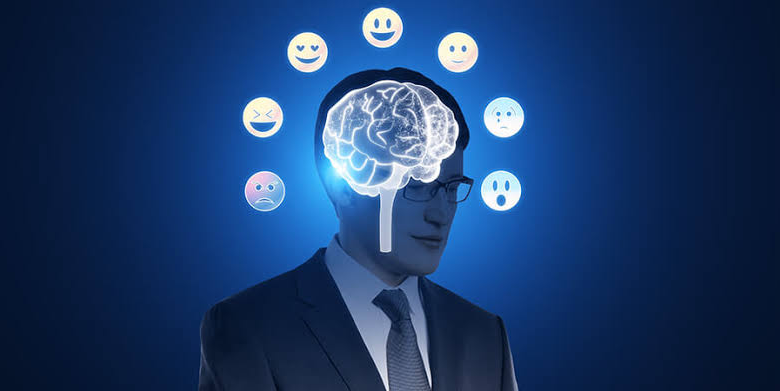
في عالم تتسارع فيه تطورات الذكاء الاصطناعي، لم يعد دوره يقتصر على تنفيذ الأوامر وتحليل البيانات، بل أصبح قادراً على محاكاة المشاعر البشرية والتفاعل معها بطرق تثير التساؤلات. هل هذه مجرد برمجة متطورة أم أن الآلات قد تقترب من امتلاك وعي عاطفي حقيقي؟
دراسات حديثة في مجالات علم النفس وعلوم الحاسوب تشير إلى إمكانية تطوير أنظمة ذكاء اصطناعي قادرة على التعرف على المشاعر البشرية والتفاعل معها بشكل أكثر تعقيداً، لكن الخبراء ما زالوا منقسمين حول ما إذا كان هذا يعني أن الآلة يمكن أن “تشعر” بالفعل، أم أنها مجرد خوارزميات تحاكي العاطفة دون إدراك حقيقي لها.
حين ننظر في عيون شخص يبكي أو نسمع نبرة الفرح في صوت آخر، نحن لا ندرك المشاعر فحسب، بل نشعر بها أيضاً. هذه القدرة على الإحساس والتعاطف لطالما كانت ما يميز الإنسان عن الآلة. لكن اليوم، ومع تطور الذكاء الاصطناعي، بدأت الحدود تتلاشى. روبوتات تتحدث بحنان، أنظمة تواسي مستخدميها، وبرمجيات تتفاعل مع الحزن والفرح وكأنها تمتلك وعياً عاطفياً. فهل يمكن للآلة أن تشعر حقاً، أم أن كل ما تفعله مجرد محاكاة بارعة تخدعنا للحظات؟
“الذكاء الاصطناعي أشبه بدمية متطورة جداً”
قال أستاذ عبدالله الدالي، مطور برمجيات، إن: “الذكاء الاصطناعي مثل الممثل المحترف، لا يشعر بالمشاعر الحقيقية ولكنه يعرف أن يقلدها”. وأضاف أستاذ عبدالله أنه يمكن تصميم أنظمة الذكاء الاصطناعي بحيث تبدو وكأنها تمتلك مشاعر، حيث قال: “المبرمجين يصممون النظام بحيث يحلل الحديث أو الموقف مثل نبرة الصوت، ثم يختار رد مناسب من قاعدة بيانات بها عبارات جاهزة تعبر عن فرح أو زعل أو حتى تعاطف، بمعنى أنه يتم وضع سيناريو ثابت في البرمجة. على سبيل المثال، عندما تقول له ‘أنا حزين’، يرد الرد المبرمج عليه، مثلًا: ‘لماذا أنت حزين؟’”.
من جانبه، قال أستاذ وليد دبور، أستاذ مساعد الذكاء الاصطناعي بجامعة الأهرام الكندية: “الذكاء الاصطناعي الحالي أشبه بدمية متطورة جداً، تتحدث وتتحرك بذكاء لكنها لا تعيش ولا تشعر”. وأكد أستاذ وليد: “لا توجد طريقة لصنع مشاعر حقيقية في الآلات حالياً، وما يحدث هو مجرد تدريب لبيانات وخوارزميات الذكاء الاصطناعي. إذا دربته على نصوص عدوانية قد تصبح ردوده حادة، وإذا دربته على نصوص حزينة، سيقلد اللغة الحزينة، لكن هذا مجرد تمثيل وليس مشاعر حقيقية إطلاقاً”. وشرح أستاذ عبدالله قائلاً: “الإحساس عملية بيولوجية مرتبطة بالمخ والهرمونات عند البشر، بينما الذكاء الاصطناعي ليس إلا مجرد كود وخوارزميات، وهذه محاكاة ذكية جداً”.
“الجهاز العصبي والنفسي مرتبطان ببعضهما وميز الله بهما الكائنات الحية فقط”
قالت دكتورة ماري جرجس، استشارية صحة نفسية: “العناصر التي تشكل المشاعر توجد في الجزء الأوسط من الدماغ وهي منطقة قريبة من اللاوعي، وبالتالي لا يتحكم بها العقل أو المنطق. المشاعر هي كل ما يشعر به الإنسان من فرح وحب وحزن وغضب وغيرها”. وأكدت دكتورة ماري أنه: “لا يمكن لآلة أن تمتلك مشاعر حقيقية، وإلا ستكون مشاعر مزيفة عن طريق التحكم في برمجة تلك الآلة. يمكن للذكاء الاصطناعي أن يفعل أي شيء ويوصل لتقدمات كبيرة جداً، لكن من الصعب أن يتحكم في شيء له علاقة بالسلوكيات والنفسية والجهاز العصبي. فالجهاز العصبي والنفسي مرتبطان ببعضهما وميز الله بهما الكائنات الحية فقط، ومن الصعب أن تمتلكهما آلة. وفي حالة الوصول لتلك التقنيات وتنفيذها بشكل فعلي، ستكون مجرد محاكاة، وسيوضح ذلك في عدم وضوح الحالة الانفعالية بجودتها الطبيعية”.
“المشاعر تحتاج إلى وعي ذاتي”
يرى البعض أن المشاعر تحتاج إلى وعي ذاتي، وهو ما لا يمتلكه الذكاء الاصطناعي حتى الآن، بينما يعتقد آخرون أن المشاعر ليست سوى عمليات إدراكية يمكن برمجتها. بين الرؤيتين، يقف الجدل العلمي والفلسفي.
قالت أستاذة مارتينا سمير، معيدة بقسم الفلسفة في كلية البنات جامعة عين شمس: “المشاعر تعرف فلسفياً بأنها تفاعلات بيولوجية وفكرية للذات الإنسانية، والأنظمة الذكية هي فقط تحاكي العقل البشري، لكن مستحيل أن تصل بالفعل للشعور مثله لأنها لا تمتلك تجربة شعورية واقعية كالبشر. وفي حالة وصولها لذلك، ستكون مجرد محاكاة من خلال الخوارزميات والبيانات المغذية بها من قبل، ولكنها تحتاج لوعي ذاتي، فهي بالنهاية خدع ذكية”.
وأوضحت أستاذة مارتينا قائلة: “بالنسبة لمفهوم الثنائية بين العقل والجسد، تعني الانفصال بين العقل المعنوي والجسد المادي. وهذا المفهوم يعطي إمكانية لامتلاك الذكاء الاصطناعي مشاعر كما البشر، لأن في هذه الحالة لن يحتاج إلى جسم بيولوجي ووعي إنساني حقيقي لكي يشعر. وفي هذه الحالة قد يكون للأنظمة الذكية فرصة لتحمل وعي أو مشاعر من وجهة نظر الفلسفة”.
ورغم التقدم الهائل في الذكاء الاصطناعي، فإن إمكانية امتلاكه مشاعر حقيقية تظل محل جدل واسع. من منظور البرمجة، لا يزال الذكاء الاصطناعي يعتمد على خوارزميات تحاكي المشاعر دون إدراك حقيقي لها. علم النفس يؤكد أن المشاعر ترتبط بتجارب ذاتية وتفاعلات عصبية وهرمونية لا يمكن محاكاتها برمجيًا بشكل كامل. أما الفلسفة، فرغم بعض النظريات التي تفتح المجال أمام إمكانية وعي منفصل عن الجسد، فإنها تتفق مع العلم على أن الوعي والمشاعر كما نعرفها تظل معقدة إلى حد يجعل من الصعب جدًا، إن لم يكن مستحيلًا، أن تمتلكها الآلة. في النهاية، قد يتمكن الذكاء الاصطناعي من خداعنا باستجاباته العاطفية، لكنه سيبقى بلا إحساس حقيقي، مجرد محاكاة متقنة لمشاعر لا يعيشها بالفعل.