// ===================================================================
// Author: Matt Kruse <matt@mattkruse.com>
// WWW: http://www.mattkruse.com/
//
// NOTICE: You may use this code for any purpose, commercial or
// private, without any further permission from the author. You may
// remove this notice from your final code if you wish, however it is
// appreciated by the author if at least my web site address is kept.
//
// You may *NOT* re-distribute this code in any way except through its
// use. That means, you can include it in your product, or your web
// site, or any other form where the code is actually being used. You
// may not put the plain javascript up on your site for download or
// include it in your javascript libraries for download.
// If you wish to share this code with others, please just point them
// to the URL instead.
// Please DO NOT link directly to my .js files from your site. Copy
// the files to your server and use them there. Thank you.
// ===================================================================
/* SOURCE FILE: AnchorPosition.js */
/*
AnchorPosition.js
Author: Matt Kruse
Last modified: 10/11/02
DESCRIPTION: These functions find the position of an <A> tag in a document,
so other elements can be positioned relative to it.
COMPATABILITY: Netscape 4.x,6.x,Mozilla, IE 5.x,6.x on Windows. Some small
positioning errors - usually with Window positioning - occur on the
Macintosh platform.
FUNCTIONS:
getAnchorPosition(anchorname)
Returns an Object() having .x and .y properties of the pixel coordinates
of the upper-left corner of the anchor. Position is relative to the PAGE.
getAnchorWindowPosition(anchorname)
Returns an Object() having .x and .y properties of the pixel coordinates
of the upper-left corner of the anchor, relative to the WHOLE SCREEN.
NOTES:
1) For popping up separate browser windows, use getAnchorWindowPosition.
Otherwise, use getAnchorPosition
2) Your anchor tag MUST contain both NAME and ID attributes which are the
same. For example:
<A NAME="test" ID="test"> </A>
3) There must be at least a space between <A> </A> for IE5.5 to see the
anchor tag correctly. Do not do <A></A> with no space.
*/
// getAnchorPosition(anchorname)
// This function returns an object having .x and .y properties which are the coordinates
// of the named anchor, relative to the page.
function getAnchorPosition(anchorname) {
// This function will return an Object with x and y properties
var useWindow=false;
var coordinates=new Object();
var x=0,y=0;
// Browser capability sniffing
var use_gebi=false, use_css=false, use_layers=false;
if (document.getElementById) { use_gebi=true; }
else if (document.all) { use_css=true; }
else if (document.layers) { use_layers=true; }
// Logic to find position
if (use_gebi && document.all) {
x=AnchorPosition_getPageOffsetLeft(document.all[anchorname]);
y=AnchorPosition_getPageOffsetTop(document.all[anchorname]);
}
else if (use_gebi) {
var o=document.getElementById(anchorname);
x=AnchorPosition_getPageOffsetLeft(o);
y=AnchorPosition_getPageOffsetTop(o);
}
else if (use_css) {
x=AnchorPosition_getPageOffsetLeft(document.all[anchorname]);
y=AnchorPosition_getPageOffsetTop(document.all[anchorname]);
}
else if (use_layers) {
var found=0;
for (var i=0; i<document.anchors.length; i++) {
if (document.anchors[i].name==anchorname) { found=1; break; }
}
if (found==0) {
coordinates.x=0; coordinates.y=0; return coordinates;
}
x=document.anchors[i].x;
y=document.anchors[i].y;
}
else {
coordinates.x=0; coordinates.y=0; return coordinates;
}
coordinates.x=x;
coordinates.y=y;
return coordinates;
}
// getAnchorWindowPosition(anchorname)
// This function returns an object having .x and .y properties which are the coordinates
// of the named anchor, relative to the window
function getAnchorWindowPosition(anchorname) {
var coordinates=getAnchorPosition(anchorname);
var x=0;
var y=0;
if (document.getElementById) {
if (isNaN(window.screenX)) {
x=coordinates.x-document.body.scrollLeft+window.screenLeft;
y=coordinates.y-document.body.scrollTop+window.screenTop;
}
else {
x=coordinates.x+window.screenX+(window.outerWidth-window.innerWidth)-window.pageXOffset;
y=coordinates.y+window.screenY+(window.outerHeight-24-window.innerHeight)-window.pageYOffset;
}
}
else if (document.all) {
x=coordinates.x-document.body.scrollLeft+window.screenLeft;
y=coordinates.y-document.body.scrollTop+window.screenTop;
}
else if (document.layers) {
x=coordinates.x+window.screenX+(window.outerWidth-window.innerWidth)-window.pageXOffset;
y=coordinates.y+window.screenY+(window.outerHeight-24-window.innerHeight)-window.pageYOffset;
}
coordinates.x=x;
coordinates.y=y;
return coordinates;
}
// Functions for IE to get position of an object
function AnchorPosition_getPageOffsetLeft (el) {
var ol=el.offsetLeft;
while ((el=el.offsetParent) != null) { ol += el.offsetLeft; }
return ol;
}
function AnchorPosition_getWindowOffsetLeft (el) {
return AnchorPosition_getPageOffsetLeft(el)-document.body.scrollLeft;
}
function AnchorPosition_getPageOffsetTop (el) {
var ot=el.offsetTop;
while((el=el.offsetParent) != null) { ot += el.offsetTop; }
return ot;
}
function AnchorPosition_getWindowOffsetTop (el) {
return AnchorPosition_getPageOffsetTop(el)-document.body.scrollTop;
}
/* SOURCE FILE: PopupWindow.js */
/*
PopupWindow.js
Author: Matt Kruse
Last modified: 02/16/04
DESCRIPTION: This object allows you to easily and quickly popup a window
in a certain place. The window can either be a DIV or a separate browser
window.
COMPATABILITY: Works with Netscape 4.x, 6.x, IE 5.x on Windows. Some small
positioning errors - usually with Window positioning - occur on the
Macintosh platform. Due to bugs in Netscape 4.x, populating the popup
window with <STYLE> tags may cause errors.
USAGE:
// Create an object for a WINDOW popup
var win = new PopupWindow();
// Create an object for a DIV window using the DIV named 'mydiv'
var win = new PopupWindow('mydiv');
// Set the window to automatically hide itself when the user clicks
// anywhere else on the page except the popup
win.autoHide();
// Show the window relative to the anchor name passed in
win.showPopup(anchorname);
// Hide the popup
win.hidePopup();
// Set the size of the popup window (only applies to WINDOW popups
win.setSize(width,height);
// Populate the contents of the popup window that will be shown. If you
// change the contents while it is displayed, you will need to refresh()
win.populate(string);
// set the URL of the window, rather than populating its contents
// manually
win.setUrl("http://www.site.com/");
// Refresh the contents of the popup
win.refresh();
// Specify how many pixels to the right of the anchor the popup will appear
win.offsetX = 50;
// Specify how many pixels below the anchor the popup will appear
win.offsetY = 100;
NOTES:
1) Requires the functions in AnchorPosition.js
2) Your anchor tag MUST contain both NAME and ID attributes which are the
same. For example:
<A NAME="test" ID="test"> </A>
3) There must be at least a space between <A> </A> for IE5.5 to see the
anchor tag correctly. Do not do <A></A> with no space.
4) When a PopupWindow object is created, a handler for 'onmouseup' is
attached to any event handler you may have already defined. Do NOT define
an event handler for 'onmouseup' after you define a PopupWindow object or
the autoHide() will not work correctly.
*/
// Set the position of the popup window based on the anchor
function PopupWindow_getXYPosition(anchorname) {
var coordinates;
if (this.type == "WINDOW") {
coordinates = getAnchorWindowPosition(anchorname);
}
else {
coordinates = getAnchorPosition(anchorname);
}
this.x = coordinates.x;
this.y = coordinates.y;
}
// Set width/height of DIV/popup window
function PopupWindow_setSize(width,height) {
this.width = width;
this.height = height;
}
// Fill the window with contents
function PopupWindow_populate(contents) {
this.contents = contents;
this.populated = false;
}
// Set the URL to go to
function PopupWindow_setUrl(url) {
this.url = url;
}
// Set the window popup properties
function PopupWindow_setWindowProperties(props) {
this.windowProperties = props;
}
// Refresh the displayed contents of the popup
function PopupWindow_refresh() {
if (this.divName != null) {
// refresh the DIV object
if (this.use_gebi) {
document.getElementById(this.divName).innerHTML = this.contents;
}
else if (this.use_css) {
document.all[this.divName].innerHTML = this.contents;
}
else if (this.use_layers) {
var d = document.layers[this.divName];
d.document.open();
d.document.writeln(this.contents);
d.document.close();
}
}
else {
if (this.popupWindow != null && !this.popupWindow.closed) {
if (this.url!="") {
this.popupWindow.location.href=this.url;
}
else {
this.popupWindow.document.open();
this.popupWindow.document.writeln(this.contents);
this.popupWindow.document.close();
}
this.popupWindow.focus();
}
}
}
// Position and show the popup, relative to an anchor object
function PopupWindow_showPopup(anchorname) {
this.getXYPosition(anchorname);
this.x += this.offsetX;
this.y += this.offsetY;
if (!this.populated && (this.contents != "")) {
this.populated = true;
this.refresh();
}
if (this.divName != null) {
// Show the DIV object
if (this.use_gebi) {
document.getElementById(this.divName).style.left = this.x + "px";
document.getElementById(this.divName).style.top = this.y;
document.getElementById(this.divName).style.visibility = "visible";
}
else if (this.use_css) {
document.all[this.divName].style.left = this.x;
document.all[this.divName].style.top = this.y;
document.all[this.divName].style.visibility = "visible";
}
else if (this.use_layers) {
document.layers[this.divName].left = this.x;
document.layers[this.divName].top = this.y;
document.layers[this.divName].visibility = "visible";
}
}
else {
if (this.popupWindow == null || this.popupWindow.closed) {
// If the popup window will go off-screen, move it so it doesn't
if (this.x<0) { this.x=0; }
if (this.y<0) { this.y=0; }
if (screen && screen.availHeight) {
if ((this.y + this.height) > screen.availHeight) {
this.y = screen.availHeight - this.height;
}
}
if (screen && screen.availWidth) {
if ((this.x + this.width) > screen.availWidth) {
this.x = screen.availWidth - this.width;
}
}
var avoidAboutBlank = window.opera || ( document.layers && !navigator.mimeTypes['*'] ) || navigator.vendor == 'KDE' || ( document.childNodes && !document.all && !navigator.taintEnabled );
this.popupWindow = window.open(avoidAboutBlank?"":"about:blank","window_"+anchorname,this.windowProperties+",width="+this.width+",height="+this.height+",screenX="+this.x+",left="+this.x+",screenY="+this.y+",top="+this.y+"");
}
this.refresh();
}
}
// Hide the popup
function PopupWindow_hidePopup() {
if (this.divName != null) {
if (this.use_gebi) {
document.getElementById(this.divName).style.visibility = "hidden";
}
else if (this.use_css) {
document.all[this.divName].style.visibility = "hidden";
}
else if (this.use_layers) {
document.layers[this.divName].visibility = "hidden";
}
}
else {
if (this.popupWindow && !this.popupWindow.closed) {
this.popupWindow.close();
this.popupWindow = null;
}
}
}
// Pass an event and return whether or not it was the popup DIV that was clicked
function PopupWindow_isClicked(e) {
if (this.divName != null) {
if (this.use_layers) {
var clickX = e.pageX;
var clickY = e.pageY;
var t = document.layers[this.divName];
if ((clickX > t.left) && (clickX < t.left+t.clip.width) && (clickY > t.top) && (clickY < t.top+t.clip.height)) {
return true;
}
else { return false; }
}
else if (document.all) { // Need to hard-code this to trap IE for error-handling
var t = window.event.srcElement;
while (t.parentElement != null) {
if (t.id==this.divName) {
return true;
}
t = t.parentElement;
}
return false;
}
else if (this.use_gebi && e) {
var t = e.originalTarget;
while (t.parentNode != null) {
if (t.id==this.divName) {
return true;
}
t = t.parentNode;
}
return false;
}
return false;
}
return false;
}
// Check an onMouseDown event to see if we should hide
function PopupWindow_hideIfNotClicked(e) {
if (this.autoHideEnabled && !this.isClicked(e)) {
this.hidePopup();
}
}
// Call this to make the DIV disable automatically when mouse is clicked outside it
function PopupWindow_autoHide() {
this.autoHideEnabled = true;
}
// This global function checks all PopupWindow objects onmouseup to see if they should be hidden
function PopupWindow_hidePopupWindows(e) {
for (var i=0; i<popupWindowObjects.length; i++) {
if (popupWindowObjects[i] != null) {
var p = popupWindowObjects[i];
p.hideIfNotClicked(e);
}
}
}
// Run this immediately to attach the event listener
function PopupWindow_attachListener() {
if (document.layers) {
document.captureEvents(Event.MOUSEUP);
}
window.popupWindowOldEventListener = document.onmouseup;
if (window.popupWindowOldEventListener != null) {
document.onmouseup = new Function("window.popupWindowOldEventListener(); PopupWindow_hidePopupWindows();");
}
else {
document.onmouseup = PopupWindow_hidePopupWindows;
}
}
// CONSTRUCTOR for the PopupWindow object
// Pass it a DIV name to use a DHTML popup, otherwise will default to window popup
function PopupWindow() {
if (!window.popupWindowIndex) { window.popupWindowIndex = 0; }
if (!window.popupWindowObjects) { window.popupWindowObjects = new Array(); }
if (!window.listenerAttached) {
window.listenerAttached = true;
PopupWindow_attachListener();
}
this.index = popupWindowIndex++;
popupWindowObjects[this.index] = this;
this.divName = null;
this.popupWindow = null;
this.width=0;
this.height=0;
this.populated = false;
this.visible = false;
this.autoHideEnabled = false;
this.contents = "";
this.url="";
this.windowProperties="toolbar=no,location=no,status=no,menubar=no,scrollbars=auto,resizable,alwaysRaised,dependent,titlebar=no";
if (arguments.length>0) {
this.type="DIV";
this.divName = arguments[0];
}
else {
this.type="WINDOW";
}
this.use_gebi = false;
this.use_css = false;
this.use_layers = false;
if (document.getElementById) { this.use_gebi = true; }
else if (document.all) { this.use_css = true; }
else if (document.layers) { this.use_layers = true; }
else { this.type = "WINDOW"; }
this.offsetX = 0;
this.offsetY = 0;
// Method mappings
this.getXYPosition = PopupWindow_getXYPosition;
this.populate = PopupWindow_populate;
this.setUrl = PopupWindow_setUrl;
this.setWindowProperties = PopupWindow_setWindowProperties;
this.refresh = PopupWindow_refresh;
this.showPopup = PopupWindow_showPopup;
this.hidePopup = PopupWindow_hidePopup;
this.setSize = PopupWindow_setSize;
this.isClicked = PopupWindow_isClicked;
this.autoHide = PopupWindow_autoHide;
this.hideIfNotClicked = PopupWindow_hideIfNotClicked;
}
/* SOURCE FILE: ColorPicker2.js */
/*
Last modified: 02/24/2003
DESCRIPTION: This widget is used to select a color, in hexadecimal #RRGGBB
form. It uses a color "swatch" to display the standard 216-color web-safe
palette. The user can then click on a color to select it.
COMPATABILITY: See notes in AnchorPosition.js and PopupWindow.js.
Only the latest DHTML-capable browsers will show the color and hex values
at the bottom as your mouse goes over them.
USAGE:
// Create a new ColorPicker object using DHTML popup
var cp = new ColorPicker();
// Create a new ColorPicker object using Window Popup
var cp = new ColorPicker('window');
// Add a link in your page to trigger the popup. For example:
<A HREF="#" onClick="cp.show('pick');return false;" NAME="pick" ID="pick">Pick</A>
// Or use the built-in "select" function to do the dirty work for you:
<A HREF="#" onClick="cp.select(document.forms[0].color,'pick');return false;" NAME="pick" ID="pick">Pick</A>
// If using DHTML popup, write out the required DIV tag near the bottom
// of your page.
<SCRIPT LANGUAGE="JavaScript">cp.writeDiv()</SCRIPT>
// Write the 'pickColor' function that will be called when the user clicks
// a color and do something with the value. This is only required if you
// want to do something other than simply populate a form field, which is
// what the 'select' function will give you.
function pickColor(color) {
field.value = color;
}
NOTES:
1) Requires the functions in AnchorPosition.js and PopupWindow.js
2) Your anchor tag MUST contain both NAME and ID attributes which are the
same. For example:
<A NAME="test" ID="test"> </A>
3) There must be at least a space between <A> </A> for IE5.5 to see the
anchor tag correctly. Do not do <A></A> with no space.
4) When a ColorPicker object is created, a handler for 'onmouseup' is
attached to any event handler you may have already defined. Do NOT define
an event handler for 'onmouseup' after you define a ColorPicker object or
the color picker will not hide itself correctly.
*/
ColorPicker_targetInput = null;
function ColorPicker_writeDiv() {
document.writeln("<DIV ID=\"colorPickerDiv\" STYLE=\"position:absolute;visibility:hidden;\"> </DIV>");
}
function ColorPicker_show(anchorname) {
this.showPopup(anchorname);
}
function ColorPicker_pickColor(color,obj) {
obj.hidePopup();
pickColor(color);
}
// A Default "pickColor" function to accept the color passed back from popup.
// User can over-ride this with their own function.
function pickColor(color) {
if (ColorPicker_targetInput==null) {
alert("Target Input is null, which means you either didn't use the 'select' function or you have no defined your own 'pickColor' function to handle the picked color!");
return;
}
ColorPicker_targetInput.value = color;
}
// This function is the easiest way to popup the window, select a color, and
// have the value populate a form field, which is what most people want to do.
function ColorPicker_select(inputobj,linkname) {
if (inputobj.type!="text" && inputobj.type!="hidden" && inputobj.type!="textarea") {
alert("colorpicker.select: Input object passed is not a valid form input object");
window.ColorPicker_targetInput=null;
return;
}
window.ColorPicker_targetInput = inputobj;
this.show(linkname);
}
// This function runs when you move your mouse over a color block, if you have a newer browser
function ColorPicker_highlightColor(c) {
var thedoc = (arguments.length>1)?arguments[1]:window.document;
var d = thedoc.getElementById("colorPickerSelectedColor");
d.style.backgroundColor = c;
d = thedoc.getElementById("colorPickerSelectedColorValue");
d.innerHTML = c;
}
function ColorPicker() {
var windowMode = false;
// Create a new PopupWindow object
if (arguments.length==0) {
var divname = "colorPickerDiv";
}
else if (arguments[0] == "window") {
var divname = '';
windowMode = true;
}
else {
var divname = arguments[0];
}
if (divname != "") {
var cp = new PopupWindow(divname);
}
else {
var cp = new PopupWindow();
cp.setSize(225,250);
}
// Object variables
cp.currentValue = "#FFFFFF";
// Method Mappings
cp.writeDiv = ColorPicker_writeDiv;
cp.highlightColor = ColorPicker_highlightColor;
cp.show = ColorPicker_show;
cp.select = ColorPicker_select;
// Code to populate color picker window
var colors = new Array( "#4180B6","#69AEE7","#000000","#000033","#000066","#000099","#0000CC","#0000FF","#330000","#330033","#330066","#330099",
"#3300CC","#3300FF","#660000","#660033","#660066","#660099","#6600CC","#6600FF","#990000","#990033","#990066","#990099",
"#9900CC","#9900FF","#CC0000","#CC0033","#CC0066","#CC0099","#CC00CC","#CC00FF","#FF0000","#FF0033","#FF0066","#FF0099",
"#FF00CC","#FF00FF","#7FFFFF","#7FFFFF","#7FF7F7","#7FEFEF","#7FE7E7","#7FDFDF","#7FD7D7","#7FCFCF","#7FC7C7","#7FBFBF",
"#7FB7B7","#7FAFAF","#7FA7A7","#7F9F9F","#7F9797","#7F8F8F","#7F8787","#7F7F7F","#7F7777","#7F6F6F","#7F6767","#7F5F5F",
"#7F5757","#7F4F4F","#7F4747","#7F3F3F","#7F3737","#7F2F2F","#7F2727","#7F1F1F","#7F1717","#7F0F0F","#7F0707","#7F0000",
"#4180B6","#69AEE7","#003300","#003333","#003366","#003399","#0033CC","#0033FF","#333300","#333333","#333366","#333399",
"#3333CC","#3333FF","#663300","#663333","#663366","#663399","#6633CC","#6633FF","#993300","#993333","#993366","#993399",
"#9933CC","#9933FF","#CC3300","#CC3333","#CC3366","#CC3399","#CC33CC","#CC33FF","#FF3300","#FF3333","#FF3366","#FF3399",
"#FF33CC","#FF33FF","#FF7FFF","#FF7FFF","#F77FF7","#EF7FEF","#E77FE7","#DF7FDF","#D77FD7","#CF7FCF","#C77FC7","#BF7FBF",
"#B77FB7","#AF7FAF","#A77FA7","#9F7F9F","#977F97","#8F7F8F","#877F87","#7F7F7F","#777F77","#6F7F6F","#677F67","#5F7F5F",
"#577F57","#4F7F4F","#477F47","#3F7F3F","#377F37","#2F7F2F","#277F27","#1F7F1F","#177F17","#0F7F0F","#077F07","#007F00",
"#4180B6","#69AEE7","#006600","#006633","#006666","#006699","#0066CC","#0066FF","#336600","#336633","#336666","#336699",
"#3366CC","#3366FF","#666600","#666633","#666666","#666699","#6666CC","#6666FF","#996600","#996633","#996666","#996699",
"#9966CC","#9966FF","#CC6600","#CC6633","#CC6666","#CC6699","#CC66CC","#CC66FF","#FF6600","#FF6633","#FF6666","#FF6699",
"#FF66CC","#FF66FF","#FFFF7F","#FFFF7F","#F7F77F","#EFEF7F","#E7E77F","#DFDF7F","#D7D77F","#CFCF7F","#C7C77F","#BFBF7F",
"#B7B77F","#AFAF7F","#A7A77F","#9F9F7F","#97977F","#8F8F7F","#87877F","#7F7F7F","#77777F","#6F6F7F","#67677F","#5F5F7F",
"#57577F","#4F4F7F","#47477F","#3F3F7F","#37377F","#2F2F7F","#27277F","#1F1F7F","#17177F","#0F0F7F","#07077F","#00007F",
"#4180B6","#69AEE7","#009900","#009933","#009966","#009999","#0099CC","#0099FF","#339900","#339933","#339966","#339999",
"#3399CC","#3399FF","#669900","#669933","#669966","#669999","#6699CC","#6699FF","#999900","#999933","#999966","#999999",
"#9999CC","#9999FF","#CC9900","#CC9933","#CC9966","#CC9999","#CC99CC","#CC99FF","#FF9900","#FF9933","#FF9966","#FF9999",
"#FF99CC","#FF99FF","#3FFFFF","#3FFFFF","#3FF7F7","#3FEFEF","#3FE7E7","#3FDFDF","#3FD7D7","#3FCFCF","#3FC7C7","#3FBFBF",
"#3FB7B7","#3FAFAF","#3FA7A7","#3F9F9F","#3F9797","#3F8F8F","#3F8787","#3F7F7F","#3F7777","#3F6F6F","#3F6767","#3F5F5F",
"#3F5757","#3F4F4F","#3F4747","#3F3F3F","#3F3737","#3F2F2F","#3F2727","#3F1F1F","#3F1717","#3F0F0F","#3F0707","#3F0000",
"#4180B6","#69AEE7","#00CC00","#00CC33","#00CC66","#00CC99","#00CCCC","#00CCFF","#33CC00","#33CC33","#33CC66","#33CC99",
"#33CCCC","#33CCFF","#66CC00","#66CC33","#66CC66","#66CC99","#66CCCC","#66CCFF","#99CC00","#99CC33","#99CC66","#99CC99",
"#99CCCC","#99CCFF","#CCCC00","#CCCC33","#CCCC66","#CCCC99","#CCCCCC","#CCCCFF","#FFCC00","#FFCC33","#FFCC66","#FFCC99",
"#FFCCCC","#FFCCFF","#FF3FFF","#FF3FFF","#F73FF7","#EF3FEF","#E73FE7","#DF3FDF","#D73FD7","#CF3FCF","#C73FC7","#BF3FBF",
"#B73FB7","#AF3FAF","#A73FA7","#9F3F9F","#973F97","#8F3F8F","#873F87","#7F3F7F","#773F77","#6F3F6F","#673F67","#5F3F5F",
"#573F57","#4F3F4F","#473F47","#3F3F3F","#373F37","#2F3F2F","#273F27","#1F3F1F","#173F17","#0F3F0F","#073F07","#003F00",
"#4180B6","#69AEE7","#00FF00","#00FF33","#00FF66","#00FF99","#00FFCC","#00FFFF","#33FF00","#33FF33","#33FF66","#33FF99",
"#33FFCC","#33FFFF","#66FF00","#66FF33","#66FF66","#66FF99","#66FFCC","#66FFFF","#99FF00","#99FF33","#99FF66","#99FF99",
"#99FFCC","#99FFFF","#CCFF00","#CCFF33","#CCFF66","#CCFF99","#CCFFCC","#CCFFFF","#FFFF00","#FFFF33","#FFFF66","#FFFF99",
"#FFFFCC","#FFFFFF","#FFFF3F","#FFFF3F","#F7F73F","#EFEF3F","#E7E73F","#DFDF3F","#D7D73F","#CFCF3F","#C7C73F","#BFBF3F",
"#B7B73F","#AFAF3F","#A7A73F","#9F9F3F","#97973F","#8F8F3F","#87873F","#7F7F3F","#77773F","#6F6F3F","#67673F","#5F5F3F",
"#57573F","#4F4F3F","#47473F","#3F3F3F","#37373F","#2F2F3F","#27273F","#1F1F3F","#17173F","#0F0F3F","#07073F","#00003F",
"#4180B6","#69AEE7","#FFFFFF","#FFEEEE","#FFDDDD","#FFCCCC","#FFBBBB","#FFAAAA","#FF9999","#FF8888","#FF7777","#FF6666",
"#FF5555","#FF4444","#FF3333","#FF2222","#FF1111","#FF0000","#FF0000","#FF0000","#FF0000","#EE0000","#DD0000","#CC0000",
"#BB0000","#AA0000","#990000","#880000","#770000","#660000","#550000","#440000","#330000","#220000","#110000","#000000",
"#000000","#000000","#000000","#001111","#002222","#003333","#004444","#005555","#006666","#007777","#008888","#009999",
"#00AAAA","#00BBBB","#00CCCC","#00DDDD","#00EEEE","#00FFFF","#00FFFF","#00FFFF","#00FFFF","#11FFFF","#22FFFF","#33FFFF",
"#44FFFF","#55FFFF","#66FFFF","#77FFFF","#88FFFF","#99FFFF","#AAFFFF","#BBFFFF","#CCFFFF","#DDFFFF","#EEFFFF","#FFFFFF",
"#4180B6","#69AEE7","#FFFFFF","#EEFFEE","#DDFFDD","#CCFFCC","#BBFFBB","#AAFFAA","#99FF99","#88FF88","#77FF77","#66FF66",
"#55FF55","#44FF44","#33FF33","#22FF22","#11FF11","#00FF00","#00FF00","#00FF00","#00FF00","#00EE00","#00DD00","#00CC00",
"#00BB00","#00AA00","#009900","#008800","#007700","#006600","#005500","#004400","#003300","#002200","#001100","#000000",
"#000000","#000000","#000000","#110011","#220022","#330033","#440044","#550055","#660066","#770077","#880088","#990099",
"#AA00AA","#BB00BB","#CC00CC","#DD00DD","#EE00EE","#FF00FF","#FF00FF","#FF00FF","#FF00FF","#FF11FF","#FF22FF","#FF33FF",
"#FF44FF","#FF55FF","#FF66FF","#FF77FF","#FF88FF","#FF99FF","#FFAAFF","#FFBBFF","#FFCCFF","#FFDDFF","#FFEEFF","#FFFFFF",
"#4180B6","#69AEE7","#FFFFFF","#EEEEFF","#DDDDFF","#CCCCFF","#BBBBFF","#AAAAFF","#9999FF","#8888FF","#7777FF","#6666FF",
"#5555FF","#4444FF","#3333FF","#2222FF","#1111FF","#0000FF","#0000FF","#0000FF","#0000FF","#0000EE","#0000DD","#0000CC",
"#0000BB","#0000AA","#000099","#000088","#000077","#000066","#000055","#000044","#000033","#000022","#000011","#000000",
"#000000","#000000","#000000","#111100","#222200","#333300","#444400","#555500","#666600","#777700","#888800","#999900",
"#AAAA00","#BBBB00","#CCCC00","#DDDD00","#EEEE00","#FFFF00","#FFFF00","#FFFF00","#FFFF00","#FFFF11","#FFFF22","#FFFF33",
"#FFFF44","#FFFF55","#FFFF66","#FFFF77","#FFFF88","#FFFF99","#FFFFAA","#FFFFBB","#FFFFCC","#FFFFDD","#FFFFEE","#FFFFFF",
"#4180B6","#69AEE7","#FFFFFF","#FFFFFF","#FBFBFB","#F7F7F7","#F3F3F3","#EFEFEF","#EBEBEB","#E7E7E7","#E3E3E3","#DFDFDF",
"#DBDBDB","#D7D7D7","#D3D3D3","#CFCFCF","#CBCBCB","#C7C7C7","#C3C3C3","#BFBFBF","#BBBBBB","#B7B7B7","#B3B3B3","#AFAFAF",
"#ABABAB","#A7A7A7","#A3A3A3","#9F9F9F","#9B9B9B","#979797","#939393","#8F8F8F","#8B8B8B","#878787","#838383","#7F7F7F",
"#7B7B7B","#777777","#737373","#6F6F6F","#6B6B6B","#676767","#636363","#5F5F5F","#5B5B5B","#575757","#535353","#4F4F4F",
"#4B4B4B","#474747","#434343","#3F3F3F","#3B3B3B","#373737","#333333","#2F2F2F","#2B2B2B","#272727","#232323","#1F1F1F",
"#1B1B1B","#171717","#131313","#0F0F0F","#0B0B0B","#070707","#030303","#000000","#000000","#000000","#000000","#000000");
var total = colors.length;
var width = 72;
var cp_contents = "";
var windowRef = (windowMode)?"window.opener.":"";
if (windowMode) {
cp_contents += "<html><head><title>Select Color</title></head>";
cp_contents += "<body marginwidth=0 marginheight=0 leftmargin=0 topmargin=0><span style='text-align: center;'>";
}
cp_contents += "<table style='border: none;' cellspacing=0 cellpadding=0>";
var use_highlight = (document.getElementById || document.all)?true:false;
for (var i=0; i<total; i++) {
if ((i % width) == 0) { cp_contents += "<tr>"; }
if (use_highlight) { var mo = 'onMouseOver="'+windowRef+'ColorPicker_highlightColor(\''+colors[i]+'\',window.document)"'; }
else { mo = ""; }
cp_contents += '<td style="background-color: '+colors[i]+';"><a href="javascript:void()" onclick="'+windowRef+'ColorPicker_pickColor(\''+colors[i]+'\','+windowRef+'window.popupWindowObjects['+cp.index+']);return false;" '+mo+'> </a></td>';
if ( ((i+1)>=total) || (((i+1) % width) == 0)) {
cp_contents += "</tr>";
}
}
// If the browser supports dynamically changing TD cells, add the fancy stuff
if (document.getElementById) {
var width1 = Math.floor(width/2);
var width2 = width = width1;
cp_contents += "<tr><td colspan='"+width1+"' style='background-color: #FFF;' ID='colorPickerSelectedColor'> </td><td colspan='"+width2+"' style='text-align: center;' id='colorPickerSelectedColorValue'>#FFFFFF</td></tr>";
}
cp_contents += "</table>";
if (windowMode) {
cp_contents += "</span></body></html>";
}
// end populate code
// Write the contents to the popup object
cp.populate(cp_contents+"\n");
// Move the table down a bit so you can see it
cp.offsetY = 25;
cp.autoHide();
return cp;
}
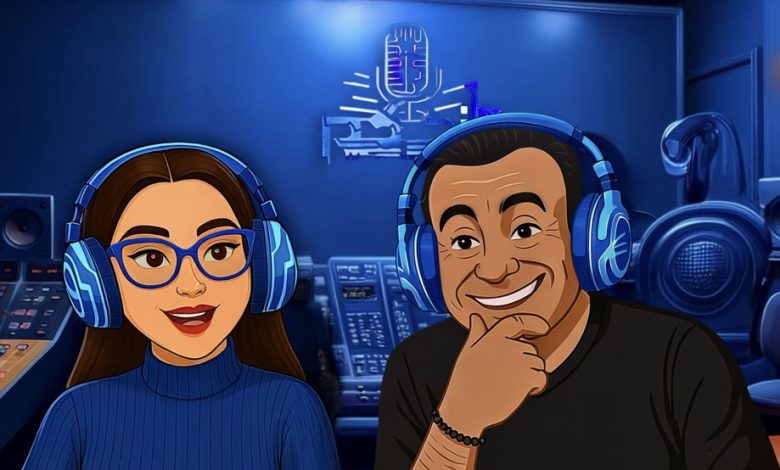
كتبت : فرح سمير بين دفء الصوت وبرود التقنية… أسامة منير يتحدث
“حين يُستنسخ الصوت.. هل تُستنسخ الروح؟”
“أسامة منير: الروح لا تسجل ب mp3 ولا ذكاء يعوّض دفء الصوت الإنساني
عندما يُذكر اسم الإذاعة في العالم العربى ، يتردد في الأذهان فورًا صوت الإعلامي القدير أسامة منير، صاحب المدرسة الخاصة في فن التقديم الإذاعي، والبصمة الإنسانية الواضحة في برامجه، وعلى رأسها البرنامج الأشهر “أنا والنجوم وهواك”. بصوته العذب وحضوره الإنساني، أصبح “ الغائب الحاضر ” في ذاكرة مستمعين تربّوا على نبرة صدقه ودفء كلماته.
وفي الوقت الذي تواصل فيه التكنولوجيا اقتحام ميادين الإعلام، أعلنت شركة Google في مايو 2025 عن ميزة “البودكاست الذكي” ضمن تطبيق Gemini، والتي تتيح للمستخدمين تحويل مستنداتهم إلى حلقات صوتية تفاعلية، تديرها شخصيتان ذكيتان تعملان بالذكاء الاصطناعي.
في هذا السياق، نتحاور اليوم مع الإعلامي أسامة منير حول هذه النقلة النوعية، ونبحث معه في سؤال جوهري: هل ما زال الصوت البشري الدافئ قادرًا على الصمود أمام زحف الذكاء الاصطناعي؟ كيف يمكن للإعلامي أن يتكيّف مع هذه الأدوات الجديدة، دون أن يفقد إنسانيته، أو يفرّط في جوهر الرسالة الإعلامية؟
في رأيك، هل البودكاست بصوت الذكاء الاصطناعي يمكن أن ينافس صوت وتجربة المذيع البشري في المستقبل؟
أعتقد أن البودكاست “لحم ودم”، لا يصح أن يكون بصوت الذكاء الاصطناعي أبدًا. لأنك إن قمتِ بتحضير الأسئلة وطرحتها بصوت الذكاء الاصطناعي، ثم جاءت الإجابات أيضًا من الذكاءالاصطناعي، فكأنك فقط تبحثين عن وسيلة لقراءة نص مكتوب. لكن الحوار الحقيقي يكون حيًا، عبارة عن تلاقٍ بين فكر وفكر، وعقل وعقل. يكون فيه أخذ وردّ، ولا يمكن أن يُدار بأي شكل من الأشكال عن طريق الذكاء الاصطناعي، لأنه ببساطة سيفقد “الروح”،وسيفقد “الطعم”، وحتى “ذكاء الحوار” نفسه.
لديك تاريخ طويل في البرامج الإذاعية المؤثرة.. هل تعتقد أن الذكاء الاصطناعي يمكن أن ينقل نفس المشاعر والدفء الذي يقدمه المذيع الحقيقي؟
أعتقد أن البرامج الإذاعية لا يمكن أن تُدار على الإطلاق بتقنيات الذكاء الاصطناعي، فهذا شيء بعيد تمامًا. لأن المذيع الذي يجلس أمام الميكروفون — والذي نسميه “الحديدة” —تنقل “الحديدة” هذه ليس فقط صوته، وإنما أيضًا إحساسه وأفكاره، ومشاعره من فرح أو غضب أو حماس هناك دفء وخصوصية في العلاقة الحوارية بين المذيع والمستمع، ولا أعتقد أن هذا يمكن أن نحصل عليه بأي حال من الأحوال من الذكاء الاصطناعي.
هل سبق أن جربت أي أدوات ذكاء اصطناعي في إعداد أو إنتاج محتوى صوتي أو بودكاست؟ وإن لم تفعل، هل تفكر باستخدامها مستقبلا ً ؟
نعم، بالفعل جربت، كنت أستطلع كيف يمكن إنتاج محتوى بالذكاء الاصطناعي، أو كيف يمكن أن يساعدني في إعداد أفكار إذاعية أو وضع محاور.وجدت أنه ببساطة يجمع كل ما هو موجود على الإنترنت، لكنه لا يبتكر. يعرض المتاح فقط، ولا يضيف عليه.
ونعم، قد نستخدمه أحيانًا في أعمال “الفويس أوفر”، لكن في البرامج الإذاعية، لا.. لم أستخدمه من قبل ولا أرى أنه يمكن أن يُستخدم.
فيه بودكاستات حاليًا تُنتَج بالكامل باستخدام الذكاء الاصطناعي.. من كتابة النص إلى صوت المذيع، وحتى تحرير الحلقات. هل ترى في ذلك فرصة لتطور الإعلام أم خطرًا على المهنة؟
كون أن هناك الآن بودكاست يُنتَج بالكامل بالذكاء الاصطناعي، لا أعتقد أنه يُعتبر بودكاست حقيقي. لأنه سيفتقد للروح. ما الفائدة أن أطلب من الذكاء الاصطناعي كتابة سكريبت، ثم يقرأه بصوت مذيع اصطناعي، ويضيف له موسيقى، وأرفعه على المنصة؟ لم أفعل شيئًا.
لو قلت له مثلا ً : “اعمل لي محاضرة أو بودكاست عن التعايش السلمي”، سيضع لي نقاطًا وشرحًا. ثم أطلب منه قراءتها، فيقرأها جميعًا بإضافة موسيقى خلفية، فأقوم بنشرها على الإنترنت. هل فعلت شيئًا؟ لا. هذا يمكن لأي شخص أن يقرؤه على الإنترنت. البودكاست في جوهره إنساني. الإنسان هو من يناقش، وله فكر وتصور ورؤية، وهذا لن تجده أبدًا عند الذكاء الاصطناعي. الذكاء الاصطناعي يجمع لك بيانات واقعية من الإنترنت، لكنه لا يخلق. سأضرب لكِ مثلا ً : هناك أجهزة حديثة الآن تنتج موسيقى كاملة من توزيع وتركيب إيقاعات وآلات. لكن هناك آلات موسيقية، لا يمكن أن تُعزف إلا “لايف” لأن عزفها الحقيقي يحمل طعمًا خاصًا.مثل الكمان، والتشيلو، والأكورديون. لا يمكن أن تُعزف من “كيبورد”، لأن الصوت يختلف تمامًا.
هل سبق أن تم استخدام نبرة صوتك المميزة في تقنيات الذكاء الاصطناعي؟ وإن حدث، فكيف كان شعورك عندما استمعت إليه؟
نعم، سمعت صوتي بالذكاء الاصطناعي. فى مرة أحد الموزعين الموسيقيين أرسل لي مقطعًا ساخرًا استخدم فيه صوتي في“فويس أوفر”، وقال لي ممازحًا: “أنا ممكن أستغل صوتك!” ضحكت، لم أزعل، لكن لاحظت أنه ربما أخذ نبرة صوتي، “التون” والموجة الصوتية كانت صحيحة، لكن مخارج الحروف كانت مختلفة، والأسلوب كان مختلفًا. لأن من قرأ هو المتحدث الحقيقي، لكنه فقط غيّر صوته ليصبح صوتي. أي أن الذكاء الاصطناعي أخرج صوتي، لكن بأسلوبه هو. فلم يكن “الفويس أوفر” حتى بأسلوبي أنا. فما بالك لو استُخدم هذا في الرد على الناس في حوارات وأسئلة؟ هناك شيئًا “بلاستيكيًا”، شيئًا غير حقيقي. ستشعرين أن مع أنه لم يكن سكريبتًا مكتوبًا، بل مجرد تعديل صوت. فلم يوصل لا المعنى، ولا الإحساس، ولا حتى التحفيز.وهنا نقطة مهمة أود أن أذكرها: “الفويس أوفر” في الإعلان، هو البائع، هو من يقدّم المنتج للمستهلك، هو من يقنعه به بأسلوب معين. والإقناع هذا موهبة من عند الله سبحانه وتعالى، والصوت المقبول كذلك نعمة من الله.لا يمكن لشيء صُنع بأيادٍ بشرية أن يضاهي ما خلقه الله.
ما رأيك في تأثير الذكاء الاصطناعي على فرص الشباب في دخول مجال البودكاست؟ هل يمكن أن يسهل الطريق، أم يقلل من قيمة التجربة والخبرة؟الذكاء الاصطناعي؟
أعتقد أنه سيؤثر على دخول الشباب لمجال الإعلام والبودكاست. وهناك خطورة أخرى أود أن أذكرها، لا أعلم إن كنتِ ستسألين عنها أم لا،لكن أي شخص يمكنه الآن إنشاء بودكاست أو حوار باستخدام الذكاء الاصطناعي، ويمكن أن يستخدم أصوات شخصيات عالمية، أو أصوات لمسؤولين، وقد يؤدي ذلك إلى كارثة سياسية. تخيلوا أحدهم يستخدم صوت مسؤول ويضعه في إجابات معينة بطريقة مزيفة، هذا قد يسبب أزمة سياسية خطيرة، حتى على المستوى المحلي.
اذا طلبت من حضرتك نصيحة لطلاب الإعلام الذين يرغبون في دخول مجال البودكاست، خاصة في ظل وجود الذكاء الاصطناعي، ماذا تقول لهم؟
أقول للشباب الذين يريدون دخول مجال البودكاست والعمل في الإعلام: الميديا تحتاج إلى الإنسان الذي يمتلك “ذكاء اجتماعي”، ويجيد فن الحوار، ويعرف كيف يأخذ ويعطي. لأن الكلام يجب أن يكون تبادليًا، لا مجرد “أنا أتكلم وأتكلم” دون أن أترك مجالا ً للرد. ويجب أن يكون لديه ثقافة، ليس بالضرورة تخصصًا، لكن يعرف بعض الأمور الطبية، بعض الأمور التاريخية، الاجتماعية، الفنية،حتى عندما يتحدث، يكون لديه خلفية، ويكون مدركًا لما يتحدث عنه، لا يبدو كمن يكتشف الكلام لأول مرة أما عن استغلال الذكاء الاصطناعي في البودكاست، فيمكن استخدامه في تأليف موسيقى تتر أو خلفيات صوتية. لكن بودكاست كامل بأفكاره وبنائه بالذكاء الاصطناعي؟ لا أعتقد أنه سيكون مبدعًا أبدًا. يجب أن يجتهد الإنسان قليلا ً ليخرج بشيء مميز. المذيع الذي يريد أن يتعلم الإذاعة، عليه أن يتعلمها. الإذاعة بسيطة وسهلة، لكنها تتطلب شيئين: الحرفية والموهبة. يجب تعلم الحرفة: طريقة الكلام، النقاش، تقسيم المحاور، احترام الرأي الآخر.. إلخ. لكن الموهبة هي التي تطغى على الحرفة، وهي من عند الله. الله يعطيها لإنسان معين، لا تُمنح لأي أحد.
هل ترى أن مستقبل الإعلام الصوتي سيبقى قائمًا على العنصر البشري، أم أن الذكاء الاصطناعي قد يستحوذ عليه؟
الإعلام الصوتي سيظل كما هو، إعلامًا صوتيًا. ما الفائدة من أن أستمع إلى الراديو وتكون كل برامجه مصنوعة بالذكاء الاصطناعي؟ الذكاء الاصطناعي قد يكون مناسبًا في تطبيقات قراءة الكتب، لكنها ستكون مملة، بدون روح، بدون إحساس. الإحساس الذي يصل إلى الإنسان لا يمكن أن ينقله الذكاء الاصطناعي. فأنا شخصيًا جربت كثيرًا، مثلا ً كنا نسجل مواد وثائقية “دوكيومنتريز”، وحاولت بعد تسجيلها أن أستخدم صوتي مع الذكاء الاصطناعي، لكن النتيجة كانت سيئة جدًا جدًا.
بين أصالة الصوت الإذاعي وذكاء الآلة، يبقى الإنسان هو العنصر الحاسم في صناعة المحتوى. الإعلامي القدير أسامة منير ذكّرنا أن التكنولوجيا أداة، وليست بديلا ً ، وأن الرسالة الصادقة لا تولد من الخوارزميات، بل من الإحساس بالناسوفي النهاية، قد تتغير الأدوات وتتطور الوسائل، لكن جوهر الإعلام الحقيقي يظل مرتبطًا بالصدق، والإحساس، والرسالة التي تمس ّ وجدان المتلقي. وبين الذكاء الاصطناعي وذكاء المشاعر، يبقى الخيار أمام الإعلامي: هل يكون مكمّلا ً للتكنولوجيا… أم تابعًا لها