/**
* @output wp-admin/js/editor.js
*/
window.wp = window.wp || {};
( function( $, wp ) {
wp.editor = wp.editor || {};
/**
* Utility functions for the editor.
*
* @since 2.5.0
*/
function SwitchEditors() {
var tinymce, $$,
exports = {};
function init() {
if ( ! tinymce && window.tinymce ) {
tinymce = window.tinymce;
$$ = tinymce.$;
/**
* Handles onclick events for the Visual/Code tabs.
*
* @since 4.3.0
*
* @return {void}
*/
$$( document ).on( 'click', function( event ) {
var id, mode,
target = $$( event.target );
if ( target.hasClass( 'wp-switch-editor' ) ) {
id = target.attr( 'data-wp-editor-id' );
mode = target.hasClass( 'switch-tmce' ) ? 'tmce' : 'html';
switchEditor( id, mode );
}
});
}
}
/**
* Returns the height of the editor toolbar(s) in px.
*
* @since 3.9.0
*
* @param {Object} editor The TinyMCE editor.
* @return {number} If the height is between 10 and 200 return the height,
* else return 30.
*/
function getToolbarHeight( editor ) {
var node = $$( '.mce-toolbar-grp', editor.getContainer() )[0],
height = node && node.clientHeight;
if ( height && height > 10 && height < 200 ) {
return parseInt( height, 10 );
}
return 30;
}
/**
* Switches the editor between Visual and Code mode.
*
* @since 2.5.0
*
* @memberof switchEditors
*
* @param {string} id The id of the editor you want to change the editor mode for. Default: `content`.
* @param {string} mode The mode you want to switch to. Default: `toggle`.
* @return {void}
*/
function switchEditor( id, mode ) {
id = id || 'content';
mode = mode || 'toggle';
var editorHeight, toolbarHeight, iframe,
editor = tinymce.get( id ),
wrap = $$( '#wp-' + id + '-wrap' ),
htmlSwitch = wrap.find( '.switch-tmce' ),
tmceSwitch = wrap.find( '.switch-html' ),
$textarea = $$( '#' + id ),
textarea = $textarea[0];
if ( 'toggle' === mode ) {
if ( editor && ! editor.isHidden() ) {
mode = 'html';
} else {
mode = 'tmce';
}
}
if ( 'tmce' === mode || 'tinymce' === mode ) {
// If the editor is visible we are already in `tinymce` mode.
if ( editor && ! editor.isHidden() ) {
return false;
}
// Insert closing tags for any open tags in QuickTags.
if ( typeof( window.QTags ) !== 'undefined' ) {
window.QTags.closeAllTags( id );
}
editorHeight = parseInt( textarea.style.height, 10 ) || 0;
addHTMLBookmarkInTextAreaContent( $textarea );
if ( editor ) {
editor.show();
// No point to resize the iframe in iOS.
if ( ! tinymce.Env.iOS && editorHeight ) {
toolbarHeight = getToolbarHeight( editor );
editorHeight = editorHeight - toolbarHeight + 14;
// Sane limit for the editor height.
if ( editorHeight > 50 && editorHeight < 5000 ) {
editor.theme.resizeTo( null, editorHeight );
}
}
focusHTMLBookmarkInVisualEditor( editor );
} else {
tinymce.init( window.tinyMCEPreInit.mceInit[ id ] );
}
wrap.removeClass( 'html-active' ).addClass( 'tmce-active' );
tmceSwitch.attr( 'aria-pressed', false );
htmlSwitch.attr( 'aria-pressed', true );
$textarea.attr( 'aria-hidden', true );
window.setUserSetting( 'editor', 'tinymce' );
} else if ( 'html' === mode ) {
// If the editor is hidden (Quicktags is shown) we don't need to switch.
if ( editor && editor.isHidden() ) {
return false;
}
if ( editor ) {
// Don't resize the textarea in iOS.
// The iframe is forced to 100% height there, we shouldn't match it.
if ( ! tinymce.Env.iOS ) {
iframe = editor.iframeElement;
editorHeight = iframe ? parseInt( iframe.style.height, 10 ) : 0;
if ( editorHeight ) {
toolbarHeight = getToolbarHeight( editor );
editorHeight = editorHeight + toolbarHeight - 14;
// Sane limit for the textarea height.
if ( editorHeight > 50 && editorHeight < 5000 ) {
textarea.style.height = editorHeight + 'px';
}
}
}
var selectionRange = null;
selectionRange = findBookmarkedPosition( editor );
editor.hide();
if ( selectionRange ) {
selectTextInTextArea( editor, selectionRange );
}
} else {
// There is probably a JS error on the page.
// The TinyMCE editor instance doesn't exist. Show the textarea.
$textarea.css({ 'display': '', 'visibility': '' });
}
wrap.removeClass( 'tmce-active' ).addClass( 'html-active' );
tmceSwitch.attr( 'aria-pressed', true );
htmlSwitch.attr( 'aria-pressed', false );
$textarea.attr( 'aria-hidden', false );
window.setUserSetting( 'editor', 'html' );
}
}
/**
* Checks if a cursor is inside an HTML tag or comment.
*
* In order to prevent breaking HTML tags when selecting text, the cursor
* must be moved to either the start or end of the tag.
*
* This will prevent the selection marker to be inserted in the middle of an HTML tag.
*
* This function gives information whether the cursor is inside a tag or not, as well as
* the tag type, if it is a closing tag and check if the HTML tag is inside a shortcode tag,
* e.g. `[caption]<img.../>..`.
*
* @param {string} content The test content where the cursor is.
* @param {number} cursorPosition The cursor position inside the content.
*
* @return {(null|Object)} Null if cursor is not in a tag, Object if the cursor is inside a tag.
*/
function getContainingTagInfo( content, cursorPosition ) {
var lastLtPos = content.lastIndexOf( '<', cursorPosition - 1 ),
lastGtPos = content.lastIndexOf( '>', cursorPosition );
if ( lastLtPos > lastGtPos || content.substr( cursorPosition, 1 ) === '>' ) {
// Find what the tag is.
var tagContent = content.substr( lastLtPos ),
tagMatch = tagContent.match( /<\s*(\/)?(\w+|\!-{2}.*-{2})/ );
if ( ! tagMatch ) {
return null;
}
var tagType = tagMatch[2],
closingGt = tagContent.indexOf( '>' );
return {
ltPos: lastLtPos,
gtPos: lastLtPos + closingGt + 1, // Offset by one to get the position _after_ the character.
tagType: tagType,
isClosingTag: !! tagMatch[1]
};
}
return null;
}
/**
* Checks if the cursor is inside a shortcode
*
* If the cursor is inside a shortcode wrapping tag, e.g. `[caption]` it's better to
* move the selection marker to before or after the shortcode.
*
* For example `[caption]` rewrites/removes anything that's between the `[caption]` tag and the
* `<img/>` tag inside.
*
* `[caption]<span>ThisIsGone</span><img .../>[caption]`
*
* Moving the selection to before or after the short code is better, since it allows to select
* something, instead of just losing focus and going to the start of the content.
*
* @param {string} content The text content to check against.
* @param {number} cursorPosition The cursor position to check.
*
* @return {(undefined|Object)} Undefined if the cursor is not wrapped in a shortcode tag.
* Information about the wrapping shortcode tag if it's wrapped in one.
*/
function getShortcodeWrapperInfo( content, cursorPosition ) {
var contentShortcodes = getShortCodePositionsInText( content );
for ( var i = 0; i < contentShortcodes.length; i++ ) {
var element = contentShortcodes[ i ];
if ( cursorPosition >= element.startIndex && cursorPosition <= element.endIndex ) {
return element;
}
}
}
/**
* Gets a list of unique shortcodes or shortcode-lookalikes in the content.
*
* @param {string} content The content we want to scan for shortcodes.
*/
function getShortcodesInText( content ) {
var shortcodes = content.match( /\[+([\w_-])+/g ),
result = [];
if ( shortcodes ) {
for ( var i = 0; i < shortcodes.length; i++ ) {
var shortcode = shortcodes[ i ].replace( /^\[+/g, '' );
if ( result.indexOf( shortcode ) === -1 ) {
result.push( shortcode );
}
}
}
return result;
}
/**
* Gets all shortcodes and their positions in the content
*
* This function returns all the shortcodes that could be found in the textarea content
* along with their character positions and boundaries.
*
* This is used to check if the selection cursor is inside the boundaries of a shortcode
* and move it accordingly, to avoid breakage.
*
* @link adjustTextAreaSelectionCursors
*
* The information can also be used in other cases when we need to lookup shortcode data,
* as it's already structured!
*
* @param {string} content The content we want to scan for shortcodes
*/
function getShortCodePositionsInText( content ) {
var allShortcodes = getShortcodesInText( content ), shortcodeInfo;
if ( allShortcodes.length === 0 ) {
return [];
}
var shortcodeDetailsRegexp = wp.shortcode.regexp( allShortcodes.join( '|' ) ),
shortcodeMatch, // Define local scope for the variable to be used in the loop below.
shortcodesDetails = [];
while ( shortcodeMatch = shortcodeDetailsRegexp.exec( content ) ) {
/**
* Check if the shortcode should be shown as plain text.
*
* This corresponds to the [[shortcode]] syntax, which doesn't parse the shortcode
* and just shows it as text.
*/
var showAsPlainText = shortcodeMatch[1] === '[';
shortcodeInfo = {
shortcodeName: shortcodeMatch[2],
showAsPlainText: showAsPlainText,
startIndex: shortcodeMatch.index,
endIndex: shortcodeMatch.index + shortcodeMatch[0].length,
length: shortcodeMatch[0].length
};
shortcodesDetails.push( shortcodeInfo );
}
/**
* Get all URL matches, and treat them as embeds.
*
* Since there isn't a good way to detect if a URL by itself on a line is a previewable
* object, it's best to treat all of them as such.
*
* This means that the selection will capture the whole URL, in a similar way shrotcodes
* are treated.
*/
var urlRegexp = new RegExp(
'(^|[\\n\\r][\\n\\r]|<p>)(https?:\\/\\/[^\s"]+?)(<\\/p>\s*|[\\n\\r][\\n\\r]|$)', 'gi'
);
while ( shortcodeMatch = urlRegexp.exec( content ) ) {
shortcodeInfo = {
shortcodeName: 'url',
showAsPlainText: false,
startIndex: shortcodeMatch.index,
endIndex: shortcodeMatch.index + shortcodeMatch[ 0 ].length,
length: shortcodeMatch[ 0 ].length,
urlAtStartOfContent: shortcodeMatch[ 1 ] === '',
urlAtEndOfContent: shortcodeMatch[ 3 ] === ''
};
shortcodesDetails.push( shortcodeInfo );
}
return shortcodesDetails;
}
/**
* Generate a cursor marker element to be inserted in the content.
*
* `span` seems to be the least destructive element that can be used.
*
* Using DomQuery syntax to create it, since it's used as both text and as a DOM element.
*
* @param {Object} domLib DOM library instance.
* @param {string} content The content to insert into the cursor marker element.
*/
function getCursorMarkerSpan( domLib, content ) {
return domLib( '<span>' ).css( {
display: 'inline-block',
width: 0,
overflow: 'hidden',
'line-height': 0
} )
.html( content ? content : '' );
}
/**
* Gets adjusted selection cursor positions according to HTML tags, comments, and shortcodes.
*
* Shortcodes and HTML codes are a bit of a special case when selecting, since they may render
* content in Visual mode. If we insert selection markers somewhere inside them, it's really possible
* to break the syntax and render the HTML tag or shortcode broken.
*
* @link getShortcodeWrapperInfo
*
* @param {string} content Textarea content that the cursors are in
* @param {{cursorStart: number, cursorEnd: number}} cursorPositions Cursor start and end positions
*
* @return {{cursorStart: number, cursorEnd: number}}
*/
function adjustTextAreaSelectionCursors( content, cursorPositions ) {
var voidElements = [
'area', 'base', 'br', 'col', 'embed', 'hr', 'img', 'input',
'keygen', 'link', 'meta', 'param', 'source', 'track', 'wbr'
];
var cursorStart = cursorPositions.cursorStart,
cursorEnd = cursorPositions.cursorEnd,
// Check if the cursor is in a tag and if so, adjust it.
isCursorStartInTag = getContainingTagInfo( content, cursorStart );
if ( isCursorStartInTag ) {
/**
* Only move to the start of the HTML tag (to select the whole element) if the tag
* is part of the voidElements list above.
*
* This list includes tags that are self-contained and don't need a closing tag, according to the
* HTML5 specification.
*
* This is done in order to make selection of text a bit more consistent when selecting text in
* `<p>` tags or such.
*
* In cases where the tag is not a void element, the cursor is put to the end of the tag,
* so it's either between the opening and closing tag elements or after the closing tag.
*/
if ( voidElements.indexOf( isCursorStartInTag.tagType ) !== -1 ) {
cursorStart = isCursorStartInTag.ltPos;
} else {
cursorStart = isCursorStartInTag.gtPos;
}
}
var isCursorEndInTag = getContainingTagInfo( content, cursorEnd );
if ( isCursorEndInTag ) {
cursorEnd = isCursorEndInTag.gtPos;
}
var isCursorStartInShortcode = getShortcodeWrapperInfo( content, cursorStart );
if ( isCursorStartInShortcode && ! isCursorStartInShortcode.showAsPlainText ) {
/**
* If a URL is at the start or the end of the content,
* the selection doesn't work, because it inserts a marker in the text,
* which breaks the embedURL detection.
*
* The best way to avoid that and not modify the user content is to
* adjust the cursor to either after or before URL.
*/
if ( isCursorStartInShortcode.urlAtStartOfContent ) {
cursorStart = isCursorStartInShortcode.endIndex;
} else {
cursorStart = isCursorStartInShortcode.startIndex;
}
}
var isCursorEndInShortcode = getShortcodeWrapperInfo( content, cursorEnd );
if ( isCursorEndInShortcode && ! isCursorEndInShortcode.showAsPlainText ) {
if ( isCursorEndInShortcode.urlAtEndOfContent ) {
cursorEnd = isCursorEndInShortcode.startIndex;
} else {
cursorEnd = isCursorEndInShortcode.endIndex;
}
}
return {
cursorStart: cursorStart,
cursorEnd: cursorEnd
};
}
/**
* Adds text selection markers in the editor textarea.
*
* Adds selection markers in the content of the editor `textarea`.
* The method directly manipulates the `textarea` content, to allow TinyMCE plugins
* to run after the markers are added.
*
* @param {Object} $textarea TinyMCE's textarea wrapped as a DomQuery object
*/
function addHTMLBookmarkInTextAreaContent( $textarea ) {
if ( ! $textarea || ! $textarea.length ) {
// If no valid $textarea object is provided, there's nothing we can do.
return;
}
var textArea = $textarea[0],
textAreaContent = textArea.value,
adjustedCursorPositions = adjustTextAreaSelectionCursors( textAreaContent, {
cursorStart: textArea.selectionStart,
cursorEnd: textArea.selectionEnd
} ),
htmlModeCursorStartPosition = adjustedCursorPositions.cursorStart,
htmlModeCursorEndPosition = adjustedCursorPositions.cursorEnd,
mode = htmlModeCursorStartPosition !== htmlModeCursorEndPosition ? 'range' : 'single',
selectedText = null,
cursorMarkerSkeleton = getCursorMarkerSpan( $$, '' ).attr( 'data-mce-type','bookmark' );
if ( mode === 'range' ) {
var markedText = textArea.value.slice( htmlModeCursorStartPosition, htmlModeCursorEndPosition ),
bookMarkEnd = cursorMarkerSkeleton.clone().addClass( 'mce_SELRES_end' );
selectedText = [
markedText,
bookMarkEnd[0].outerHTML
].join( '' );
}
textArea.value = [
textArea.value.slice( 0, htmlModeCursorStartPosition ), // Text until the cursor/selection position.
cursorMarkerSkeleton.clone() // Cursor/selection start marker.
.addClass( 'mce_SELRES_start' )[0].outerHTML,
selectedText, // Selected text with end cursor/position marker.
textArea.value.slice( htmlModeCursorEndPosition ) // Text from last cursor/selection position to end.
].join( '' );
}
/**
* Focuses the selection markers in Visual mode.
*
* The method checks for existing selection markers inside the editor DOM (Visual mode)
* and create a selection between the two nodes using the DOM `createRange` selection API.
*
* If there is only a single node, select only the single node through TinyMCE's selection API
*
* @param {Object} editor TinyMCE editor instance.
*/
function focusHTMLBookmarkInVisualEditor( editor ) {
var startNode = editor.$( '.mce_SELRES_start' ).attr( 'data-mce-bogus', 1 ),
endNode = editor.$( '.mce_SELRES_end' ).attr( 'data-mce-bogus', 1 );
if ( startNode.length ) {
editor.focus();
if ( ! endNode.length ) {
editor.selection.select( startNode[0] );
} else {
var selection = editor.getDoc().createRange();
selection.setStartAfter( startNode[0] );
selection.setEndBefore( endNode[0] );
editor.selection.setRng( selection );
}
}
scrollVisualModeToStartElement( editor, startNode );
removeSelectionMarker( startNode );
removeSelectionMarker( endNode );
editor.save();
}
/**
* Removes selection marker and the parent node if it is an empty paragraph.
*
* By default TinyMCE wraps loose inline tags in a `<p>`.
* When removing selection markers an empty `<p>` may be left behind, remove it.
*
* @param {Object} $marker The marker to be removed from the editor DOM, wrapped in an instance of `editor.$`
*/
function removeSelectionMarker( $marker ) {
var $markerParent = $marker.parent();
$marker.remove();
//Remove empty paragraph left over after removing the marker.
if ( $markerParent.is( 'p' ) && ! $markerParent.children().length && ! $markerParent.text() ) {
$markerParent.remove();
}
}
/**
* Scrolls the content to place the selected element in the center of the screen.
*
* Takes an element, that is usually the selection start element, selected in
* `focusHTMLBookmarkInVisualEditor()` and scrolls the screen so the element appears roughly
* in the middle of the screen.
*
* I order to achieve the proper positioning, the editor media bar and toolbar are subtracted
* from the window height, to get the proper viewport window, that the user sees.
*
* @param {Object} editor TinyMCE editor instance.
* @param {Object} element HTMLElement that should be scrolled into view.
*/
function scrollVisualModeToStartElement( editor, element ) {
var elementTop = editor.$( element ).offset().top,
TinyMCEContentAreaTop = editor.$( editor.getContentAreaContainer() ).offset().top,
toolbarHeight = getToolbarHeight( editor ),
edTools = $( '#wp-content-editor-tools' ),
edToolsHeight = 0,
edToolsOffsetTop = 0,
$scrollArea;
if ( edTools.length ) {
edToolsHeight = edTools.height();
edToolsOffsetTop = edTools.offset().top;
}
var windowHeight = window.innerHeight || document.documentElement.clientHeight || document.body.clientHeight,
selectionPosition = TinyMCEContentAreaTop + elementTop,
visibleAreaHeight = windowHeight - ( edToolsHeight + toolbarHeight );
// There's no need to scroll if the selection is inside the visible area.
if ( selectionPosition < visibleAreaHeight ) {
return;
}
/**
* The minimum scroll height should be to the top of the editor, to offer a consistent
* experience.
*
* In order to find the top of the editor, we calculate the offset of `#wp-content-editor-tools` and
* subtracting the height. This gives the scroll position where the top of the editor tools aligns with
* the top of the viewport (under the Master Bar)
*/
var adjustedScroll;
if ( editor.settings.wp_autoresize_on ) {
$scrollArea = $( 'html,body' );
adjustedScroll = Math.max( selectionPosition - visibleAreaHeight / 2, edToolsOffsetTop - edToolsHeight );
} else {
$scrollArea = $( editor.contentDocument ).find( 'html,body' );
adjustedScroll = elementTop;
}
$scrollArea.animate( {
scrollTop: parseInt( adjustedScroll, 10 )
}, 100 );
}
/**
* This method was extracted from the `SaveContent` hook in
* `wp-includes/js/tinymce/plugins/wordpress/plugin.js`.
*
* It's needed here, since the method changes the content a bit, which confuses the cursor position.
*
* @param {Object} event TinyMCE event object.
*/
function fixTextAreaContent( event ) {
// Keep empty paragraphs :(
event.content = event.content.replace( /<p>(?:<br ?\/?>|\u00a0|\uFEFF| )*<\/p>/g, '<p> </p>' );
}
/**
* Finds the current selection position in the Visual editor.
*
* Find the current selection in the Visual editor by inserting marker elements at the start
* and end of the selection.
*
* Uses the standard DOM selection API to achieve that goal.
*
* Check the notes in the comments in the code below for more information on some gotchas
* and why this solution was chosen.
*
* @param {Object} editor The editor where we must find the selection.
* @return {(null|Object)} The selection range position in the editor.
*/
function findBookmarkedPosition( editor ) {
// Get the TinyMCE `window` reference, since we need to access the raw selection.
var TinyMCEWindow = editor.getWin(),
selection = TinyMCEWindow.getSelection();
if ( ! selection || selection.rangeCount < 1 ) {
// no selection, no need to continue.
return;
}
/**
* The ID is used to avoid replacing user generated content, that may coincide with the
* format specified below.
* @type {string}
*/
var selectionID = 'SELRES_' + Math.random();
/**
* Create two marker elements that will be used to mark the start and the end of the range.
*
* The elements have hardcoded style that makes them invisible. This is done to avoid seeing
* random content flickering in the editor when switching between modes.
*/
var spanSkeleton = getCursorMarkerSpan( editor.$, selectionID ),
startElement = spanSkeleton.clone().addClass( 'mce_SELRES_start' ),
endElement = spanSkeleton.clone().addClass( 'mce_SELRES_end' );
/**
* Inspired by:
* @link https://stackoverflow.com/a/17497803/153310
*
* Why do it this way and not with TinyMCE's bookmarks?
*
* TinyMCE's bookmarks are very nice when working with selections and positions, BUT
* there is no way to determine the precise position of the bookmark when switching modes, since
* TinyMCE does some serialization of the content, to fix things like shortcodes, run plugins, prettify
* HTML code and so on. In this process, the bookmark markup gets lost.
*
* If we decide to hook right after the bookmark is added, we can see where the bookmark is in the raw HTML
* in TinyMCE. Unfortunately this state is before the serialization, so any visual markup in the content will
* throw off the positioning.
*
* To avoid this, we insert two custom `span`s that will serve as the markers at the beginning and end of the
* selection.
*
* Why not use TinyMCE's selection API or the DOM API to wrap the contents? Because if we do that, this creates
* a new node, which is inserted in the dom. Now this will be fine, if we worked with fixed selections to
* full nodes. Unfortunately in our case, the user can select whatever they like, which means that the
* selection may start in the middle of one node and end in the middle of a completely different one. If we
* wrap the selection in another node, this will create artifacts in the content.
*
* Using the method below, we insert the custom `span` nodes at the start and at the end of the selection.
* This helps us not break the content and also gives us the option to work with multi-node selections without
* breaking the markup.
*/
var range = selection.getRangeAt( 0 ),
startNode = range.startContainer,
startOffset = range.startOffset,
boundaryRange = range.cloneRange();
/**
* If the selection is on a shortcode with Live View, TinyMCE creates a bogus markup,
* which we have to account for.
*/
if ( editor.$( startNode ).parents( '.mce-offscreen-selection' ).length > 0 ) {
startNode = editor.$( '[data-mce-selected]' )[0];
/**
* Marking the start and end element with `data-mce-object-selection` helps
* discern when the selected object is a Live Preview selection.
*
* This way we can adjust the selection to properly select only the content, ignoring
* whitespace inserted around the selected object by the Editor.
*/
startElement.attr( 'data-mce-object-selection', 'true' );
endElement.attr( 'data-mce-object-selection', 'true' );
editor.$( startNode ).before( startElement[0] );
editor.$( startNode ).after( endElement[0] );
} else {
boundaryRange.collapse( false );
boundaryRange.insertNode( endElement[0] );
boundaryRange.setStart( startNode, startOffset );
boundaryRange.collapse( true );
boundaryRange.insertNode( startElement[0] );
range.setStartAfter( startElement[0] );
range.setEndBefore( endElement[0] );
selection.removeAllRanges();
selection.addRange( range );
}
/**
* Now the editor's content has the start/end nodes.
*
* Unfortunately the content goes through some more changes after this step, before it gets inserted
* in the `textarea`. This means that we have to do some minor cleanup on our own here.
*/
editor.on( 'GetContent', fixTextAreaContent );
var content = removep( editor.getContent() );
editor.off( 'GetContent', fixTextAreaContent );
startElement.remove();
endElement.remove();
var startRegex = new RegExp(
'<span[^>]*\\s*class="mce_SELRES_start"[^>]+>\\s*' + selectionID + '[^<]*<\\/span>(\\s*)'
);
var endRegex = new RegExp(
'(\\s*)<span[^>]*\\s*class="mce_SELRES_end"[^>]+>\\s*' + selectionID + '[^<]*<\\/span>'
);
var startMatch = content.match( startRegex ),
endMatch = content.match( endRegex );
if ( ! startMatch ) {
return null;
}
var startIndex = startMatch.index,
startMatchLength = startMatch[0].length,
endIndex = null;
if (endMatch) {
/**
* Adjust the selection index, if the selection contains a Live Preview object or not.
*
* Check where the `data-mce-object-selection` attribute is set above for more context.
*/
if ( startMatch[0].indexOf( 'data-mce-object-selection' ) !== -1 ) {
startMatchLength -= startMatch[1].length;
}
var endMatchIndex = endMatch.index;
if ( endMatch[0].indexOf( 'data-mce-object-selection' ) !== -1 ) {
endMatchIndex -= endMatch[1].length;
}
// We need to adjust the end position to discard the length of the range start marker.
endIndex = endMatchIndex - startMatchLength;
}
return {
start: startIndex,
end: endIndex
};
}
/**
* Selects text in the TinyMCE `textarea`.
*
* Selects the text in TinyMCE's textarea that's between `selection.start` and `selection.end`.
*
* For `selection` parameter:
* @link findBookmarkedPosition
*
* @param {Object} editor TinyMCE's editor instance.
* @param {Object} selection Selection data.
*/
function selectTextInTextArea( editor, selection ) {
// Only valid in the text area mode and if we have selection.
if ( ! selection ) {
return;
}
var textArea = editor.getElement(),
start = selection.start,
end = selection.end || selection.start;
if ( textArea.focus ) {
// Wait for the Visual editor to be hidden, then focus and scroll to the position.
setTimeout( function() {
textArea.setSelectionRange( start, end );
if ( textArea.blur ) {
// Defocus before focusing.
textArea.blur();
}
textArea.focus();
}, 100 );
}
}
// Restore the selection when the editor is initialized. Needed when the Code editor is the default.
$( document ).on( 'tinymce-editor-init.keep-scroll-position', function( event, editor ) {
if ( editor.$( '.mce_SELRES_start' ).length ) {
focusHTMLBookmarkInVisualEditor( editor );
}
} );
/**
* Replaces <p> tags with two line breaks. "Opposite" of wpautop().
*
* Replaces <p> tags with two line breaks except where the <p> has attributes.
* Unifies whitespace.
* Indents <li>, <dt> and <dd> for better readability.
*
* @since 2.5.0
*
* @memberof switchEditors
*
* @param {string} html The content from the editor.
* @return {string} The content with stripped paragraph tags.
*/
function removep( html ) {
var blocklist = 'blockquote|ul|ol|li|dl|dt|dd|table|thead|tbody|tfoot|tr|th|td|h[1-6]|fieldset|figure',
blocklist1 = blocklist + '|div|p',
blocklist2 = blocklist + '|pre',
preserve_linebreaks = false,
preserve_br = false,
preserve = [];
if ( ! html ) {
return '';
}
// Protect script and style tags.
if ( html.indexOf( '<script' ) !== -1 || html.indexOf( '<style' ) !== -1 ) {
html = html.replace( /<(script|style)[^>]*>[\s\S]*?<\/\1>/g, function( match ) {
preserve.push( match );
return '<wp-preserve>';
} );
}
// Protect pre tags.
if ( html.indexOf( '<pre' ) !== -1 ) {
preserve_linebreaks = true;
html = html.replace( /<pre[^>]*>[\s\S]+?<\/pre>/g, function( a ) {
a = a.replace( /<br ?\/?>(\r\n|\n)?/g, '<wp-line-break>' );
a = a.replace( /<\/?p( [^>]*)?>(\r\n|\n)?/g, '<wp-line-break>' );
return a.replace( /\r?\n/g, '<wp-line-break>' );
});
}
// Remove line breaks but keep <br> tags inside image captions.
if ( html.indexOf( '[caption' ) !== -1 ) {
preserve_br = true;
html = html.replace( /\[caption[\s\S]+?\[\/caption\]/g, function( a ) {
return a.replace( /<br([^>]*)>/g, '<wp-temp-br$1>' ).replace( /[\r\n\t]+/, '' );
});
}
// Normalize white space characters before and after block tags.
html = html.replace( new RegExp( '\\s*</(' + blocklist1 + ')>\\s*', 'g' ), '</$1>\n' );
html = html.replace( new RegExp( '\\s*<((?:' + blocklist1 + ')(?: [^>]*)?)>', 'g' ), '\n<$1>' );
// Mark </p> if it has any attributes.
html = html.replace( /(<p [^>]+>.*?)<\/p>/g, '$1</p#>' );
// Preserve the first <p> inside a <div>.
html = html.replace( /<div( [^>]*)?>\s*<p>/gi, '<div$1>\n\n' );
// Remove paragraph tags.
html = html.replace( /\s*<p>/gi, '' );
html = html.replace( /\s*<\/p>\s*/gi, '\n\n' );
// Normalize white space chars and remove multiple line breaks.
html = html.replace( /\n[\s\u00a0]+\n/g, '\n\n' );
// Replace <br> tags with line breaks.
html = html.replace( /(\s*)<br ?\/?>\s*/gi, function( match, space ) {
if ( space && space.indexOf( '\n' ) !== -1 ) {
return '\n\n';
}
return '\n';
});
// Fix line breaks around <div>.
html = html.replace( /\s*<div/g, '\n<div' );
html = html.replace( /<\/div>\s*/g, '</div>\n' );
// Fix line breaks around caption shortcodes.
html = html.replace( /\s*\[caption([^\[]+)\[\/caption\]\s*/gi, '\n\n[caption$1[/caption]\n\n' );
html = html.replace( /caption\]\n\n+\[caption/g, 'caption]\n\n[caption' );
// Pad block elements tags with a line break.
html = html.replace( new RegExp('\\s*<((?:' + blocklist2 + ')(?: [^>]*)?)\\s*>', 'g' ), '\n<$1>' );
html = html.replace( new RegExp('\\s*</(' + blocklist2 + ')>\\s*', 'g' ), '</$1>\n' );
// Indent <li>, <dt> and <dd> tags.
html = html.replace( /<((li|dt|dd)[^>]*)>/g, ' \t<$1>' );
// Fix line breaks around <select> and <option>.
if ( html.indexOf( '<option' ) !== -1 ) {
html = html.replace( /\s*<option/g, '\n<option' );
html = html.replace( /\s*<\/select>/g, '\n</select>' );
}
// Pad <hr> with two line breaks.
if ( html.indexOf( '<hr' ) !== -1 ) {
html = html.replace( /\s*<hr( [^>]*)?>\s*/g, '\n\n<hr$1>\n\n' );
}
// Remove line breaks in <object> tags.
if ( html.indexOf( '<object' ) !== -1 ) {
html = html.replace( /<object[\s\S]+?<\/object>/g, function( a ) {
return a.replace( /[\r\n]+/g, '' );
});
}
// Unmark special paragraph closing tags.
html = html.replace( /<\/p#>/g, '</p>\n' );
// Pad remaining <p> tags whit a line break.
html = html.replace( /\s*(<p [^>]+>[\s\S]*?<\/p>)/g, '\n$1' );
// Trim.
html = html.replace( /^\s+/, '' );
html = html.replace( /[\s\u00a0]+$/, '' );
if ( preserve_linebreaks ) {
html = html.replace( /<wp-line-break>/g, '\n' );
}
if ( preserve_br ) {
html = html.replace( /<wp-temp-br([^>]*)>/g, '<br$1>' );
}
// Restore preserved tags.
if ( preserve.length ) {
html = html.replace( /<wp-preserve>/g, function() {
return preserve.shift();
} );
}
return html;
}
/**
* Replaces two line breaks with a paragraph tag and one line break with a <br>.
*
* Similar to `wpautop()` in formatting.php.
*
* @since 2.5.0
*
* @memberof switchEditors
*
* @param {string} text The text input.
* @return {string} The formatted text.
*/
function autop( text ) {
var preserve_linebreaks = false,
preserve_br = false,
blocklist = 'table|thead|tfoot|caption|col|colgroup|tbody|tr|td|th|div|dl|dd|dt|ul|ol|li|pre' +
'|form|map|area|blockquote|address|math|style|p|h[1-6]|hr|fieldset|legend|section' +
'|article|aside|hgroup|header|footer|nav|figure|figcaption|details|menu|summary';
// Normalize line breaks.
text = text.replace( /\r\n|\r/g, '\n' );
// Remove line breaks from <object>.
if ( text.indexOf( '<object' ) !== -1 ) {
text = text.replace( /<object[\s\S]+?<\/object>/g, function( a ) {
return a.replace( /\n+/g, '' );
});
}
// Remove line breaks from tags.
text = text.replace( /<[^<>]+>/g, function( a ) {
return a.replace( /[\n\t ]+/g, ' ' );
});
// Preserve line breaks in <pre> and <script> tags.
if ( text.indexOf( '<pre' ) !== -1 || text.indexOf( '<script' ) !== -1 ) {
preserve_linebreaks = true;
text = text.replace( /<(pre|script)[^>]*>[\s\S]*?<\/\1>/g, function( a ) {
return a.replace( /\n/g, '<wp-line-break>' );
});
}
if ( text.indexOf( '<figcaption' ) !== -1 ) {
text = text.replace( /\s*(<figcaption[^>]*>)/g, '$1' );
text = text.replace( /<\/figcaption>\s*/g, '</figcaption>' );
}
// Keep <br> tags inside captions.
if ( text.indexOf( '[caption' ) !== -1 ) {
preserve_br = true;
text = text.replace( /\[caption[\s\S]+?\[\/caption\]/g, function( a ) {
a = a.replace( /<br([^>]*)>/g, '<wp-temp-br$1>' );
a = a.replace( /<[^<>]+>/g, function( b ) {
return b.replace( /[\n\t ]+/, ' ' );
});
return a.replace( /\s*\n\s*/g, '<wp-temp-br />' );
});
}
text = text + '\n\n';
text = text.replace( /<br \/>\s*<br \/>/gi, '\n\n' );
// Pad block tags with two line breaks.
text = text.replace( new RegExp( '(<(?:' + blocklist + ')(?: [^>]*)?>)', 'gi' ), '\n\n$1' );
text = text.replace( new RegExp( '(</(?:' + blocklist + ')>)', 'gi' ), '$1\n\n' );
text = text.replace( /<hr( [^>]*)?>/gi, '<hr$1>\n\n' );
// Remove white space chars around <option>.
text = text.replace( /\s*<option/gi, '<option' );
text = text.replace( /<\/option>\s*/gi, '</option>' );
// Normalize multiple line breaks and white space chars.
text = text.replace( /\n\s*\n+/g, '\n\n' );
// Convert two line breaks to a paragraph.
text = text.replace( /([\s\S]+?)\n\n/g, '<p>$1</p>\n' );
// Remove empty paragraphs.
text = text.replace( /<p>\s*?<\/p>/gi, '');
// Remove <p> tags that are around block tags.
text = text.replace( new RegExp( '<p>\\s*(</?(?:' + blocklist + ')(?: [^>]*)?>)\\s*</p>', 'gi' ), '$1' );
text = text.replace( /<p>(<li.+?)<\/p>/gi, '$1');
// Fix <p> in blockquotes.
text = text.replace( /<p>\s*<blockquote([^>]*)>/gi, '<blockquote$1><p>');
text = text.replace( /<\/blockquote>\s*<\/p>/gi, '</p></blockquote>');
// Remove <p> tags that are wrapped around block tags.
text = text.replace( new RegExp( '<p>\\s*(</?(?:' + blocklist + ')(?: [^>]*)?>)', 'gi' ), '$1' );
text = text.replace( new RegExp( '(</?(?:' + blocklist + ')(?: [^>]*)?>)\\s*</p>', 'gi' ), '$1' );
text = text.replace( /(<br[^>]*>)\s*\n/gi, '$1' );
// Add <br> tags.
text = text.replace( /\s*\n/g, '<br />\n');
// Remove <br> tags that are around block tags.
text = text.replace( new RegExp( '(</?(?:' + blocklist + ')[^>]*>)\\s*<br />', 'gi' ), '$1' );
text = text.replace( /<br \/>(\s*<\/?(?:p|li|div|dl|dd|dt|th|pre|td|ul|ol)>)/gi, '$1' );
// Remove <p> and <br> around captions.
text = text.replace( /(?:<p>|<br ?\/?>)*\s*\[caption([^\[]+)\[\/caption\]\s*(?:<\/p>|<br ?\/?>)*/gi, '[caption$1[/caption]' );
// Make sure there is <p> when there is </p> inside block tags that can contain other blocks.
text = text.replace( /(<(?:div|th|td|form|fieldset|dd)[^>]*>)(.*?)<\/p>/g, function( a, b, c ) {
if ( c.match( /<p( [^>]*)?>/ ) ) {
return a;
}
return b + '<p>' + c + '</p>';
});
// Restore the line breaks in <pre> and <script> tags.
if ( preserve_linebreaks ) {
text = text.replace( /<wp-line-break>/g, '\n' );
}
// Restore the <br> tags in captions.
if ( preserve_br ) {
text = text.replace( /<wp-temp-br([^>]*)>/g, '<br$1>' );
}
return text;
}
/**
* Fires custom jQuery events `beforePreWpautop` and `afterPreWpautop` when jQuery is available.
*
* @since 2.9.0
*
* @memberof switchEditors
*
* @param {string} html The content from the visual editor.
* @return {string} the filtered content.
*/
function pre_wpautop( html ) {
var obj = { o: exports, data: html, unfiltered: html };
if ( $ ) {
$( 'body' ).trigger( 'beforePreWpautop', [ obj ] );
}
obj.data = removep( obj.data );
if ( $ ) {
$( 'body' ).trigger( 'afterPreWpautop', [ obj ] );
}
return obj.data;
}
/**
* Fires custom jQuery events `beforeWpautop` and `afterWpautop` when jQuery is available.
*
* @since 2.9.0
*
* @memberof switchEditors
*
* @param {string} text The content from the text editor.
* @return {string} filtered content.
*/
function wpautop( text ) {
var obj = { o: exports, data: text, unfiltered: text };
if ( $ ) {
$( 'body' ).trigger( 'beforeWpautop', [ obj ] );
}
obj.data = autop( obj.data );
if ( $ ) {
$( 'body' ).trigger( 'afterWpautop', [ obj ] );
}
return obj.data;
}
if ( $ ) {
$( init );
} else if ( document.addEventListener ) {
document.addEventListener( 'DOMContentLoaded', init, false );
window.addEventListener( 'load', init, false );
} else if ( window.attachEvent ) {
window.attachEvent( 'onload', init );
document.attachEvent( 'onreadystatechange', function() {
if ( 'complete' === document.readyState ) {
init();
}
} );
}
wp.editor.autop = wpautop;
wp.editor.removep = pre_wpautop;
exports = {
go: switchEditor,
wpautop: wpautop,
pre_wpautop: pre_wpautop,
_wp_Autop: autop,
_wp_Nop: removep
};
return exports;
}
/**
* Expose the switch editors to be used globally.
*
* @namespace switchEditors
*/
window.switchEditors = new SwitchEditors();
/**
* Initialize TinyMCE and/or Quicktags. For use with wp_enqueue_editor() (PHP).
*
* Intended for use with an existing textarea that will become the Code editor tab.
* The editor width will be the width of the textarea container, height will be adjustable.
*
* Settings for both TinyMCE and Quicktags can be passed on initialization, and are "filtered"
* with custom jQuery events on the document element, wp-before-tinymce-init and wp-before-quicktags-init.
*
* @since 4.8.0
*
* @param {string} id The HTML id of the textarea that is used for the editor.
* Has to be jQuery compliant. No brackets, special chars, etc.
* @param {Object} settings Example:
* settings = {
* // See https://www.tinymce.com/docs/configure/integration-and-setup/.
* // Alternatively set to `true` to use the defaults.
* tinymce: {
* setup: function( editor ) {
* console.log( 'Editor initialized', editor );
* }
* }
*
* // Alternatively set to `true` to use the defaults.
* quicktags: {
* buttons: 'strong,em,link'
* }
* }
*/
wp.editor.initialize = function( id, settings ) {
var init;
var defaults;
if ( ! $ || ! id || ! wp.editor.getDefaultSettings ) {
return;
}
defaults = wp.editor.getDefaultSettings();
// Initialize TinyMCE by default.
if ( ! settings ) {
settings = {
tinymce: true
};
}
// Add wrap and the Visual|Code tabs.
if ( settings.tinymce && settings.quicktags ) {
var $textarea = $( '#' + id );
var $wrap = $( '<div>' ).attr( {
'class': 'wp-core-ui wp-editor-wrap tmce-active',
id: 'wp-' + id + '-wrap'
} );
var $editorContainer = $( '<div class="wp-editor-container">' );
var $button = $( '<button>' ).attr( {
type: 'button',
'data-wp-editor-id': id
} );
var $editorTools = $( '<div class="wp-editor-tools">' );
if ( settings.mediaButtons ) {
var buttonText = 'Add Media';
if ( window._wpMediaViewsL10n && window._wpMediaViewsL10n.addMedia ) {
buttonText = window._wpMediaViewsL10n.addMedia;
}
var $addMediaButton = $( '<button type="button" class="button insert-media add_media">' );
$addMediaButton.append( '<span class="wp-media-buttons-icon"></span>' );
$addMediaButton.append( document.createTextNode( ' ' + buttonText ) );
$addMediaButton.data( 'editor', id );
$editorTools.append(
$( '<div class="wp-media-buttons">' )
.append( $addMediaButton )
);
}
$wrap.append(
$editorTools
.append( $( '<div class="wp-editor-tabs">' )
.append( $button.clone().attr({
id: id + '-tmce',
'class': 'wp-switch-editor switch-tmce'
}).text( window.tinymce.translate( 'Visual' ) ) )
.append( $button.attr({
id: id + '-html',
'class': 'wp-switch-editor switch-html'
}).text( window.tinymce.translate( 'Code|tab' ) ) )
).append( $editorContainer )
);
$textarea.after( $wrap );
$editorContainer.append( $textarea );
}
if ( window.tinymce && settings.tinymce ) {
if ( typeof settings.tinymce !== 'object' ) {
settings.tinymce = {};
}
init = $.extend( {}, defaults.tinymce, settings.tinymce );
init.selector = '#' + id;
$( document ).trigger( 'wp-before-tinymce-init', init );
window.tinymce.init( init );
if ( ! window.wpActiveEditor ) {
window.wpActiveEditor = id;
}
}
if ( window.quicktags && settings.quicktags ) {
if ( typeof settings.quicktags !== 'object' ) {
settings.quicktags = {};
}
init = $.extend( {}, defaults.quicktags, settings.quicktags );
init.id = id;
$( document ).trigger( 'wp-before-quicktags-init', init );
window.quicktags( init );
if ( ! window.wpActiveEditor ) {
window.wpActiveEditor = init.id;
}
}
};
/**
* Remove one editor instance.
*
* Intended for use with editors that were initialized with wp.editor.initialize().
*
* @since 4.8.0
*
* @param {string} id The HTML id of the editor textarea.
*/
wp.editor.remove = function( id ) {
var mceInstance, qtInstance,
$wrap = $( '#wp-' + id + '-wrap' );
if ( window.tinymce ) {
mceInstance = window.tinymce.get( id );
if ( mceInstance ) {
if ( ! mceInstance.isHidden() ) {
mceInstance.save();
}
mceInstance.remove();
}
}
if ( window.quicktags ) {
qtInstance = window.QTags.getInstance( id );
if ( qtInstance ) {
qtInstance.remove();
}
}
if ( $wrap.length ) {
$wrap.after( $( '#' + id ) );
$wrap.remove();
}
};
/**
* Get the editor content.
*
* Intended for use with editors that were initialized with wp.editor.initialize().
*
* @since 4.8.0
*
* @param {string} id The HTML id of the editor textarea.
* @return The editor content.
*/
wp.editor.getContent = function( id ) {
var editor;
if ( ! $ || ! id ) {
return;
}
if ( window.tinymce ) {
editor = window.tinymce.get( id );
if ( editor && ! editor.isHidden() ) {
editor.save();
}
}
return $( '#' + id ).val();
};
}( window.jQuery, window.wp ));
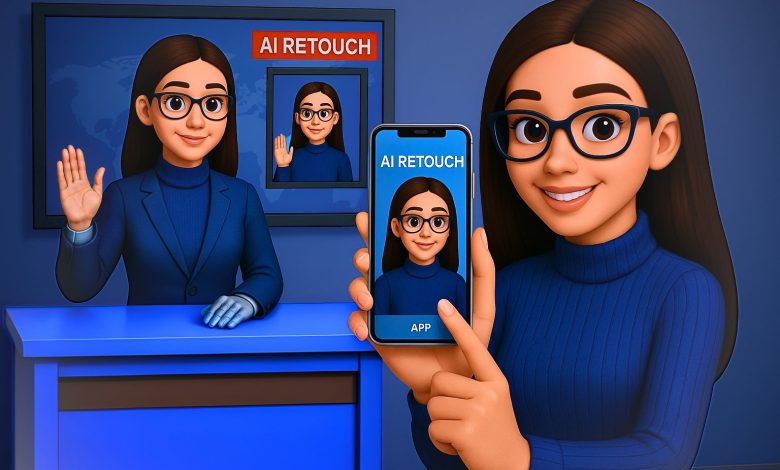
في زمنٍ باتت فيه المذيعة تبتسم دون أن تملك روحًا، ويقدّم المذيع نشرة الأخبار دون أن يشعر بمحتواها، يطرح الواقع الإعلامي سؤالًا صادمًا: هل دخلنا عصر “المذيع الافتراضي” بالفعل؟
لم يعد ظهور مذيعين مدعومين بالذكاء الاصطناعي على شاشات عربية وعالمية مجرد تجربة تقنية، بل أصبح واقعًا يفرض حضوره ويثير القلق، لا سيما بين طلاب الإعلام وممارسيه، الذين يرون في هذه “الكائنات الرقمية” تهديدًا صامتًا لمهنتهم وهويتهم المهنية.
تعود جذور هذه الظاهرة إلى أوائل الألفينات، حين ظهرت أول مذيعة افتراضية على الإنترنت تُدعى “أنانوفا” (Ana-nova)، والتي تم تقديمها عام 2000 بواسطة شركة Ana-nova Ltd التابعة لوكالة الأنباء البريطانية Press Association. كانت أنانوفا تُقدم نشرات إخبارية عبر الإنترنت، وتميزت بقدرتها على تقديم تحديثات فورية في مجالات الأخبار، الطقس، الرياضة، وأسعار الأسهم، في مدة لا تتجاوز سبع دقائق، إلا أن المشروع لم يُستكمل.
وفي عام 2018، قدمت صحيفة “People’s Daily” الصينية مذيعة افتراضية تُدعى “رين شياورونغ” (Ren Xiaorong)، وهي روبوت مدعوم بالذكاء الاصطناعي قادر على التعلم من آلاف المذيعين البشريين، وتمتاز بقدرتها على التطور المستمر بناءً على تفاعل الجمهور، وتعمل على مدار الساعة طوال أيام الأسبوع.
بحلول عام 2019، شهدت الصين توسعًا كبيرًا في استخدام المذيعين الافتراضيين، حيث أصبحت منصة “بيلي بيلي” (Bilibili) موطنًا لأكثر من 230,000 مذيع افتراضي يقدمون محتوى متنوعًا يستهدف فئة الشباب.
ومع هذه التطورات، بدأت دول أخرى في تبني تقنيات المذيعين الافتراضيين. ففي عام 2023، قدمت الكويت أول مذيعة افتراضية في العالم العربي تُدعى “فضة” (Fedha)، حيث ظهرت على موقع “Kuwait News” وتحدثت باللغة العربية الفصحى، مقدّمة الأخبار بناءً على تفضيلات الجمهور.
كما أطلقت قطر مذيعتين افتراضيتين تُدعيان “ابتكار” و“نورا” لتعزيز استخدام الذكاء الاصطناعي في تقديم المحتوى الإعلامي، بينما ظهرت في مصر أول مذيعة افتراضية في فبراير 2023، مما يعكس التوجه المتزايد نحو دمج التقنيات الحديثة في المجال الإعلامي.
“ما بين الحي والرقمي: هل يُقصي الذكاء الاصطناعي الإعلامي البشري؟” المهنة في مواجهة الخوارزميات: المذيعون الحقيقيون يتحدثون”
الإعلامية – دعاء فاروق
في رأيها حول الذكاء الاصطناعي وظاهرة “المذيع الافتراضي”، تؤكد الإعلامية دعاء فاروق أن الإخلاص هو جوهر النجاح في العمل الإعلامي وغيره، مشيرة إلى أن النجاح الحقيقي لا يتحقق إلا بالإخلاص في القول والعمل، حتى وإن تأخر، فإنه سيأتي في النهاية بشكل مرضٍ.
وترى فاروق أن المذيع الافتراضي، رغم برمجته بأي لهجة أو خفة ظل، لا يمكنه أن يحاكي الروح الإنسانية، مؤكدة أن “الروح لا تُبرمج، والقبول الروحي لا يُصنع”، فالإنسان يتمتع بخفة ظل طبيعية وشخصية لا يمكن تقليدها برمجياً.
وتوضح أن الذكاء الاصطناعي قادر على تجميع المعلومات الدينية من الإنترنت، لكنه لا يمكن أن يعوّض التفاعل الإنساني في الفتوى أو المشورة، مشددة على أن “العلماء والشيوخ هم أصحاب علم وتجربة ووعي بالسياق”، في حين أن الذكاء الاصطناعي مجرد محرك بحث يخضع لبرمجة بشرية قد تخطئ.
وتؤمن دعاء بأن المذيع البشري لا يمكن استبداله، خاصة في البرامج ذات الطابع الديني أو الإنساني، لأن “الفنان أو المذيع كتلة من المشاعر”، بينما الذكاء الاصطناعي “لا يستطيع البكاء الحقيقي، ولا التعبير عن الحزن أو التفاعل مع موقف موجع”، مضيفة أن العقل البشري قادر على تمييز المشاعر الحقيقية من الزائفة، حتى وإن كانت البرمجة متقنة.
وفيما يخص التكيف مع التطور، تدعو فاروق الإعلاميين إلى مواكبة أدوات العصر وفهم الذكاء الاصطناعي، لكن دون التخلي عن الهوية الإنسانية والبصمة الشخصية، قائلة: “كل مذيع له بصمة لا يمكن للذكاء الاصطناعي تقليدها”، فالاعتماد على الورقة والقلم وحده لم يعد كافيًا، ويجب على الإعلامي أن يتواصل مع جمهور اليوم بأدوات حديثة دون التفريط بروحه الإنسانية.
وتقر بوجود تهديدات من الذكاء الاصطناعي لبعض الوظائف الروتينية، لكنها تؤكد أنه لن يحل محل من يخاطب الناس ويشعر بهم، مضيفة: “لم أشاهد روبوتًا يمكن أن أصدقه أو أرتبط به عاطفيًا، الذكاء الاصطناعي سيبقى بلا روح.”
وفي ختام حديثها، توجّه رسالة إلى الإعلاميين الشباب، تحثهم فيها على الصبر وتجنّب استعجال الشهرة أو الثراء، مشددة على أن “النجاح الحقيقي لا يأتي في يوم وليلة”، بل هو نجاح تراكمي يُبنى بالتعب والمتابعة والزرع الدائم، مؤكدة أن النجاح السريع يزول سريعًا، بينما النجاح المتين هو من يصنع الاسم والقيمة الجماهيرية.
الإعلامية “ايتن الموجى“
حيث ترى الإعلامية آيتن الموجي أن التكنولوجيا أحدثت تطورًا كبيرًا في جميع المجالات، خاصة الإعلام، لما له من دور في تشكيل الوعي. وتصف فكرة “المذيع الافتراضي” بأنها رائعة، نظرًا لما يتمتع به من ثقافة موسوعية وخلوه من العيوب البشرية مثل التقدم في العمر أو تغير الشكل، كما ترى أن وجوده قد يخلق غيرة مهنية إيجابية تدفع المذيعين البشريين لبذل جهد أكبر من أجل التميز.
مع ذلك، تؤكد أن المذيع الافتراضي يفتقر إلى الجانب الإنساني، مثل المشاعر ولمعة العين والتفاعل الحي في المواقف الإنسانية، مشيرة إلى أن هذه التفاصيل لا يمكن أن يتقنها الذكاء الاصطناعي. وتوضح أن بعض الأنماط الإعلامية مثل الحوارات، تغطية الجرائم، الحروب، وبرامج المسابقات، تحتاج إلى حضور بشري حقيقي وتفاعل مباشر لا يستطيع “الأفاتار” تقديمه.
وتشدد الموجي على أن الخبرة والتجارب الشخصية تصقل الإنسان وتمنحه نضجًا لا يمكن للتكنولوجيا أن تحاكيه، مشبهة الذكاء الاصطناعي بأنه قد يبهر في البداية لكن سرعان ما يصيب المستخدم بالملل بسبب إجاباته المبرمجة. وتؤمن بأهمية مواكبة الإعلاميين للتطور التكنولوجي، مع ضرورة التواضع والتعلم المستمر.
أما تأثير المذيع الافتراضي على فرص العمل، فتعتقد أنه سيكون ملموسًا في البداية، إذ قد تفضل بعض المؤسسات الاعتماد عليه كحل أقل تكلفة، لكنها ترى أن المذيع البشري سيظل مميزًا، مرجحة أن يظهر مستقبلًا تعاون أو تناغم بين الطرفين يُنتج أفكارًا مبتكرة وجديدة.
الاعلامى – احمد سالم
كما يرى الإعلامي أحمد سالم أن المذيعين الافتراضيين لا يشكّلون تهديدًا حقيقيًا للمذيع البشري، لأن التواصل الإنساني لا يمكن تعويضه. ويشير إلى أن التجربة الممتدة لأكثر من عام لم تنتج مذيعًا افتراضيًا لافتًا، مؤكدًا أن الإعلام والفنون تقوم على التفاعل المباشر، وهو ما يفتقر إليه الذكاء الاصطناعي.
ويُبرز سالم أن الميزة الكبرى للمذيع البشري تكمن في رأيه الحي وغير المبرمج، على عكس الذكاء الاصطناعي الذي يعتمد على تغذية مسبقة، موضحًا أن طرح نفس السؤال على عشرة مذيعين سينتج عشر إجابات مختلفة، وهو ما لا يمكن تحقيقه افتراضيًا.
ويؤكد أن البرامج التي تعتمد على بصمة المذيع وطابعه الشخصي يصعب أن ينجح فيها الذكاء الاصطناعي، لأن الثقافة العامة والخبرة الشخصية لا تُبرمجان، مشبّهًا الفرق بين المحتوى الآلي والإنساني بالفرق بين مقال كتبه روبوت وقصيدة كتبها شاعر، فـالموهبة لا تُستنسخ.
ويرى أن الذكاء الاصطناعي يمكن أن يكون أداة مفيدة للمذيع في جمع وتحليل المعلومات، لكن تبقى الصنعة الإعلامية في جوهرها إنسانية. ورغم أنه لا يتوقع تقليصًا مباشرًا للوظائف، إلا أنه يحذر من تأثيرات الواقع الافتراضي على سوق العمل، كما حدث في مهن أخرى، لكنه يؤمن بأن التطور يخلق أيضًا فرصًا جديدة للابتكار.
ويعتبر أن دور المذيع الافتراضي سيبقى محدودًا في النشرات الجافة والمواد غير التفاعلية، ساخرًا من أدائه بقوله: “دمه تقيل”، في إشارة لغياب القبول الجماهيري.
وفي ختام حديثه، ينصح الإعلاميين الشباب بـتنمية ثقافتهم وتطوير أنفسهم للحفاظ على تفوقهم الإنساني، مؤكدًا أن المعرفة والوعي هما الضمان الحقيقي لبقاء الإنسان في الصدارة.
الإعلامى – طه الحديري
ويرى الإعلامي طه الحديري أن المذيع الافتراضي، رغم دقته وكفاءته التقنية، يفتقر للروح، وهي أهم ما يميز الإنسان، مؤكدًا أن التكنولوجيا لا تستطيع محاكاة مشاعر المذيع البشري أو التعبير الحقيقي عن المواقف الإنسانية، مثل قصة أم شهيد أو حوار مع طفل يتيم، لأن أداؤه قائم على برمجة مسبقة تفتقر للنضج والتراكم الشعوري.
ويؤكد أن المذيع الافتراضي محكوم بالمعلومات التي زُوِّد بها ولا يمكنه الإبداع أو الخروج عنها، على عكس المذيع البشري الذي يحلل ويتأقلم مع الواقع. ويضرب مثالًا بنموذج ذكي وصف ترامب بأنه “رجل اقتصاد قوي”، في حين أن الإعلاميين البشريين قدموا تحليلات أدق وتوقعوا الرفض العالمي لسياساته.
ويشير إلى أن البرامج الفنية والإنسانية والشعرية يصعب على الذكاء الاصطناعي أن ينافس فيها، لأنها تتطلب تذوقًا إنسانيًا حقيقيًا لا يمكن برمجته. ويستشهد ببرنامج افتراضي عن الأغاني، موضحًا أن المذيع البشري يمكنه استحضار روح الشاعر والمعنى العاطفي للأغنية، بينما الافتراضي يكتفي بسرد معلومات.
ويعتبر أن الذكاء الاصطناعي ليس بديلاً، بل حافزًا لتطوير المذيع البشري، مشددًا على أن زمن الظهور التلفزيوني القائم على الشكل والترند قد انتهى، وأن الاستمرار في المجال يعتمد على المحتوى، والثقافة، والقدرة على فهم الجمهور.
ويحذّر الإعلاميين الجدد من الاعتماد على النقل النظري والتكرار، داعيًا إلى تقديم تحليلات وتجارب واقعية بدلًا من نصوص محفوظة، لأن الجمهور بات أكثر وعيًا ويصعب التأثير فيه بمظهر أو صوت جميل فقط.
وفي ختام رأيه، يؤكد الحديري أن الذكاء الاصطناعي لن يحل محل الإنسان، بل يرى مستقبلًا قائمًا على التكامل بين الطرفين، بحيث يكون الذكاء الاصطناعي مساعدًا ومرجعًا، ويظل الإعلامي البشري هو من يمنح الشاشة الروح التي لا تُستنسخ.
هل نُعدّ طلاب الإعلام لمهنة قد تختفي؟”
رغم التطور المتسارع لتقنيات الذكاء الاصطناعي واقتحامها مجالات الإعلام، ما زال المذيع الافتراضي يواجه تحديات تتعلق بثقة الجمهور، وقبول المتلقي، وغياب الحس الإنساني، كما تكشف آراء طلاب الإعلام الذين شاركوا في هذا الاستبيان.
في إجاباتهم حول الفروقات الجوهرية بين المذيع البشري ونظيره الافتراضي، اتفقت الغالبية على أن العنصر الإنساني يمثل جوهر العمل الإعلامي. فأداء المذيع البشري لا يقتصر على نقل المعلومة، بل يمتد إلى إيصال المشاعر، والتفاعل اللحظي مع الجمهور، والقدرة على الارتجال، وهي عناصر وصفها أحد المشاركين بأنها “لا يمكن صناعتها آليًا مهما تطورت التكنولوجيا”.
وعند سؤالهم عن الهوية الإعلامية، أجمعت الآراء تقريبًا على أهمية الحفاظ على الإنسان كجزء من عملية التواصل الإعلامي. “روح الإنسان”، “المصداقية”، و” القدرة على التغيير المجتمعي” كانت كلمات تكررت مرارًا، في تعبير واضح عن القلق من أن يؤدي الاعتماد الكلي على الذكاء الاصطناعي إلى تجريد الإعلام من وظيفته التشاركية والوجدانية.
أما عند عرض مشاهد لمذيعين افتراضيين، تنوعت مشاعر المشاركين بين القلق، الغرابة، وعدم الارتياح. وعبّر البعض عن شعور “بالخوف” أو “عدم المصداقية”، وهو ما يعكس فجوة كبيرة لا تزال قائمة بين تطور التكنولوجيا ومستوى تقبل الجمهور لها.
ومن زاوية سوق العمل، أبدى 75% من المشاركين خشيتهم من أن تؤدي هذه التقنية إلى تقليص الفرص المستقبلية للكوادر الإعلامية. ورغم أن قلةً رأت أنها قد تخلق فرصًا جديدة، إلا أن هذه الرؤية ما تزال محدودة أمام مخاوف الإقصاء المهني.
وعن سؤال قدرة المذيع الافتراضي على إعداد المحتوى والتفاعل كمراسل، رفضت الأغلبية الفكرة، مشيرة إلى أن الإعلامي البشري لا يُستبدل، لما يملكه من وعي وسياق وقراءة للمواقف لا يمكن برمجتها بسهولة.
اللافت أن الآراء انقسمت بالتساوي عندما طُرح سؤال مباشر حول الثقة في محتوى يقدمه مذيع افتراضي، ما يشير إلى أن الذكاء الاصطناعي قد يكسب مساحة من الثقة، لكنها لا تزال محدودة ومشروطة
وجه جميل وصوت دقيق… لكن أين التعاطف؟”
ومن الزاوية النفسية، يشير د. وليد هندي، استشاري الصحة النفسية، إلى أن المذيع الافتراضي – رغم كونه إنجازًا تقنيًا لافتًا – يظل كيانًا ناقصًا نفسيًا، يفتقد إلى مقومات التأثير الوجداني العميق في الجمهور. فهو لا يمتلك هوية نفسية متكاملة، ولا يُتيح مساحة للتفاعل العاطفي الحقيقي، الذي يُعدّ أحد أهم عناصر التأثير الإعلامي. ويضيف: “رغم أن هذه الشخصيات الرقمية قد تُسهّل إيصال المحتوى لبعض الفئات كالمكفوفين أو غير المتعلمين، إلا أنها لا تُعوض الأثر النفسي الذي يتركه المذيع البشري في وعي ووجدان المتلقي”.
يرى هندي أن شخصية الأفاتار تفتقر لما يُعرف في علم النفس بـ” الاستبصار” أو “الإدراك التصحيحي”، إذ إنها تُردد ما تتلقاه من بيانات دون مراجعة أو وعي، مما يجعلها عرضة لتكرار الأخطاء دون تمييز. ويشير إلى أن المذيع الحقيقي وحده من يملك هذه القدرة النفسية على مراجعة الذات، والتفاعل مع الموقف بناءً على خلفية وجدانية وشخصية متكاملة.
في لحظات الألم، كعرض مشاهد الحرب أو الكوارث، أو في لحظات الفرح، كفوز فريق وطني، يبرز الفرق الجوهري بين الإنسان والآلة. المذيع البشري قد تتغير نبرته، ينكسر صوته، يبكي، يضحك، ويتلعثم. كلها إشارات نفسية تُحدث أثرًا عاطفيًا لدى المتلقي، وتُفعّل ما يُعرف في علم النفس بـ” التناغم الشعوري”. بينما يظل الأفاتار محايدًا، بارداً، وكأنه يقرأ من ورقة.
ويضيف: “المذيع الحقيقي يملك مهارات ارتجال فريدة تُعرف بالاحتواء اللحظي، فينقذ الموقف حين يحدث خلل على الهواء أو فراغ في البث، أما المذيع الافتراضي فمحكوم ببرمجة جامدة لا تعترف بالحساسية النفسية للحظة”.
كما يشير إلى جانب نفسي بالغ الأهمية، وهو “الانتماء المهني”، والذي يتشكل من مشاعر فخر، وكفاح، وتاريخ طويل من النجاحات والانكسارات. المذيع البشري ابن المؤسسة التي يعمل بها، يشعر تجاهها، يدافع عنها، يتألم لألمها ويفرح بنجاحها. وهو ما يستحيل زرعه في شخصية افتراضية خالية من العاطفة.
ويتابع حديثه بالإشارة إلى أثر المذيع البشري في تكوين الطموح لدى الأطفال والمراهقين، مؤكدًا أن هذه الشخصيات تشكّل قدوة نفسية حقيقية، تُغذّي الخيال والهوية. “كنت أتتبع المذيع أحمد سمير، وأقلده في صوته وربطة عنقه، وتكوّنت لدي رغبة حقيقية في أن أكون مثله… فهل يمكن للطفل أن يحلم أن يكون أفاتار؟!”.
ويختم الدكتور وليد هندي بقوله: “رغم إعلان دول كبرى – مثل الصين – عن آلاف من المذيعين الافتراضيين، لم نرَ لهم تأثيرًا نفسيًا أو وجدانيًا يُذكر. ببساطة، لأنهم يفتقرون للروح، والروح هي أساس كل تواصل إنساني حقيقي. المذيع الافتراضي… وهم عظيم تقنيًا، لكنه فقير وجدانيًا”
صرح المهندس أحمد رأفت، مهندس ميكانيكا ومتخصص في أدوات الذكاء الاصطناعي، حول استخدام تقنيات الذكاء الاصطناعي في مجال الصوت والفيديو، مسلطًا الضوء على التحديات والفرص المتاحة.
وأوضح المهندس رأفت أن استخدام تقنيات الصوت يمر بمراحل متدرجة، تبدأ بتقنية “النص إلى كلام” التقليدية، والتي وصفها بأنها ذات جودة محدودة وتبدو ميكانيكية. وأشار إلى المستوى الثاني الذي يستخدم منصات الذكاء الاصطناعي باللغة الإنجليزية لإنتاج صوت يقترب من اللهجة المصرية، ولكنه لا يرتقي إلى جودة اللهجة الأصلية.
أما المستوى الثالث، وفقًا لتصريحات المهندس رأفت، فيعتمد على تسجيل الصوت بلهجة مصرية طبيعية واستخدام برامج تغيير الصوت لمحاكة أصوات شخصيات معينة، معتبرًا هذه الطريقة الأعلى جودة للوصول إلى لهجة مصرية واقعية.
وفيما يتعلق بالمستوى الرابع والأعلى، لفت المهندس إلى أنه يعتمد على كتابة النص بالعربية الفصحى أو العامية وتشكيله لغويًا، ثم استخدام نماذج مدربة على نطق اللهجة المصرية، مع الإشارة إلى التحديات القائمة نظرًا لعدم تدريب معظم النماذج بشكل كافٍ على هذه اللهجة.
أكد المهندس رأفت على أن “اللكنة المصرية تحديدًا تُعد من أصعب اللهجات التي يمكن للذكاء الاصطناعي محاكاتها بدقة، وذلك لأنها خليط لغوي يجمع بين عدة لغات، مما يجعل إتقانها تحديًا لنماذج الذكاء الاصطناعي، خاصة مع محدودية تدريبها على اللغة العربية أصلًا.”
بالانتقال إلى تجهيز الفيديو، شرح المهندس إمكانية تركيب الصوت على فيديو حقيقي أو صورة، مع الإشارة إلى منصات مثل Magic AI التي تتيح إنشاء فيديوهات أو صور متحركة بمدة محدودة في النسخة المجانية. كما تطرق إلى استخدام المواقع لمعلقين صوتيين جاهزين لإنشاء ما يُعرف بالمذيعين الافتراضيين، مع ملاحظة أن هذه الطرق قد لا تقدم أفضل جودة في التفاعل الصوتي والتعبير عن المشاعر.
وفي ختام تصريحه، أكد المهندس أحمد رأفت على أن “التفاعل الحقيقي مع الصوت والمشاعر ما يزال يتطلب تدخلاً بشريًا”، مشيرًا إلى أن المشاعر المرتبطة بنبرة الصوت لا تزال غير مدعومة بالكامل في الذكاء الاصطناعي. ولكنه نوّه إلى الميزة الاقتصادية لهذه التقنيات، حيث إن تكلفتها “منخفضة جدًا مقارنة بأجور المذيعين البشريين.”
نقابة الإعلاميين تؤكد: الذكاء الاصطناعي فرصة لتطوير الأداء الإعلامي مع الحفاظ على الدور الإنساني
يرى أيمن عدلي مهدي، رئيس لجنة التدريب والتثقيف بنقابة الإعلاميين، أن ظاهرة المذيعين الافتراضيين تمثل انعكاسًا طبيعيًا للتطور التكنولوجي السريع الذي يشهده الإعلام، نتيجة اندماج الذكاء الاصطناعي المتزايد في إنتاج وتقديم المحتوى.
ويشير إلى أن نقابة الإعلاميين تتعامل مع هذه الظاهرة من زاويتين: الأولى: أنها قد ترفع من كفاءة الإنتاج وجودة المحتوى. الثانية: أنها تثير تساؤلات حول المصداقية والجانب الإنساني الذي لا يمكن تعويضه.
ويؤكد أن الإعلام التنموي، الذي يهدف إلى بناء الوعي المجتمعي والإنساني، لا يمكن أن يؤديه الذكاء الاصطناعي منفردًا، لأنه يتطلب تفاعلًا إنسانيًا مباشرًا لا توفره التقنيات مهما تطورت. لذلك، ترى النقابة أن المذيع الافتراضي ليس مجرد تقنية، بل عنصر جديد في المشهد الإعلامي يجب ضبطه بضوابط مهنية دقيقة، تحمي دور الإعلامي البشري في صناعة الوعي وتشكيل الرأي العام.
ورغم عدم وجود إطار تنظيمي شامل حتى الآن لضبط عمل المذيعين الافتراضيين، إلا أن النقابة تعمل بالتعاون مع المجلس الأعلى لتنظيم الإعلام على وضع آليات قانونية ومهنية تضمن التزام المحتوى المقدم عبر الذكاء الاصطناعي بالمعايير الأخلاقية والمهنية.
ويترافق هذا التوجه مع ضرورة تطوير برامج تدريبية للإعلاميين، لضمان جاهزيتهم في استخدام هذه الأدوات بكفاءة وتوازن بين التقنية والرسالة الإعلامية.
وفيما يخص مستقبل الإعلاميين مع الذكاء الاصطناعي، يؤكد عدلي أن النقابة لا تراه تهديدًا، بل فرصة كبيرة لتطوير الأداء الإعلامي، بشرط أن يُحسن الإعلاميون استخدام هذه الأدوات.
فالمهارات الجديدة، مثل التعامل مع البيانات وتحسين جودة الإنتاج، أصبحت أساسية، لكنها لا تلغي أهمية التحليل والتفاعل الإنساني وقراءة السياقات الاجتماعية والثقافية.
ويختتم بالتأكيد على وجود نية داخل النقابة لوضع مدونة سلوك وإرشادات مهنية واضحة، تتضمن: ضوابط لاستخدام المذيعين الافتراضيين، آليات لضمان الالتزام المهني، برامج تدريبية للجيل الجديد من الإعلاميين، ليكونوا مؤهلين للتعامل مع سوق إعلامي متغير لا يُقصي الإنسان، بل يتطلب منه التطور المستمر.
المذيع الافتراضي واقع لا مفر منه، وتقنية تتطور بسرعة مذهلة، وقد تفرض نفسها في مساحات واسعة من الإعلام. لكن رغم ذلك، تبقى للمذيع البشري كاريزما خاصة، ودفء إنساني، وتفاعل حي لا يمكن تقليده أو برمجته، فالذكاء الاصطناعي قد يحفظ المعلومة، ينسّقها، يعرضها، بل وربما يتقن الإلقاء والتفاعل السطحي، لكنه يظل “بلا روح”، في حين أن المذيع الحقيقي يُشبه القصيدة الحيّة، تنبض بكل كلمة، وتنقل المعنى والمشاعر