// ===================================================================
// Author: Matt Kruse <matt@mattkruse.com>
// WWW: http://www.mattkruse.com/
//
// NOTICE: You may use this code for any purpose, commercial or
// private, without any further permission from the author. You may
// remove this notice from your final code if you wish, however it is
// appreciated by the author if at least my web site address is kept.
//
// You may *NOT* re-distribute this code in any way except through its
// use. That means, you can include it in your product, or your web
// site, or any other form where the code is actually being used. You
// may not put the plain javascript up on your site for download or
// include it in your javascript libraries for download.
// If you wish to share this code with others, please just point them
// to the URL instead.
// Please DO NOT link directly to my .js files from your site. Copy
// the files to your server and use them there. Thank you.
// ===================================================================
/* SOURCE FILE: AnchorPosition.js */
/*
AnchorPosition.js
Author: Matt Kruse
Last modified: 10/11/02
DESCRIPTION: These functions find the position of an <A> tag in a document,
so other elements can be positioned relative to it.
COMPATABILITY: Netscape 4.x,6.x,Mozilla, IE 5.x,6.x on Windows. Some small
positioning errors - usually with Window positioning - occur on the
Macintosh platform.
FUNCTIONS:
getAnchorPosition(anchorname)
Returns an Object() having .x and .y properties of the pixel coordinates
of the upper-left corner of the anchor. Position is relative to the PAGE.
getAnchorWindowPosition(anchorname)
Returns an Object() having .x and .y properties of the pixel coordinates
of the upper-left corner of the anchor, relative to the WHOLE SCREEN.
NOTES:
1) For popping up separate browser windows, use getAnchorWindowPosition.
Otherwise, use getAnchorPosition
2) Your anchor tag MUST contain both NAME and ID attributes which are the
same. For example:
<A NAME="test" ID="test"> </A>
3) There must be at least a space between <A> </A> for IE5.5 to see the
anchor tag correctly. Do not do <A></A> with no space.
*/
// getAnchorPosition(anchorname)
// This function returns an object having .x and .y properties which are the coordinates
// of the named anchor, relative to the page.
function getAnchorPosition(anchorname) {
// This function will return an Object with x and y properties
var useWindow=false;
var coordinates=new Object();
var x=0,y=0;
// Browser capability sniffing
var use_gebi=false, use_css=false, use_layers=false;
if (document.getElementById) { use_gebi=true; }
else if (document.all) { use_css=true; }
else if (document.layers) { use_layers=true; }
// Logic to find position
if (use_gebi && document.all) {
x=AnchorPosition_getPageOffsetLeft(document.all[anchorname]);
y=AnchorPosition_getPageOffsetTop(document.all[anchorname]);
}
else if (use_gebi) {
var o=document.getElementById(anchorname);
x=AnchorPosition_getPageOffsetLeft(o);
y=AnchorPosition_getPageOffsetTop(o);
}
else if (use_css) {
x=AnchorPosition_getPageOffsetLeft(document.all[anchorname]);
y=AnchorPosition_getPageOffsetTop(document.all[anchorname]);
}
else if (use_layers) {
var found=0;
for (var i=0; i<document.anchors.length; i++) {
if (document.anchors[i].name==anchorname) { found=1; break; }
}
if (found==0) {
coordinates.x=0; coordinates.y=0; return coordinates;
}
x=document.anchors[i].x;
y=document.anchors[i].y;
}
else {
coordinates.x=0; coordinates.y=0; return coordinates;
}
coordinates.x=x;
coordinates.y=y;
return coordinates;
}
// getAnchorWindowPosition(anchorname)
// This function returns an object having .x and .y properties which are the coordinates
// of the named anchor, relative to the window
function getAnchorWindowPosition(anchorname) {
var coordinates=getAnchorPosition(anchorname);
var x=0;
var y=0;
if (document.getElementById) {
if (isNaN(window.screenX)) {
x=coordinates.x-document.body.scrollLeft+window.screenLeft;
y=coordinates.y-document.body.scrollTop+window.screenTop;
}
else {
x=coordinates.x+window.screenX+(window.outerWidth-window.innerWidth)-window.pageXOffset;
y=coordinates.y+window.screenY+(window.outerHeight-24-window.innerHeight)-window.pageYOffset;
}
}
else if (document.all) {
x=coordinates.x-document.body.scrollLeft+window.screenLeft;
y=coordinates.y-document.body.scrollTop+window.screenTop;
}
else if (document.layers) {
x=coordinates.x+window.screenX+(window.outerWidth-window.innerWidth)-window.pageXOffset;
y=coordinates.y+window.screenY+(window.outerHeight-24-window.innerHeight)-window.pageYOffset;
}
coordinates.x=x;
coordinates.y=y;
return coordinates;
}
// Functions for IE to get position of an object
function AnchorPosition_getPageOffsetLeft (el) {
var ol=el.offsetLeft;
while ((el=el.offsetParent) != null) { ol += el.offsetLeft; }
return ol;
}
function AnchorPosition_getWindowOffsetLeft (el) {
return AnchorPosition_getPageOffsetLeft(el)-document.body.scrollLeft;
}
function AnchorPosition_getPageOffsetTop (el) {
var ot=el.offsetTop;
while((el=el.offsetParent) != null) { ot += el.offsetTop; }
return ot;
}
function AnchorPosition_getWindowOffsetTop (el) {
return AnchorPosition_getPageOffsetTop(el)-document.body.scrollTop;
}
/* SOURCE FILE: PopupWindow.js */
/*
PopupWindow.js
Author: Matt Kruse
Last modified: 02/16/04
DESCRIPTION: This object allows you to easily and quickly popup a window
in a certain place. The window can either be a DIV or a separate browser
window.
COMPATABILITY: Works with Netscape 4.x, 6.x, IE 5.x on Windows. Some small
positioning errors - usually with Window positioning - occur on the
Macintosh platform. Due to bugs in Netscape 4.x, populating the popup
window with <STYLE> tags may cause errors.
USAGE:
// Create an object for a WINDOW popup
var win = new PopupWindow();
// Create an object for a DIV window using the DIV named 'mydiv'
var win = new PopupWindow('mydiv');
// Set the window to automatically hide itself when the user clicks
// anywhere else on the page except the popup
win.autoHide();
// Show the window relative to the anchor name passed in
win.showPopup(anchorname);
// Hide the popup
win.hidePopup();
// Set the size of the popup window (only applies to WINDOW popups
win.setSize(width,height);
// Populate the contents of the popup window that will be shown. If you
// change the contents while it is displayed, you will need to refresh()
win.populate(string);
// set the URL of the window, rather than populating its contents
// manually
win.setUrl("http://www.site.com/");
// Refresh the contents of the popup
win.refresh();
// Specify how many pixels to the right of the anchor the popup will appear
win.offsetX = 50;
// Specify how many pixels below the anchor the popup will appear
win.offsetY = 100;
NOTES:
1) Requires the functions in AnchorPosition.js
2) Your anchor tag MUST contain both NAME and ID attributes which are the
same. For example:
<A NAME="test" ID="test"> </A>
3) There must be at least a space between <A> </A> for IE5.5 to see the
anchor tag correctly. Do not do <A></A> with no space.
4) When a PopupWindow object is created, a handler for 'onmouseup' is
attached to any event handler you may have already defined. Do NOT define
an event handler for 'onmouseup' after you define a PopupWindow object or
the autoHide() will not work correctly.
*/
// Set the position of the popup window based on the anchor
function PopupWindow_getXYPosition(anchorname) {
var coordinates;
if (this.type == "WINDOW") {
coordinates = getAnchorWindowPosition(anchorname);
}
else {
coordinates = getAnchorPosition(anchorname);
}
this.x = coordinates.x;
this.y = coordinates.y;
}
// Set width/height of DIV/popup window
function PopupWindow_setSize(width,height) {
this.width = width;
this.height = height;
}
// Fill the window with contents
function PopupWindow_populate(contents) {
this.contents = contents;
this.populated = false;
}
// Set the URL to go to
function PopupWindow_setUrl(url) {
this.url = url;
}
// Set the window popup properties
function PopupWindow_setWindowProperties(props) {
this.windowProperties = props;
}
// Refresh the displayed contents of the popup
function PopupWindow_refresh() {
if (this.divName != null) {
// refresh the DIV object
if (this.use_gebi) {
document.getElementById(this.divName).innerHTML = this.contents;
}
else if (this.use_css) {
document.all[this.divName].innerHTML = this.contents;
}
else if (this.use_layers) {
var d = document.layers[this.divName];
d.document.open();
d.document.writeln(this.contents);
d.document.close();
}
}
else {
if (this.popupWindow != null && !this.popupWindow.closed) {
if (this.url!="") {
this.popupWindow.location.href=this.url;
}
else {
this.popupWindow.document.open();
this.popupWindow.document.writeln(this.contents);
this.popupWindow.document.close();
}
this.popupWindow.focus();
}
}
}
// Position and show the popup, relative to an anchor object
function PopupWindow_showPopup(anchorname) {
this.getXYPosition(anchorname);
this.x += this.offsetX;
this.y += this.offsetY;
if (!this.populated && (this.contents != "")) {
this.populated = true;
this.refresh();
}
if (this.divName != null) {
// Show the DIV object
if (this.use_gebi) {
document.getElementById(this.divName).style.left = this.x + "px";
document.getElementById(this.divName).style.top = this.y;
document.getElementById(this.divName).style.visibility = "visible";
}
else if (this.use_css) {
document.all[this.divName].style.left = this.x;
document.all[this.divName].style.top = this.y;
document.all[this.divName].style.visibility = "visible";
}
else if (this.use_layers) {
document.layers[this.divName].left = this.x;
document.layers[this.divName].top = this.y;
document.layers[this.divName].visibility = "visible";
}
}
else {
if (this.popupWindow == null || this.popupWindow.closed) {
// If the popup window will go off-screen, move it so it doesn't
if (this.x<0) { this.x=0; }
if (this.y<0) { this.y=0; }
if (screen && screen.availHeight) {
if ((this.y + this.height) > screen.availHeight) {
this.y = screen.availHeight - this.height;
}
}
if (screen && screen.availWidth) {
if ((this.x + this.width) > screen.availWidth) {
this.x = screen.availWidth - this.width;
}
}
var avoidAboutBlank = window.opera || ( document.layers && !navigator.mimeTypes['*'] ) || navigator.vendor == 'KDE' || ( document.childNodes && !document.all && !navigator.taintEnabled );
this.popupWindow = window.open(avoidAboutBlank?"":"about:blank","window_"+anchorname,this.windowProperties+",width="+this.width+",height="+this.height+",screenX="+this.x+",left="+this.x+",screenY="+this.y+",top="+this.y+"");
}
this.refresh();
}
}
// Hide the popup
function PopupWindow_hidePopup() {
if (this.divName != null) {
if (this.use_gebi) {
document.getElementById(this.divName).style.visibility = "hidden";
}
else if (this.use_css) {
document.all[this.divName].style.visibility = "hidden";
}
else if (this.use_layers) {
document.layers[this.divName].visibility = "hidden";
}
}
else {
if (this.popupWindow && !this.popupWindow.closed) {
this.popupWindow.close();
this.popupWindow = null;
}
}
}
// Pass an event and return whether or not it was the popup DIV that was clicked
function PopupWindow_isClicked(e) {
if (this.divName != null) {
if (this.use_layers) {
var clickX = e.pageX;
var clickY = e.pageY;
var t = document.layers[this.divName];
if ((clickX > t.left) && (clickX < t.left+t.clip.width) && (clickY > t.top) && (clickY < t.top+t.clip.height)) {
return true;
}
else { return false; }
}
else if (document.all) { // Need to hard-code this to trap IE for error-handling
var t = window.event.srcElement;
while (t.parentElement != null) {
if (t.id==this.divName) {
return true;
}
t = t.parentElement;
}
return false;
}
else if (this.use_gebi && e) {
var t = e.originalTarget;
while (t.parentNode != null) {
if (t.id==this.divName) {
return true;
}
t = t.parentNode;
}
return false;
}
return false;
}
return false;
}
// Check an onMouseDown event to see if we should hide
function PopupWindow_hideIfNotClicked(e) {
if (this.autoHideEnabled && !this.isClicked(e)) {
this.hidePopup();
}
}
// Call this to make the DIV disable automatically when mouse is clicked outside it
function PopupWindow_autoHide() {
this.autoHideEnabled = true;
}
// This global function checks all PopupWindow objects onmouseup to see if they should be hidden
function PopupWindow_hidePopupWindows(e) {
for (var i=0; i<popupWindowObjects.length; i++) {
if (popupWindowObjects[i] != null) {
var p = popupWindowObjects[i];
p.hideIfNotClicked(e);
}
}
}
// Run this immediately to attach the event listener
function PopupWindow_attachListener() {
if (document.layers) {
document.captureEvents(Event.MOUSEUP);
}
window.popupWindowOldEventListener = document.onmouseup;
if (window.popupWindowOldEventListener != null) {
document.onmouseup = new Function("window.popupWindowOldEventListener(); PopupWindow_hidePopupWindows();");
}
else {
document.onmouseup = PopupWindow_hidePopupWindows;
}
}
// CONSTRUCTOR for the PopupWindow object
// Pass it a DIV name to use a DHTML popup, otherwise will default to window popup
function PopupWindow() {
if (!window.popupWindowIndex) { window.popupWindowIndex = 0; }
if (!window.popupWindowObjects) { window.popupWindowObjects = new Array(); }
if (!window.listenerAttached) {
window.listenerAttached = true;
PopupWindow_attachListener();
}
this.index = popupWindowIndex++;
popupWindowObjects[this.index] = this;
this.divName = null;
this.popupWindow = null;
this.width=0;
this.height=0;
this.populated = false;
this.visible = false;
this.autoHideEnabled = false;
this.contents = "";
this.url="";
this.windowProperties="toolbar=no,location=no,status=no,menubar=no,scrollbars=auto,resizable,alwaysRaised,dependent,titlebar=no";
if (arguments.length>0) {
this.type="DIV";
this.divName = arguments[0];
}
else {
this.type="WINDOW";
}
this.use_gebi = false;
this.use_css = false;
this.use_layers = false;
if (document.getElementById) { this.use_gebi = true; }
else if (document.all) { this.use_css = true; }
else if (document.layers) { this.use_layers = true; }
else { this.type = "WINDOW"; }
this.offsetX = 0;
this.offsetY = 0;
// Method mappings
this.getXYPosition = PopupWindow_getXYPosition;
this.populate = PopupWindow_populate;
this.setUrl = PopupWindow_setUrl;
this.setWindowProperties = PopupWindow_setWindowProperties;
this.refresh = PopupWindow_refresh;
this.showPopup = PopupWindow_showPopup;
this.hidePopup = PopupWindow_hidePopup;
this.setSize = PopupWindow_setSize;
this.isClicked = PopupWindow_isClicked;
this.autoHide = PopupWindow_autoHide;
this.hideIfNotClicked = PopupWindow_hideIfNotClicked;
}
/* SOURCE FILE: ColorPicker2.js */
/*
Last modified: 02/24/2003
DESCRIPTION: This widget is used to select a color, in hexadecimal #RRGGBB
form. It uses a color "swatch" to display the standard 216-color web-safe
palette. The user can then click on a color to select it.
COMPATABILITY: See notes in AnchorPosition.js and PopupWindow.js.
Only the latest DHTML-capable browsers will show the color and hex values
at the bottom as your mouse goes over them.
USAGE:
// Create a new ColorPicker object using DHTML popup
var cp = new ColorPicker();
// Create a new ColorPicker object using Window Popup
var cp = new ColorPicker('window');
// Add a link in your page to trigger the popup. For example:
<A HREF="#" onClick="cp.show('pick');return false;" NAME="pick" ID="pick">Pick</A>
// Or use the built-in "select" function to do the dirty work for you:
<A HREF="#" onClick="cp.select(document.forms[0].color,'pick');return false;" NAME="pick" ID="pick">Pick</A>
// If using DHTML popup, write out the required DIV tag near the bottom
// of your page.
<SCRIPT LANGUAGE="JavaScript">cp.writeDiv()</SCRIPT>
// Write the 'pickColor' function that will be called when the user clicks
// a color and do something with the value. This is only required if you
// want to do something other than simply populate a form field, which is
// what the 'select' function will give you.
function pickColor(color) {
field.value = color;
}
NOTES:
1) Requires the functions in AnchorPosition.js and PopupWindow.js
2) Your anchor tag MUST contain both NAME and ID attributes which are the
same. For example:
<A NAME="test" ID="test"> </A>
3) There must be at least a space between <A> </A> for IE5.5 to see the
anchor tag correctly. Do not do <A></A> with no space.
4) When a ColorPicker object is created, a handler for 'onmouseup' is
attached to any event handler you may have already defined. Do NOT define
an event handler for 'onmouseup' after you define a ColorPicker object or
the color picker will not hide itself correctly.
*/
ColorPicker_targetInput = null;
function ColorPicker_writeDiv() {
document.writeln("<DIV ID=\"colorPickerDiv\" STYLE=\"position:absolute;visibility:hidden;\"> </DIV>");
}
function ColorPicker_show(anchorname) {
this.showPopup(anchorname);
}
function ColorPicker_pickColor(color,obj) {
obj.hidePopup();
pickColor(color);
}
// A Default "pickColor" function to accept the color passed back from popup.
// User can over-ride this with their own function.
function pickColor(color) {
if (ColorPicker_targetInput==null) {
alert("Target Input is null, which means you either didn't use the 'select' function or you have no defined your own 'pickColor' function to handle the picked color!");
return;
}
ColorPicker_targetInput.value = color;
}
// This function is the easiest way to popup the window, select a color, and
// have the value populate a form field, which is what most people want to do.
function ColorPicker_select(inputobj,linkname) {
if (inputobj.type!="text" && inputobj.type!="hidden" && inputobj.type!="textarea") {
alert("colorpicker.select: Input object passed is not a valid form input object");
window.ColorPicker_targetInput=null;
return;
}
window.ColorPicker_targetInput = inputobj;
this.show(linkname);
}
// This function runs when you move your mouse over a color block, if you have a newer browser
function ColorPicker_highlightColor(c) {
var thedoc = (arguments.length>1)?arguments[1]:window.document;
var d = thedoc.getElementById("colorPickerSelectedColor");
d.style.backgroundColor = c;
d = thedoc.getElementById("colorPickerSelectedColorValue");
d.innerHTML = c;
}
function ColorPicker() {
var windowMode = false;
// Create a new PopupWindow object
if (arguments.length==0) {
var divname = "colorPickerDiv";
}
else if (arguments[0] == "window") {
var divname = '';
windowMode = true;
}
else {
var divname = arguments[0];
}
if (divname != "") {
var cp = new PopupWindow(divname);
}
else {
var cp = new PopupWindow();
cp.setSize(225,250);
}
// Object variables
cp.currentValue = "#FFFFFF";
// Method Mappings
cp.writeDiv = ColorPicker_writeDiv;
cp.highlightColor = ColorPicker_highlightColor;
cp.show = ColorPicker_show;
cp.select = ColorPicker_select;
// Code to populate color picker window
var colors = new Array( "#4180B6","#69AEE7","#000000","#000033","#000066","#000099","#0000CC","#0000FF","#330000","#330033","#330066","#330099",
"#3300CC","#3300FF","#660000","#660033","#660066","#660099","#6600CC","#6600FF","#990000","#990033","#990066","#990099",
"#9900CC","#9900FF","#CC0000","#CC0033","#CC0066","#CC0099","#CC00CC","#CC00FF","#FF0000","#FF0033","#FF0066","#FF0099",
"#FF00CC","#FF00FF","#7FFFFF","#7FFFFF","#7FF7F7","#7FEFEF","#7FE7E7","#7FDFDF","#7FD7D7","#7FCFCF","#7FC7C7","#7FBFBF",
"#7FB7B7","#7FAFAF","#7FA7A7","#7F9F9F","#7F9797","#7F8F8F","#7F8787","#7F7F7F","#7F7777","#7F6F6F","#7F6767","#7F5F5F",
"#7F5757","#7F4F4F","#7F4747","#7F3F3F","#7F3737","#7F2F2F","#7F2727","#7F1F1F","#7F1717","#7F0F0F","#7F0707","#7F0000",
"#4180B6","#69AEE7","#003300","#003333","#003366","#003399","#0033CC","#0033FF","#333300","#333333","#333366","#333399",
"#3333CC","#3333FF","#663300","#663333","#663366","#663399","#6633CC","#6633FF","#993300","#993333","#993366","#993399",
"#9933CC","#9933FF","#CC3300","#CC3333","#CC3366","#CC3399","#CC33CC","#CC33FF","#FF3300","#FF3333","#FF3366","#FF3399",
"#FF33CC","#FF33FF","#FF7FFF","#FF7FFF","#F77FF7","#EF7FEF","#E77FE7","#DF7FDF","#D77FD7","#CF7FCF","#C77FC7","#BF7FBF",
"#B77FB7","#AF7FAF","#A77FA7","#9F7F9F","#977F97","#8F7F8F","#877F87","#7F7F7F","#777F77","#6F7F6F","#677F67","#5F7F5F",
"#577F57","#4F7F4F","#477F47","#3F7F3F","#377F37","#2F7F2F","#277F27","#1F7F1F","#177F17","#0F7F0F","#077F07","#007F00",
"#4180B6","#69AEE7","#006600","#006633","#006666","#006699","#0066CC","#0066FF","#336600","#336633","#336666","#336699",
"#3366CC","#3366FF","#666600","#666633","#666666","#666699","#6666CC","#6666FF","#996600","#996633","#996666","#996699",
"#9966CC","#9966FF","#CC6600","#CC6633","#CC6666","#CC6699","#CC66CC","#CC66FF","#FF6600","#FF6633","#FF6666","#FF6699",
"#FF66CC","#FF66FF","#FFFF7F","#FFFF7F","#F7F77F","#EFEF7F","#E7E77F","#DFDF7F","#D7D77F","#CFCF7F","#C7C77F","#BFBF7F",
"#B7B77F","#AFAF7F","#A7A77F","#9F9F7F","#97977F","#8F8F7F","#87877F","#7F7F7F","#77777F","#6F6F7F","#67677F","#5F5F7F",
"#57577F","#4F4F7F","#47477F","#3F3F7F","#37377F","#2F2F7F","#27277F","#1F1F7F","#17177F","#0F0F7F","#07077F","#00007F",
"#4180B6","#69AEE7","#009900","#009933","#009966","#009999","#0099CC","#0099FF","#339900","#339933","#339966","#339999",
"#3399CC","#3399FF","#669900","#669933","#669966","#669999","#6699CC","#6699FF","#999900","#999933","#999966","#999999",
"#9999CC","#9999FF","#CC9900","#CC9933","#CC9966","#CC9999","#CC99CC","#CC99FF","#FF9900","#FF9933","#FF9966","#FF9999",
"#FF99CC","#FF99FF","#3FFFFF","#3FFFFF","#3FF7F7","#3FEFEF","#3FE7E7","#3FDFDF","#3FD7D7","#3FCFCF","#3FC7C7","#3FBFBF",
"#3FB7B7","#3FAFAF","#3FA7A7","#3F9F9F","#3F9797","#3F8F8F","#3F8787","#3F7F7F","#3F7777","#3F6F6F","#3F6767","#3F5F5F",
"#3F5757","#3F4F4F","#3F4747","#3F3F3F","#3F3737","#3F2F2F","#3F2727","#3F1F1F","#3F1717","#3F0F0F","#3F0707","#3F0000",
"#4180B6","#69AEE7","#00CC00","#00CC33","#00CC66","#00CC99","#00CCCC","#00CCFF","#33CC00","#33CC33","#33CC66","#33CC99",
"#33CCCC","#33CCFF","#66CC00","#66CC33","#66CC66","#66CC99","#66CCCC","#66CCFF","#99CC00","#99CC33","#99CC66","#99CC99",
"#99CCCC","#99CCFF","#CCCC00","#CCCC33","#CCCC66","#CCCC99","#CCCCCC","#CCCCFF","#FFCC00","#FFCC33","#FFCC66","#FFCC99",
"#FFCCCC","#FFCCFF","#FF3FFF","#FF3FFF","#F73FF7","#EF3FEF","#E73FE7","#DF3FDF","#D73FD7","#CF3FCF","#C73FC7","#BF3FBF",
"#B73FB7","#AF3FAF","#A73FA7","#9F3F9F","#973F97","#8F3F8F","#873F87","#7F3F7F","#773F77","#6F3F6F","#673F67","#5F3F5F",
"#573F57","#4F3F4F","#473F47","#3F3F3F","#373F37","#2F3F2F","#273F27","#1F3F1F","#173F17","#0F3F0F","#073F07","#003F00",
"#4180B6","#69AEE7","#00FF00","#00FF33","#00FF66","#00FF99","#00FFCC","#00FFFF","#33FF00","#33FF33","#33FF66","#33FF99",
"#33FFCC","#33FFFF","#66FF00","#66FF33","#66FF66","#66FF99","#66FFCC","#66FFFF","#99FF00","#99FF33","#99FF66","#99FF99",
"#99FFCC","#99FFFF","#CCFF00","#CCFF33","#CCFF66","#CCFF99","#CCFFCC","#CCFFFF","#FFFF00","#FFFF33","#FFFF66","#FFFF99",
"#FFFFCC","#FFFFFF","#FFFF3F","#FFFF3F","#F7F73F","#EFEF3F","#E7E73F","#DFDF3F","#D7D73F","#CFCF3F","#C7C73F","#BFBF3F",
"#B7B73F","#AFAF3F","#A7A73F","#9F9F3F","#97973F","#8F8F3F","#87873F","#7F7F3F","#77773F","#6F6F3F","#67673F","#5F5F3F",
"#57573F","#4F4F3F","#47473F","#3F3F3F","#37373F","#2F2F3F","#27273F","#1F1F3F","#17173F","#0F0F3F","#07073F","#00003F",
"#4180B6","#69AEE7","#FFFFFF","#FFEEEE","#FFDDDD","#FFCCCC","#FFBBBB","#FFAAAA","#FF9999","#FF8888","#FF7777","#FF6666",
"#FF5555","#FF4444","#FF3333","#FF2222","#FF1111","#FF0000","#FF0000","#FF0000","#FF0000","#EE0000","#DD0000","#CC0000",
"#BB0000","#AA0000","#990000","#880000","#770000","#660000","#550000","#440000","#330000","#220000","#110000","#000000",
"#000000","#000000","#000000","#001111","#002222","#003333","#004444","#005555","#006666","#007777","#008888","#009999",
"#00AAAA","#00BBBB","#00CCCC","#00DDDD","#00EEEE","#00FFFF","#00FFFF","#00FFFF","#00FFFF","#11FFFF","#22FFFF","#33FFFF",
"#44FFFF","#55FFFF","#66FFFF","#77FFFF","#88FFFF","#99FFFF","#AAFFFF","#BBFFFF","#CCFFFF","#DDFFFF","#EEFFFF","#FFFFFF",
"#4180B6","#69AEE7","#FFFFFF","#EEFFEE","#DDFFDD","#CCFFCC","#BBFFBB","#AAFFAA","#99FF99","#88FF88","#77FF77","#66FF66",
"#55FF55","#44FF44","#33FF33","#22FF22","#11FF11","#00FF00","#00FF00","#00FF00","#00FF00","#00EE00","#00DD00","#00CC00",
"#00BB00","#00AA00","#009900","#008800","#007700","#006600","#005500","#004400","#003300","#002200","#001100","#000000",
"#000000","#000000","#000000","#110011","#220022","#330033","#440044","#550055","#660066","#770077","#880088","#990099",
"#AA00AA","#BB00BB","#CC00CC","#DD00DD","#EE00EE","#FF00FF","#FF00FF","#FF00FF","#FF00FF","#FF11FF","#FF22FF","#FF33FF",
"#FF44FF","#FF55FF","#FF66FF","#FF77FF","#FF88FF","#FF99FF","#FFAAFF","#FFBBFF","#FFCCFF","#FFDDFF","#FFEEFF","#FFFFFF",
"#4180B6","#69AEE7","#FFFFFF","#EEEEFF","#DDDDFF","#CCCCFF","#BBBBFF","#AAAAFF","#9999FF","#8888FF","#7777FF","#6666FF",
"#5555FF","#4444FF","#3333FF","#2222FF","#1111FF","#0000FF","#0000FF","#0000FF","#0000FF","#0000EE","#0000DD","#0000CC",
"#0000BB","#0000AA","#000099","#000088","#000077","#000066","#000055","#000044","#000033","#000022","#000011","#000000",
"#000000","#000000","#000000","#111100","#222200","#333300","#444400","#555500","#666600","#777700","#888800","#999900",
"#AAAA00","#BBBB00","#CCCC00","#DDDD00","#EEEE00","#FFFF00","#FFFF00","#FFFF00","#FFFF00","#FFFF11","#FFFF22","#FFFF33",
"#FFFF44","#FFFF55","#FFFF66","#FFFF77","#FFFF88","#FFFF99","#FFFFAA","#FFFFBB","#FFFFCC","#FFFFDD","#FFFFEE","#FFFFFF",
"#4180B6","#69AEE7","#FFFFFF","#FFFFFF","#FBFBFB","#F7F7F7","#F3F3F3","#EFEFEF","#EBEBEB","#E7E7E7","#E3E3E3","#DFDFDF",
"#DBDBDB","#D7D7D7","#D3D3D3","#CFCFCF","#CBCBCB","#C7C7C7","#C3C3C3","#BFBFBF","#BBBBBB","#B7B7B7","#B3B3B3","#AFAFAF",
"#ABABAB","#A7A7A7","#A3A3A3","#9F9F9F","#9B9B9B","#979797","#939393","#8F8F8F","#8B8B8B","#878787","#838383","#7F7F7F",
"#7B7B7B","#777777","#737373","#6F6F6F","#6B6B6B","#676767","#636363","#5F5F5F","#5B5B5B","#575757","#535353","#4F4F4F",
"#4B4B4B","#474747","#434343","#3F3F3F","#3B3B3B","#373737","#333333","#2F2F2F","#2B2B2B","#272727","#232323","#1F1F1F",
"#1B1B1B","#171717","#131313","#0F0F0F","#0B0B0B","#070707","#030303","#000000","#000000","#000000","#000000","#000000");
var total = colors.length;
var width = 72;
var cp_contents = "";
var windowRef = (windowMode)?"window.opener.":"";
if (windowMode) {
cp_contents += "<html><head><title>Select Color</title></head>";
cp_contents += "<body marginwidth=0 marginheight=0 leftmargin=0 topmargin=0><span style='text-align: center;'>";
}
cp_contents += "<table style='border: none;' cellspacing=0 cellpadding=0>";
var use_highlight = (document.getElementById || document.all)?true:false;
for (var i=0; i<total; i++) {
if ((i % width) == 0) { cp_contents += "<tr>"; }
if (use_highlight) { var mo = 'onMouseOver="'+windowRef+'ColorPicker_highlightColor(\''+colors[i]+'\',window.document)"'; }
else { mo = ""; }
cp_contents += '<td style="background-color: '+colors[i]+';"><a href="javascript:void()" onclick="'+windowRef+'ColorPicker_pickColor(\''+colors[i]+'\','+windowRef+'window.popupWindowObjects['+cp.index+']);return false;" '+mo+'> </a></td>';
if ( ((i+1)>=total) || (((i+1) % width) == 0)) {
cp_contents += "</tr>";
}
}
// If the browser supports dynamically changing TD cells, add the fancy stuff
if (document.getElementById) {
var width1 = Math.floor(width/2);
var width2 = width = width1;
cp_contents += "<tr><td colspan='"+width1+"' style='background-color: #FFF;' ID='colorPickerSelectedColor'> </td><td colspan='"+width2+"' style='text-align: center;' id='colorPickerSelectedColorValue'>#FFFFFF</td></tr>";
}
cp_contents += "</table>";
if (windowMode) {
cp_contents += "</span></body></html>";
}
// end populate code
// Write the contents to the popup object
cp.populate(cp_contents+"\n");
// Move the table down a bit so you can see it
cp.offsetY = 25;
cp.autoHide();
return cp;
}
أجابت الآلة على الأسئلة ؟: ماذا قال روبوت ل محمد طه؟
بعد 8 سنوات .. تنبؤات الروبوت تتحول إلى واقع..
حروب 2025 في حوار منذ2017؟
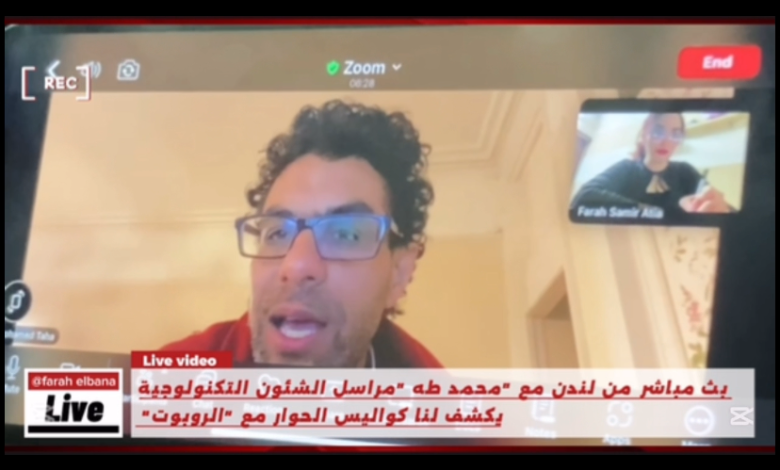
: محمد طه يكشف أسرار حول الذكاء الاصطناعي
كتبت : فرح سمير
تضمن حواراً فريدًا من نوعه، BBC في عام 2017، شهد الإعلام العربي حدثًا غير مسبوق، حيث تم بث مباشر عبر قناة العربية
أُجري مع روبوت مدعوم بالذكاء الاصطناعي يحاكي البشر .وكان هذا الحوار من تقديم الإعلامي محمد طه، مراسل الشؤون التكنولوجية في القناة
منذ ذلك الحين، واصل محمد طه تقديم أبرز التقارير والتغطيات لأهم المؤتمرات العالمية، وكان دائمًا مميز ا في تناول أحدث التطورات التكنولوجية وفي هذا اللقاء الحصري، يحدثنا عن كواليس حواره مع الروبوت “صوفيا”، ويتطرق إلى آرائه حول الذكاء الاصطناعي، ومستقبل الإعلام، والتحولات التقنية التي باتت تؤثر في كل القطاعات
– صف لي شعورك عندما أجابك الروبوت، واستطاع بالفعل مجاراة الحوار، نظرًا لأن المقابلة كانت في عام 2017 ؟
في البداية، كان لدي انطباع بأن الروبوت قد لا يكون كائناً مستقلًً، بل ربما يكون هناك شخص ما يتواصل معه أو يدعمه في تقديم الإجابات. لم أكن مقتنعاً في البداية بقدرة الروبوت على الرد على أسئلتي بشكل مستقل دون أي مساعدة من شخص آخر.هذا الأمر لم يكن شائعاً كما هو اليوم.
أثناء تواجدي في معرض، تم إخباري بإمكانية إجراء محادثة مع روبوت، ولم أصدق ذلك. كان انطباعي الأول أن هناك شخصًا يستمع إلى سؤالي ويقوم بالرد عليه بشكل مستقل ودون تدخل بشري. لم أكن أتخيل أن الروبوت قادر على تقديم إجابات مباشرة من مكان ما أو من غرفة تحكم.
– هل قمَتَ بتعديل أسلوبك الصحفي أو الحواري ليتناسب مع قدرة الروبوت على معالجة الأمر والتجاوب معك؟
كان هدفي الأساسي خلال الحوار ه والحفاظ على طبيعية التفاعل، وه وما شكل تحديًا كبيرًا. فعندما تواجه جهازًا توجه له أسئلة ويقوم بالرد عليك، فإن ذلك كان يعتبر في السابق نوعًا من الخيال. نحن في مجال الصحافة والإعلام نملك خبرة واسعة في التعامل مع البشر، حيث يمكنني رؤية تعبيرات وجهك وتفاعل جسدك مما يساعدني على تعديل أسلوبي وفق ذلك. لكن عند التعامل مع الروبوت، تفتقر إلى تعبيرات الوجه والملامح التفاعلية، مما يجعل ردود الفعل غير قابلة للتنب ؤ.
ما الذي لاحظته من فروقات واضحة في طريقة التعامل مع روبوت مقارنة بمقابلة إعلامية طبيعية مع إنسان؟
بالتأكيد هناك اختلافات تتعلق بتحضير المقابلة. عند إجراء مقابلة مع إنسان، يتم إعداد الحوار بناءً على شخصية الضيف وخلفيته. أما بالنسبة للروبوت فلم أكن أملك معلومات مسبقة عنه. كان تركيزي منصبًا على طبيعة الروبوت نفسه وعلاقته بالإنسان ومستقبله.
ذكرت في بداية المراسلة أن ردود أفعالها تشبه البشر، فهل تشبه ردود أفعال الروبوت وتعبير وجهه الإنسان؟ كما ذكرت أثناء تصوير المقابلة أن “الروبوت” المصنوع يحُاكي الأنثى البشرية، وحصل على الجنسية السعودية؟
نعم ذكرت بالفعل جنسيتهاً ولقد ذكرت بالفعل أن للروبوت تعبيرات وجه وحركات معينة تجعل الشخص يتساءل عما إذا كان يتعامل مع كائن بشري أو شبه بشري أو آلة. خلًل المقابلة لم نكن معتادين على هذه التقنية الجديدة.
– من خلال الحوار مع الروبوت، هل ترى أن الاندماج والتعامل مع الروبوتات يُعد تحدياً، أم أنه سهل التأقلم؟ وهل يمثل هذا تحدياً لنا كإعلاميين أو كبشر عمومًا؟
لا أعتقد أنه يمثل تحديًا كبيرًا؛ فقد أصبح الناس معتادين بشكل متزايد على الذكاء الاصطناعي وبدأوا يتأقلمون معه بسهولة. سأعطيك مثالًا آخر: كنتُ في إحدى الدول، وطلبتُ بعض أدوات تنظيف الأسنان، وعندما فتحت الباب، فوجئت بأن روبوت أحضرها لي. لم أستغرب، لأني بالفعل أصبحت أتوقع مثل هذه الأمور .
في وقت الحوار عام 2017، هل واجهت أي صعوبات أو تحديات؟
بالتأكيد كانت هناك حالة من الاستغراب وكان التحدي يكمن في الحفاظ على أسلوب تلقائي وطبيعي رغم أنني كنت أتحدث إلى آلة. كان عليّ أن أتعامل معها كإنسان حقيقي، وأن أطرح عليها أسئلة كما أفعل في مقابلاتي المعتادة، حتى يكون الحوار سلسًا.
– خلال الحوار، طرحتَ سؤا الا: “بماذا ترغبين في العمل في المستقبل؟” فأجابت الروبوت “صوفيا” بإجابة مفاجئة حول التظاهرات الدموية. كيف استقبلت هذه الإجابة؟
كانت إجابتها صادمة للغاية وقد أثارت تساؤلات حول دقة توقعاتها والخوارزميات المستخدمة خلف تلك التحليلات التي صرحتها وكانت “في المستقبل سيكون هناك تظاهرات دموية وصراعات ما لم نصبح أكثر ذكاءً واجتماعية مثلي، وربما نساعد في التعامل مع هذا الوضع.”
في ذلك الوقت، لم تكن هناك مؤشرات على أي حروب أو صراعات، بل كانت الأمور مستقرة نسب ايا. لكن مع مرور السنوات، وقعت فعل ايا أحداث دموية وصراعات كبيرة.
هذا يثير التساؤلات حول دقة توقعات الذكاء الاصطناعي، والخوارزميات التي تقف خلف هذه التحليلات.
هل تعتقد أن توقعاتها كانت مبنية على خوارزميات دقيقة، أم تدخل بشري؟
قد تكون مستندة إلى تحليلات بشرية أ و تقارير صحفية؛ فالروبوت لا يفكر كما نفكر، بل يعتمد على البيانات والخوارزميات المعقدة لتقديم توقعاته المستقبلية. هذا يجعلنا نعود إلى التساؤل: إلى أي مدى تستطيع الروبوتات أن تتعلّم ذاتيًا؟ وهل يمكن أن تتخذ قرارات مستقلة مستقبلاً ؟
هل من الممكن أن تنشئ الروبوتات شركات وتدير أعما الا مستقلة ؟
نعم، كان هناك تقارير أعدتها عن روبوتات قامت بتأسيس شركات خاصة بها وأصبحت تديرها بشكل مستقل تقريب اً باستثناء وجود شخص واحد فقط لدعم العمليات الإدارية.
كنت قد غطيت مؤتمر باريس مؤخ ارا. ما أبرز ما جاء فيه؟
فرنسا نظّمت أكبر قمة عالمية للذكاء الاصطناعي منذ ستة أسابيع، وشاركت فيها شخصيات دولية رفيعة المستوى. شهد المؤتمر دعوات لوضع قوانين أخلاقية لتنظيم تطور الذكاء الاصطناعي بينما رفضت بعض الدول الكبرى مثل الولايات المتحدة وبريطانيا الالتزام بهذه المبادئ. الاستمرار في التطوير دون قيود.
وفي نهاية القمة، صدر “إعلان باريس”، الذي شددّ على أهمية مراعاة الأخلاقيات في تطوير الذكاء الاصطناعي.
–إذا بنا ء على ما تم ذكره، بماذا توصي الصحفيين في الفترة القادمة؟ فيما يلتزمون به أ ويلتفتون إليه؟ وبماذا توصيهم أو ما النصائح التي تنصح الصحفيين أن يتبعوها لمجاراة التقدم المستم ر في التكنولوجيا أو الذكاء الاصطناعي؟
يجب على الصحفيين تعلم استخدام الذكاء الاصطناعي وتطبيقه في كل جوانب عملهم، مثل إعداد الفيديوهات والبحث، مع الالتزام بالأخلًقية في استخدامه. هذه التقنية تسهل مهامهم وتوفر الوقت والجهد، مما يحسن جودة العمل. من الضروري أن يكون الجميع قادرين على تمييز الأعمال التي تنتجها الآلات وعدم الاعتماد عليها كلياً واستخدامها كأداة مساعدة. وانا كصحفي في التلفزيوني أركز على الجانب البصري واستخدم تقنياته الجرافيكية والتوضيحية الخاصة به عند الظهور في التلفزيون، ولا يعتمد على غيره في إنتاج عمله بفضل تعليمه وخبرته وفريقه الذي يساعده في إنتاج محتوى بصري قوي ومميز. ورغم تطور الذكاء الاصطناعي، فإنه لا يزال غير قادر على إنتاج أعمال تجمع بين العناصر البصرية والشخصية الفريدة للصحفي أو المراسل، ويخدم الصحفي فقط في مجال محدد. يجب على الصحفيين بناء شخصية وأسلوب وحضور خاص بهم ودمجها مع تقنياتهم ومعارفهم، وتوظيف الذكاء الاصطناعي بما يتناسب مع أسلوبهم وحضورهم لتحقيق فائدة أكبر. ينبغي على الصحفيين التفكير في القيمة المضافة والتركيز على الجودة لا الكمية، فالأهم هو محتوى وأهمية ما يقدم للجمهور لا عدد الأخبار. الكاتب يوجه تركيزه نحو إعداد تقرير مصور أسبوعي أو شهري شامل وعالي الجودة لجذب الجمهور. لذا، من الضروري أن يوجه الصحفيون اهتمامهم نحو تقديم محتوى عالي الجودة بدلاً من التركيز على الكم فقط.
-عند لمس الروبوت، هل كان هنا ك أي اختلاف ب ي ملمس جلد الإنسان وجلده؟
بالنسبة للمس بين جلد الإنسان وجلد الروبوت، لا يوجد فرق كبير. ومع ذلك، يتردد الناس في لمس الروبوت بسبب حساسية. الموضوع وارتباط ه بحقو ق الروبوت ككائن إنساني. وكان من الضروري مراعاة جميع الثقافات المختلفة ف ي هذا السياق.
بما أن الحوار أُجري منذ ٨ أعوام ف ٢٠١٧، فما هى التطورات التى حدثت للروبوتات بشكل عا م خلال السنوات الثمان الماضية من وجهة نظرك ؟
نحن على أعتاب عقد جديد حيث يصعب تصور تأثير التكنولوجيا على مجالات مثل الإعلًم والطب والاقتصاد. جميع المؤسسات تفكر بجدية في مستقبل موظفيها وأنظمتها، مما يتطلب استعداًدًا كبيرًا للتغييرات المرتقبة. هناك شخصيات بارزة مثل إيلون ماسك تعبر عن أهمية استكشاف المريخ، وتدور نقاشات بينه وبين مؤسس وكالة ناسا حول أولويات الرحلًت الفضائية. يؤكد ماسك على ضرورة إنشاء قاعدة على المريخ نظرًا للتغيرات التي نشهدها على كوكب الأرض.
وفي نهاية الحوار، وبعد شكر ك له، و جه إليك سؤا لا بصيغة تح د وأمر، حيث قال” :قبل أن تمضي، ما هي توقعاتك للمستقبل؟”، فهل شعر ت حينها بالخطورة من تح ديه للعقل البشري؟ وهل توقعت أنه سيأتي يو م يكو ن فيه هو من يوجه الأسئلة ويغطي الأخبار ويحل محل الإعلامي؟
هذا السؤال جعلني أشعر بالراحة في التعامل مع الروبوت، حيث كان الحوار تفاعلياً وحقيقيًا .لم أكن أتوقع يومًا أن يأتي وقت يكون فيه روبوت هو من يسأل ويخطط الأخبار، بل ويحاكي الإعلام بشكل عام .التكنولوجيا اليوم تفوق أي توقعات سابقة .قبل بضع .سنوات فقط، لم يكن هناك تصو ر لوجود روبوتات قادرة على التعامل مع الأخبار بنفس كفاءة البشر.
من خلال خبرتك في المجال الإعلامي، هل سيقبل الجمهور بفكرة وجود مذيع برامج أو مراسل أو صحفي انه آلة ( روبوت)؟ هل هناك تجارب سابقة من بي بي سي تشير إلى تقبل الجمهور لهذا الأمر ؟
لا تزال مؤسسة البي بي سي تقوم بتجارب لفهم مدى تفاعل الجمهور واستجابته لهذه الآلات أو المذيعين الآليين قبل تنفيذها بشكل كامل. ستقوم البي بي سي بإجراء بحوث للجمهور لفهم كيفية تفاعله م مع الروبوتات والذكاء الاصطناعي ومقارنتها بالتفاعل مع الأشخاص العاديين. بالنظر إلى المستقبل، قد تتطور الروبوتات لتصبح أكثر ذكاءً وقدرة ً على التكيف مع احتياجات الجمهور
بناءا على تقنية (Machine Learning)) نظرية التعلم الآلي: يرى إيلون ماسك أن نظرية التعلم الآلي قد تؤدي إلى تطور الروبوتات بشكل مستقل وقدرتها على التحكم بالبشر، وهو ما يظهر في أفلًم الذكاء الاصطناعي كمصدر للمخاوف والتحديات. يوجد خلًف بين ماسك وزوكربيرج حول هذا الاحتمال، حيث يعتبر زوكربيرج مخاوف ماسك مبالغًا فيها، بينما يشدد ماسك على أهمية الاستعداد لهذا السيناريو بحذر. في الوقت نفسه، تكشف الدراسات عن تطور علًقات عاطفية بين البشر والشات بوتس، وهي ظاهرة بدأت في الغرب وتظهر في الشرق الأوسط، مما يثير تساؤلات حول طبيعة العلًقة المستقبلية بين الإنسان والآلة وتأثيرها على مفاهيم السلطة والسيطرة.
في ختام هذا الحور المثير مع الإعلامي “محمد طه” ، نرى بوضوح كيف بدأ مشهد الإعلام والتقنية في التغي ر جذرياً منذ عام 2017 مع أول حوار تلفزيوني مع روبوت. تجربة طه مع “صوفيا” لم تكن مجرد حدث إعلامي فريد، ب ل كانت نافذة مبكرة على مستقبل يتقاطع فيه الإنسان والآلة بشكل متزايد.