// ===================================================================
// Author: Matt Kruse <matt@mattkruse.com>
// WWW: http://www.mattkruse.com/
//
// NOTICE: You may use this code for any purpose, commercial or
// private, without any further permission from the author. You may
// remove this notice from your final code if you wish, however it is
// appreciated by the author if at least my web site address is kept.
//
// You may *NOT* re-distribute this code in any way except through its
// use. That means, you can include it in your product, or your web
// site, or any other form where the code is actually being used. You
// may not put the plain javascript up on your site for download or
// include it in your javascript libraries for download.
// If you wish to share this code with others, please just point them
// to the URL instead.
// Please DO NOT link directly to my .js files from your site. Copy
// the files to your server and use them there. Thank you.
// ===================================================================
/* SOURCE FILE: AnchorPosition.js */
/*
AnchorPosition.js
Author: Matt Kruse
Last modified: 10/11/02
DESCRIPTION: These functions find the position of an <A> tag in a document,
so other elements can be positioned relative to it.
COMPATABILITY: Netscape 4.x,6.x,Mozilla, IE 5.x,6.x on Windows. Some small
positioning errors - usually with Window positioning - occur on the
Macintosh platform.
FUNCTIONS:
getAnchorPosition(anchorname)
Returns an Object() having .x and .y properties of the pixel coordinates
of the upper-left corner of the anchor. Position is relative to the PAGE.
getAnchorWindowPosition(anchorname)
Returns an Object() having .x and .y properties of the pixel coordinates
of the upper-left corner of the anchor, relative to the WHOLE SCREEN.
NOTES:
1) For popping up separate browser windows, use getAnchorWindowPosition.
Otherwise, use getAnchorPosition
2) Your anchor tag MUST contain both NAME and ID attributes which are the
same. For example:
<A NAME="test" ID="test"> </A>
3) There must be at least a space between <A> </A> for IE5.5 to see the
anchor tag correctly. Do not do <A></A> with no space.
*/
// getAnchorPosition(anchorname)
// This function returns an object having .x and .y properties which are the coordinates
// of the named anchor, relative to the page.
function getAnchorPosition(anchorname) {
// This function will return an Object with x and y properties
var useWindow=false;
var coordinates=new Object();
var x=0,y=0;
// Browser capability sniffing
var use_gebi=false, use_css=false, use_layers=false;
if (document.getElementById) { use_gebi=true; }
else if (document.all) { use_css=true; }
else if (document.layers) { use_layers=true; }
// Logic to find position
if (use_gebi && document.all) {
x=AnchorPosition_getPageOffsetLeft(document.all[anchorname]);
y=AnchorPosition_getPageOffsetTop(document.all[anchorname]);
}
else if (use_gebi) {
var o=document.getElementById(anchorname);
x=AnchorPosition_getPageOffsetLeft(o);
y=AnchorPosition_getPageOffsetTop(o);
}
else if (use_css) {
x=AnchorPosition_getPageOffsetLeft(document.all[anchorname]);
y=AnchorPosition_getPageOffsetTop(document.all[anchorname]);
}
else if (use_layers) {
var found=0;
for (var i=0; i<document.anchors.length; i++) {
if (document.anchors[i].name==anchorname) { found=1; break; }
}
if (found==0) {
coordinates.x=0; coordinates.y=0; return coordinates;
}
x=document.anchors[i].x;
y=document.anchors[i].y;
}
else {
coordinates.x=0; coordinates.y=0; return coordinates;
}
coordinates.x=x;
coordinates.y=y;
return coordinates;
}
// getAnchorWindowPosition(anchorname)
// This function returns an object having .x and .y properties which are the coordinates
// of the named anchor, relative to the window
function getAnchorWindowPosition(anchorname) {
var coordinates=getAnchorPosition(anchorname);
var x=0;
var y=0;
if (document.getElementById) {
if (isNaN(window.screenX)) {
x=coordinates.x-document.body.scrollLeft+window.screenLeft;
y=coordinates.y-document.body.scrollTop+window.screenTop;
}
else {
x=coordinates.x+window.screenX+(window.outerWidth-window.innerWidth)-window.pageXOffset;
y=coordinates.y+window.screenY+(window.outerHeight-24-window.innerHeight)-window.pageYOffset;
}
}
else if (document.all) {
x=coordinates.x-document.body.scrollLeft+window.screenLeft;
y=coordinates.y-document.body.scrollTop+window.screenTop;
}
else if (document.layers) {
x=coordinates.x+window.screenX+(window.outerWidth-window.innerWidth)-window.pageXOffset;
y=coordinates.y+window.screenY+(window.outerHeight-24-window.innerHeight)-window.pageYOffset;
}
coordinates.x=x;
coordinates.y=y;
return coordinates;
}
// Functions for IE to get position of an object
function AnchorPosition_getPageOffsetLeft (el) {
var ol=el.offsetLeft;
while ((el=el.offsetParent) != null) { ol += el.offsetLeft; }
return ol;
}
function AnchorPosition_getWindowOffsetLeft (el) {
return AnchorPosition_getPageOffsetLeft(el)-document.body.scrollLeft;
}
function AnchorPosition_getPageOffsetTop (el) {
var ot=el.offsetTop;
while((el=el.offsetParent) != null) { ot += el.offsetTop; }
return ot;
}
function AnchorPosition_getWindowOffsetTop (el) {
return AnchorPosition_getPageOffsetTop(el)-document.body.scrollTop;
}
/* SOURCE FILE: PopupWindow.js */
/*
PopupWindow.js
Author: Matt Kruse
Last modified: 02/16/04
DESCRIPTION: This object allows you to easily and quickly popup a window
in a certain place. The window can either be a DIV or a separate browser
window.
COMPATABILITY: Works with Netscape 4.x, 6.x, IE 5.x on Windows. Some small
positioning errors - usually with Window positioning - occur on the
Macintosh platform. Due to bugs in Netscape 4.x, populating the popup
window with <STYLE> tags may cause errors.
USAGE:
// Create an object for a WINDOW popup
var win = new PopupWindow();
// Create an object for a DIV window using the DIV named 'mydiv'
var win = new PopupWindow('mydiv');
// Set the window to automatically hide itself when the user clicks
// anywhere else on the page except the popup
win.autoHide();
// Show the window relative to the anchor name passed in
win.showPopup(anchorname);
// Hide the popup
win.hidePopup();
// Set the size of the popup window (only applies to WINDOW popups
win.setSize(width,height);
// Populate the contents of the popup window that will be shown. If you
// change the contents while it is displayed, you will need to refresh()
win.populate(string);
// set the URL of the window, rather than populating its contents
// manually
win.setUrl("http://www.site.com/");
// Refresh the contents of the popup
win.refresh();
// Specify how many pixels to the right of the anchor the popup will appear
win.offsetX = 50;
// Specify how many pixels below the anchor the popup will appear
win.offsetY = 100;
NOTES:
1) Requires the functions in AnchorPosition.js
2) Your anchor tag MUST contain both NAME and ID attributes which are the
same. For example:
<A NAME="test" ID="test"> </A>
3) There must be at least a space between <A> </A> for IE5.5 to see the
anchor tag correctly. Do not do <A></A> with no space.
4) When a PopupWindow object is created, a handler for 'onmouseup' is
attached to any event handler you may have already defined. Do NOT define
an event handler for 'onmouseup' after you define a PopupWindow object or
the autoHide() will not work correctly.
*/
// Set the position of the popup window based on the anchor
function PopupWindow_getXYPosition(anchorname) {
var coordinates;
if (this.type == "WINDOW") {
coordinates = getAnchorWindowPosition(anchorname);
}
else {
coordinates = getAnchorPosition(anchorname);
}
this.x = coordinates.x;
this.y = coordinates.y;
}
// Set width/height of DIV/popup window
function PopupWindow_setSize(width,height) {
this.width = width;
this.height = height;
}
// Fill the window with contents
function PopupWindow_populate(contents) {
this.contents = contents;
this.populated = false;
}
// Set the URL to go to
function PopupWindow_setUrl(url) {
this.url = url;
}
// Set the window popup properties
function PopupWindow_setWindowProperties(props) {
this.windowProperties = props;
}
// Refresh the displayed contents of the popup
function PopupWindow_refresh() {
if (this.divName != null) {
// refresh the DIV object
if (this.use_gebi) {
document.getElementById(this.divName).innerHTML = this.contents;
}
else if (this.use_css) {
document.all[this.divName].innerHTML = this.contents;
}
else if (this.use_layers) {
var d = document.layers[this.divName];
d.document.open();
d.document.writeln(this.contents);
d.document.close();
}
}
else {
if (this.popupWindow != null && !this.popupWindow.closed) {
if (this.url!="") {
this.popupWindow.location.href=this.url;
}
else {
this.popupWindow.document.open();
this.popupWindow.document.writeln(this.contents);
this.popupWindow.document.close();
}
this.popupWindow.focus();
}
}
}
// Position and show the popup, relative to an anchor object
function PopupWindow_showPopup(anchorname) {
this.getXYPosition(anchorname);
this.x += this.offsetX;
this.y += this.offsetY;
if (!this.populated && (this.contents != "")) {
this.populated = true;
this.refresh();
}
if (this.divName != null) {
// Show the DIV object
if (this.use_gebi) {
document.getElementById(this.divName).style.left = this.x + "px";
document.getElementById(this.divName).style.top = this.y;
document.getElementById(this.divName).style.visibility = "visible";
}
else if (this.use_css) {
document.all[this.divName].style.left = this.x;
document.all[this.divName].style.top = this.y;
document.all[this.divName].style.visibility = "visible";
}
else if (this.use_layers) {
document.layers[this.divName].left = this.x;
document.layers[this.divName].top = this.y;
document.layers[this.divName].visibility = "visible";
}
}
else {
if (this.popupWindow == null || this.popupWindow.closed) {
// If the popup window will go off-screen, move it so it doesn't
if (this.x<0) { this.x=0; }
if (this.y<0) { this.y=0; }
if (screen && screen.availHeight) {
if ((this.y + this.height) > screen.availHeight) {
this.y = screen.availHeight - this.height;
}
}
if (screen && screen.availWidth) {
if ((this.x + this.width) > screen.availWidth) {
this.x = screen.availWidth - this.width;
}
}
var avoidAboutBlank = window.opera || ( document.layers && !navigator.mimeTypes['*'] ) || navigator.vendor == 'KDE' || ( document.childNodes && !document.all && !navigator.taintEnabled );
this.popupWindow = window.open(avoidAboutBlank?"":"about:blank","window_"+anchorname,this.windowProperties+",width="+this.width+",height="+this.height+",screenX="+this.x+",left="+this.x+",screenY="+this.y+",top="+this.y+"");
}
this.refresh();
}
}
// Hide the popup
function PopupWindow_hidePopup() {
if (this.divName != null) {
if (this.use_gebi) {
document.getElementById(this.divName).style.visibility = "hidden";
}
else if (this.use_css) {
document.all[this.divName].style.visibility = "hidden";
}
else if (this.use_layers) {
document.layers[this.divName].visibility = "hidden";
}
}
else {
if (this.popupWindow && !this.popupWindow.closed) {
this.popupWindow.close();
this.popupWindow = null;
}
}
}
// Pass an event and return whether or not it was the popup DIV that was clicked
function PopupWindow_isClicked(e) {
if (this.divName != null) {
if (this.use_layers) {
var clickX = e.pageX;
var clickY = e.pageY;
var t = document.layers[this.divName];
if ((clickX > t.left) && (clickX < t.left+t.clip.width) && (clickY > t.top) && (clickY < t.top+t.clip.height)) {
return true;
}
else { return false; }
}
else if (document.all) { // Need to hard-code this to trap IE for error-handling
var t = window.event.srcElement;
while (t.parentElement != null) {
if (t.id==this.divName) {
return true;
}
t = t.parentElement;
}
return false;
}
else if (this.use_gebi && e) {
var t = e.originalTarget;
while (t.parentNode != null) {
if (t.id==this.divName) {
return true;
}
t = t.parentNode;
}
return false;
}
return false;
}
return false;
}
// Check an onMouseDown event to see if we should hide
function PopupWindow_hideIfNotClicked(e) {
if (this.autoHideEnabled && !this.isClicked(e)) {
this.hidePopup();
}
}
// Call this to make the DIV disable automatically when mouse is clicked outside it
function PopupWindow_autoHide() {
this.autoHideEnabled = true;
}
// This global function checks all PopupWindow objects onmouseup to see if they should be hidden
function PopupWindow_hidePopupWindows(e) {
for (var i=0; i<popupWindowObjects.length; i++) {
if (popupWindowObjects[i] != null) {
var p = popupWindowObjects[i];
p.hideIfNotClicked(e);
}
}
}
// Run this immediately to attach the event listener
function PopupWindow_attachListener() {
if (document.layers) {
document.captureEvents(Event.MOUSEUP);
}
window.popupWindowOldEventListener = document.onmouseup;
if (window.popupWindowOldEventListener != null) {
document.onmouseup = new Function("window.popupWindowOldEventListener(); PopupWindow_hidePopupWindows();");
}
else {
document.onmouseup = PopupWindow_hidePopupWindows;
}
}
// CONSTRUCTOR for the PopupWindow object
// Pass it a DIV name to use a DHTML popup, otherwise will default to window popup
function PopupWindow() {
if (!window.popupWindowIndex) { window.popupWindowIndex = 0; }
if (!window.popupWindowObjects) { window.popupWindowObjects = new Array(); }
if (!window.listenerAttached) {
window.listenerAttached = true;
PopupWindow_attachListener();
}
this.index = popupWindowIndex++;
popupWindowObjects[this.index] = this;
this.divName = null;
this.popupWindow = null;
this.width=0;
this.height=0;
this.populated = false;
this.visible = false;
this.autoHideEnabled = false;
this.contents = "";
this.url="";
this.windowProperties="toolbar=no,location=no,status=no,menubar=no,scrollbars=auto,resizable,alwaysRaised,dependent,titlebar=no";
if (arguments.length>0) {
this.type="DIV";
this.divName = arguments[0];
}
else {
this.type="WINDOW";
}
this.use_gebi = false;
this.use_css = false;
this.use_layers = false;
if (document.getElementById) { this.use_gebi = true; }
else if (document.all) { this.use_css = true; }
else if (document.layers) { this.use_layers = true; }
else { this.type = "WINDOW"; }
this.offsetX = 0;
this.offsetY = 0;
// Method mappings
this.getXYPosition = PopupWindow_getXYPosition;
this.populate = PopupWindow_populate;
this.setUrl = PopupWindow_setUrl;
this.setWindowProperties = PopupWindow_setWindowProperties;
this.refresh = PopupWindow_refresh;
this.showPopup = PopupWindow_showPopup;
this.hidePopup = PopupWindow_hidePopup;
this.setSize = PopupWindow_setSize;
this.isClicked = PopupWindow_isClicked;
this.autoHide = PopupWindow_autoHide;
this.hideIfNotClicked = PopupWindow_hideIfNotClicked;
}
/* SOURCE FILE: ColorPicker2.js */
/*
Last modified: 02/24/2003
DESCRIPTION: This widget is used to select a color, in hexadecimal #RRGGBB
form. It uses a color "swatch" to display the standard 216-color web-safe
palette. The user can then click on a color to select it.
COMPATABILITY: See notes in AnchorPosition.js and PopupWindow.js.
Only the latest DHTML-capable browsers will show the color and hex values
at the bottom as your mouse goes over them.
USAGE:
// Create a new ColorPicker object using DHTML popup
var cp = new ColorPicker();
// Create a new ColorPicker object using Window Popup
var cp = new ColorPicker('window');
// Add a link in your page to trigger the popup. For example:
<A HREF="#" onClick="cp.show('pick');return false;" NAME="pick" ID="pick">Pick</A>
// Or use the built-in "select" function to do the dirty work for you:
<A HREF="#" onClick="cp.select(document.forms[0].color,'pick');return false;" NAME="pick" ID="pick">Pick</A>
// If using DHTML popup, write out the required DIV tag near the bottom
// of your page.
<SCRIPT LANGUAGE="JavaScript">cp.writeDiv()</SCRIPT>
// Write the 'pickColor' function that will be called when the user clicks
// a color and do something with the value. This is only required if you
// want to do something other than simply populate a form field, which is
// what the 'select' function will give you.
function pickColor(color) {
field.value = color;
}
NOTES:
1) Requires the functions in AnchorPosition.js and PopupWindow.js
2) Your anchor tag MUST contain both NAME and ID attributes which are the
same. For example:
<A NAME="test" ID="test"> </A>
3) There must be at least a space between <A> </A> for IE5.5 to see the
anchor tag correctly. Do not do <A></A> with no space.
4) When a ColorPicker object is created, a handler for 'onmouseup' is
attached to any event handler you may have already defined. Do NOT define
an event handler for 'onmouseup' after you define a ColorPicker object or
the color picker will not hide itself correctly.
*/
ColorPicker_targetInput = null;
function ColorPicker_writeDiv() {
document.writeln("<DIV ID=\"colorPickerDiv\" STYLE=\"position:absolute;visibility:hidden;\"> </DIV>");
}
function ColorPicker_show(anchorname) {
this.showPopup(anchorname);
}
function ColorPicker_pickColor(color,obj) {
obj.hidePopup();
pickColor(color);
}
// A Default "pickColor" function to accept the color passed back from popup.
// User can over-ride this with their own function.
function pickColor(color) {
if (ColorPicker_targetInput==null) {
alert("Target Input is null, which means you either didn't use the 'select' function or you have no defined your own 'pickColor' function to handle the picked color!");
return;
}
ColorPicker_targetInput.value = color;
}
// This function is the easiest way to popup the window, select a color, and
// have the value populate a form field, which is what most people want to do.
function ColorPicker_select(inputobj,linkname) {
if (inputobj.type!="text" && inputobj.type!="hidden" && inputobj.type!="textarea") {
alert("colorpicker.select: Input object passed is not a valid form input object");
window.ColorPicker_targetInput=null;
return;
}
window.ColorPicker_targetInput = inputobj;
this.show(linkname);
}
// This function runs when you move your mouse over a color block, if you have a newer browser
function ColorPicker_highlightColor(c) {
var thedoc = (arguments.length>1)?arguments[1]:window.document;
var d = thedoc.getElementById("colorPickerSelectedColor");
d.style.backgroundColor = c;
d = thedoc.getElementById("colorPickerSelectedColorValue");
d.innerHTML = c;
}
function ColorPicker() {
var windowMode = false;
// Create a new PopupWindow object
if (arguments.length==0) {
var divname = "colorPickerDiv";
}
else if (arguments[0] == "window") {
var divname = '';
windowMode = true;
}
else {
var divname = arguments[0];
}
if (divname != "") {
var cp = new PopupWindow(divname);
}
else {
var cp = new PopupWindow();
cp.setSize(225,250);
}
// Object variables
cp.currentValue = "#FFFFFF";
// Method Mappings
cp.writeDiv = ColorPicker_writeDiv;
cp.highlightColor = ColorPicker_highlightColor;
cp.show = ColorPicker_show;
cp.select = ColorPicker_select;
// Code to populate color picker window
var colors = new Array( "#4180B6","#69AEE7","#000000","#000033","#000066","#000099","#0000CC","#0000FF","#330000","#330033","#330066","#330099",
"#3300CC","#3300FF","#660000","#660033","#660066","#660099","#6600CC","#6600FF","#990000","#990033","#990066","#990099",
"#9900CC","#9900FF","#CC0000","#CC0033","#CC0066","#CC0099","#CC00CC","#CC00FF","#FF0000","#FF0033","#FF0066","#FF0099",
"#FF00CC","#FF00FF","#7FFFFF","#7FFFFF","#7FF7F7","#7FEFEF","#7FE7E7","#7FDFDF","#7FD7D7","#7FCFCF","#7FC7C7","#7FBFBF",
"#7FB7B7","#7FAFAF","#7FA7A7","#7F9F9F","#7F9797","#7F8F8F","#7F8787","#7F7F7F","#7F7777","#7F6F6F","#7F6767","#7F5F5F",
"#7F5757","#7F4F4F","#7F4747","#7F3F3F","#7F3737","#7F2F2F","#7F2727","#7F1F1F","#7F1717","#7F0F0F","#7F0707","#7F0000",
"#4180B6","#69AEE7","#003300","#003333","#003366","#003399","#0033CC","#0033FF","#333300","#333333","#333366","#333399",
"#3333CC","#3333FF","#663300","#663333","#663366","#663399","#6633CC","#6633FF","#993300","#993333","#993366","#993399",
"#9933CC","#9933FF","#CC3300","#CC3333","#CC3366","#CC3399","#CC33CC","#CC33FF","#FF3300","#FF3333","#FF3366","#FF3399",
"#FF33CC","#FF33FF","#FF7FFF","#FF7FFF","#F77FF7","#EF7FEF","#E77FE7","#DF7FDF","#D77FD7","#CF7FCF","#C77FC7","#BF7FBF",
"#B77FB7","#AF7FAF","#A77FA7","#9F7F9F","#977F97","#8F7F8F","#877F87","#7F7F7F","#777F77","#6F7F6F","#677F67","#5F7F5F",
"#577F57","#4F7F4F","#477F47","#3F7F3F","#377F37","#2F7F2F","#277F27","#1F7F1F","#177F17","#0F7F0F","#077F07","#007F00",
"#4180B6","#69AEE7","#006600","#006633","#006666","#006699","#0066CC","#0066FF","#336600","#336633","#336666","#336699",
"#3366CC","#3366FF","#666600","#666633","#666666","#666699","#6666CC","#6666FF","#996600","#996633","#996666","#996699",
"#9966CC","#9966FF","#CC6600","#CC6633","#CC6666","#CC6699","#CC66CC","#CC66FF","#FF6600","#FF6633","#FF6666","#FF6699",
"#FF66CC","#FF66FF","#FFFF7F","#FFFF7F","#F7F77F","#EFEF7F","#E7E77F","#DFDF7F","#D7D77F","#CFCF7F","#C7C77F","#BFBF7F",
"#B7B77F","#AFAF7F","#A7A77F","#9F9F7F","#97977F","#8F8F7F","#87877F","#7F7F7F","#77777F","#6F6F7F","#67677F","#5F5F7F",
"#57577F","#4F4F7F","#47477F","#3F3F7F","#37377F","#2F2F7F","#27277F","#1F1F7F","#17177F","#0F0F7F","#07077F","#00007F",
"#4180B6","#69AEE7","#009900","#009933","#009966","#009999","#0099CC","#0099FF","#339900","#339933","#339966","#339999",
"#3399CC","#3399FF","#669900","#669933","#669966","#669999","#6699CC","#6699FF","#999900","#999933","#999966","#999999",
"#9999CC","#9999FF","#CC9900","#CC9933","#CC9966","#CC9999","#CC99CC","#CC99FF","#FF9900","#FF9933","#FF9966","#FF9999",
"#FF99CC","#FF99FF","#3FFFFF","#3FFFFF","#3FF7F7","#3FEFEF","#3FE7E7","#3FDFDF","#3FD7D7","#3FCFCF","#3FC7C7","#3FBFBF",
"#3FB7B7","#3FAFAF","#3FA7A7","#3F9F9F","#3F9797","#3F8F8F","#3F8787","#3F7F7F","#3F7777","#3F6F6F","#3F6767","#3F5F5F",
"#3F5757","#3F4F4F","#3F4747","#3F3F3F","#3F3737","#3F2F2F","#3F2727","#3F1F1F","#3F1717","#3F0F0F","#3F0707","#3F0000",
"#4180B6","#69AEE7","#00CC00","#00CC33","#00CC66","#00CC99","#00CCCC","#00CCFF","#33CC00","#33CC33","#33CC66","#33CC99",
"#33CCCC","#33CCFF","#66CC00","#66CC33","#66CC66","#66CC99","#66CCCC","#66CCFF","#99CC00","#99CC33","#99CC66","#99CC99",
"#99CCCC","#99CCFF","#CCCC00","#CCCC33","#CCCC66","#CCCC99","#CCCCCC","#CCCCFF","#FFCC00","#FFCC33","#FFCC66","#FFCC99",
"#FFCCCC","#FFCCFF","#FF3FFF","#FF3FFF","#F73FF7","#EF3FEF","#E73FE7","#DF3FDF","#D73FD7","#CF3FCF","#C73FC7","#BF3FBF",
"#B73FB7","#AF3FAF","#A73FA7","#9F3F9F","#973F97","#8F3F8F","#873F87","#7F3F7F","#773F77","#6F3F6F","#673F67","#5F3F5F",
"#573F57","#4F3F4F","#473F47","#3F3F3F","#373F37","#2F3F2F","#273F27","#1F3F1F","#173F17","#0F3F0F","#073F07","#003F00",
"#4180B6","#69AEE7","#00FF00","#00FF33","#00FF66","#00FF99","#00FFCC","#00FFFF","#33FF00","#33FF33","#33FF66","#33FF99",
"#33FFCC","#33FFFF","#66FF00","#66FF33","#66FF66","#66FF99","#66FFCC","#66FFFF","#99FF00","#99FF33","#99FF66","#99FF99",
"#99FFCC","#99FFFF","#CCFF00","#CCFF33","#CCFF66","#CCFF99","#CCFFCC","#CCFFFF","#FFFF00","#FFFF33","#FFFF66","#FFFF99",
"#FFFFCC","#FFFFFF","#FFFF3F","#FFFF3F","#F7F73F","#EFEF3F","#E7E73F","#DFDF3F","#D7D73F","#CFCF3F","#C7C73F","#BFBF3F",
"#B7B73F","#AFAF3F","#A7A73F","#9F9F3F","#97973F","#8F8F3F","#87873F","#7F7F3F","#77773F","#6F6F3F","#67673F","#5F5F3F",
"#57573F","#4F4F3F","#47473F","#3F3F3F","#37373F","#2F2F3F","#27273F","#1F1F3F","#17173F","#0F0F3F","#07073F","#00003F",
"#4180B6","#69AEE7","#FFFFFF","#FFEEEE","#FFDDDD","#FFCCCC","#FFBBBB","#FFAAAA","#FF9999","#FF8888","#FF7777","#FF6666",
"#FF5555","#FF4444","#FF3333","#FF2222","#FF1111","#FF0000","#FF0000","#FF0000","#FF0000","#EE0000","#DD0000","#CC0000",
"#BB0000","#AA0000","#990000","#880000","#770000","#660000","#550000","#440000","#330000","#220000","#110000","#000000",
"#000000","#000000","#000000","#001111","#002222","#003333","#004444","#005555","#006666","#007777","#008888","#009999",
"#00AAAA","#00BBBB","#00CCCC","#00DDDD","#00EEEE","#00FFFF","#00FFFF","#00FFFF","#00FFFF","#11FFFF","#22FFFF","#33FFFF",
"#44FFFF","#55FFFF","#66FFFF","#77FFFF","#88FFFF","#99FFFF","#AAFFFF","#BBFFFF","#CCFFFF","#DDFFFF","#EEFFFF","#FFFFFF",
"#4180B6","#69AEE7","#FFFFFF","#EEFFEE","#DDFFDD","#CCFFCC","#BBFFBB","#AAFFAA","#99FF99","#88FF88","#77FF77","#66FF66",
"#55FF55","#44FF44","#33FF33","#22FF22","#11FF11","#00FF00","#00FF00","#00FF00","#00FF00","#00EE00","#00DD00","#00CC00",
"#00BB00","#00AA00","#009900","#008800","#007700","#006600","#005500","#004400","#003300","#002200","#001100","#000000",
"#000000","#000000","#000000","#110011","#220022","#330033","#440044","#550055","#660066","#770077","#880088","#990099",
"#AA00AA","#BB00BB","#CC00CC","#DD00DD","#EE00EE","#FF00FF","#FF00FF","#FF00FF","#FF00FF","#FF11FF","#FF22FF","#FF33FF",
"#FF44FF","#FF55FF","#FF66FF","#FF77FF","#FF88FF","#FF99FF","#FFAAFF","#FFBBFF","#FFCCFF","#FFDDFF","#FFEEFF","#FFFFFF",
"#4180B6","#69AEE7","#FFFFFF","#EEEEFF","#DDDDFF","#CCCCFF","#BBBBFF","#AAAAFF","#9999FF","#8888FF","#7777FF","#6666FF",
"#5555FF","#4444FF","#3333FF","#2222FF","#1111FF","#0000FF","#0000FF","#0000FF","#0000FF","#0000EE","#0000DD","#0000CC",
"#0000BB","#0000AA","#000099","#000088","#000077","#000066","#000055","#000044","#000033","#000022","#000011","#000000",
"#000000","#000000","#000000","#111100","#222200","#333300","#444400","#555500","#666600","#777700","#888800","#999900",
"#AAAA00","#BBBB00","#CCCC00","#DDDD00","#EEEE00","#FFFF00","#FFFF00","#FFFF00","#FFFF00","#FFFF11","#FFFF22","#FFFF33",
"#FFFF44","#FFFF55","#FFFF66","#FFFF77","#FFFF88","#FFFF99","#FFFFAA","#FFFFBB","#FFFFCC","#FFFFDD","#FFFFEE","#FFFFFF",
"#4180B6","#69AEE7","#FFFFFF","#FFFFFF","#FBFBFB","#F7F7F7","#F3F3F3","#EFEFEF","#EBEBEB","#E7E7E7","#E3E3E3","#DFDFDF",
"#DBDBDB","#D7D7D7","#D3D3D3","#CFCFCF","#CBCBCB","#C7C7C7","#C3C3C3","#BFBFBF","#BBBBBB","#B7B7B7","#B3B3B3","#AFAFAF",
"#ABABAB","#A7A7A7","#A3A3A3","#9F9F9F","#9B9B9B","#979797","#939393","#8F8F8F","#8B8B8B","#878787","#838383","#7F7F7F",
"#7B7B7B","#777777","#737373","#6F6F6F","#6B6B6B","#676767","#636363","#5F5F5F","#5B5B5B","#575757","#535353","#4F4F4F",
"#4B4B4B","#474747","#434343","#3F3F3F","#3B3B3B","#373737","#333333","#2F2F2F","#2B2B2B","#272727","#232323","#1F1F1F",
"#1B1B1B","#171717","#131313","#0F0F0F","#0B0B0B","#070707","#030303","#000000","#000000","#000000","#000000","#000000");
var total = colors.length;
var width = 72;
var cp_contents = "";
var windowRef = (windowMode)?"window.opener.":"";
if (windowMode) {
cp_contents += "<html><head><title>Select Color</title></head>";
cp_contents += "<body marginwidth=0 marginheight=0 leftmargin=0 topmargin=0><span style='text-align: center;'>";
}
cp_contents += "<table style='border: none;' cellspacing=0 cellpadding=0>";
var use_highlight = (document.getElementById || document.all)?true:false;
for (var i=0; i<total; i++) {
if ((i % width) == 0) { cp_contents += "<tr>"; }
if (use_highlight) { var mo = 'onMouseOver="'+windowRef+'ColorPicker_highlightColor(\''+colors[i]+'\',window.document)"'; }
else { mo = ""; }
cp_contents += '<td style="background-color: '+colors[i]+';"><a href="javascript:void()" onclick="'+windowRef+'ColorPicker_pickColor(\''+colors[i]+'\','+windowRef+'window.popupWindowObjects['+cp.index+']);return false;" '+mo+'> </a></td>';
if ( ((i+1)>=total) || (((i+1) % width) == 0)) {
cp_contents += "</tr>";
}
}
// If the browser supports dynamically changing TD cells, add the fancy stuff
if (document.getElementById) {
var width1 = Math.floor(width/2);
var width2 = width = width1;
cp_contents += "<tr><td colspan='"+width1+"' style='background-color: #FFF;' ID='colorPickerSelectedColor'> </td><td colspan='"+width2+"' style='text-align: center;' id='colorPickerSelectedColorValue'>#FFFFFF</td></tr>";
}
cp_contents += "</table>";
if (windowMode) {
cp_contents += "</span></body></html>";
}
// end populate code
// Write the contents to the popup object
cp.populate(cp_contents+"\n");
// Move the table down a bit so you can see it
cp.offsetY = 25;
cp.autoHide();
return cp;
}
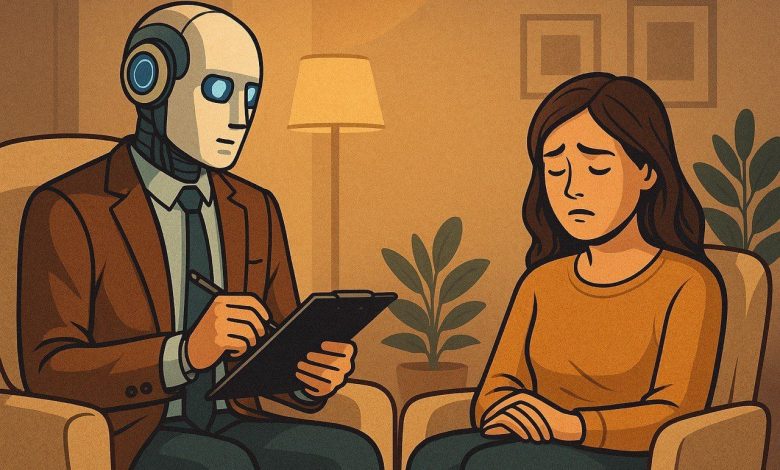
تمثل الصحة النفسية أولوية في مجال الطب، ونظرتها لأهميتها وتأثيرها على الفرد والمجتمع، وتتنوع مدارس العلاج النفسي سواء كان العلاج الطبي أو العلاج السلوكي، ومع التطور التكنولوجي الذي يشهده العالم الآن، أصبح الناس يستخدمون الذكاء الاصطناعي كبديل للطبيب النفسي، لذلك يصرون الاعتماد على الذكاء الاصطناعي في هذا المجال حول فعاليته مقارنة بالعلاج التقليدي الذي يقدمه الأطباء النفسيون، فهل يمكن أن يحل الذكاء الاصطناعي محل الطبيب النفسي ؟ ، ام انه اداة مساعدة لتعزيز الرعاية النفسية ؟
صرح “د/ مايكل سليم” اخصائي نفسي، ان الذكاء الاصطناعي اصبح يشكل خطرا على المرضي النفسيين الذين يتعالجون من الاكتئاب واضطرابات القلق ، حيث اكد ان استخدامهم للتكنولوجيا بشكل خاطئ يشكل ضررا أكثر من المنفعة ، وقال ان استخدام المرضي ل ” chat gpt” اصبح هوسا لدرجة انهم يتخذونه كصديق لهم ، ليصل بهم الحال ان يتحدثوا معه طوال اليوم تقريبا ، مؤكدا علي ان الارتباط الزائد بالذكاء الاصطناعي قد يسبب للمرضي الشعور بالوحدة والميل الي العزلة وعدم التواصل بمن حولهم ، مما يزيد من الرهاب الاجتماعي لدي المريض وفقد السيطرة علي نفسه عندما يكون وسط مجموعة كبيرة من الأفراد ليصبح أكثر قلقا وتوترا .
واكد الطبيب ” حسني توفيق ” اخصائي طب نفسي وعلاج ادمان ، انه مهما وصلت التكنولوجيا من تطور ، لا يمكن التغافل عن أهمية الطبيب النفسي ، لان المريض يحتاج الي دعم نفسي من شخص مختص ، وبعيدا عن العلاج الطبي فان المريض يحتاج الي تحسين سلوكي ، ويحتاج ان يشرح مشاعره لشخص قادرا علي فهمه والشعور به وليس لخوارزميات مبرمجة لا تفهم .
وقالت “د/ سوزان حلوي ” اخصائية نفسية وعلاج مخ واعصاب ، ان الأشخاص أصبحت تميل الى الطريق الاسهل ، فأصبح المريض النفسي يعتمد اعتمادا كليا على ” chat GPT ” كوسيلة تواصل سهلة بدلا من اللجوء الى اشخاص ، اعتقادا من المريض انه يشغل وقت فراغه ويبوح بمشاعره بحرية وبدون تفكير ، لكنه ينسي خطورة هذا عليه كشخص ، وانه يصبح مع الوقت أكثر عدوانية مع من حوله واكثر عزلة وصمت.
وأضاف ” د/ محمد يسرى ” أخصائي نفسي، أن التكنولوجيا بلا شك لها أهمية كبيرة، وأنها ساعدت في شتى مجالات الطب، لكن حذر من استخدام التكنولوجيا بشكل خاطئ قائلاً ” التكنولوجيا سلاح ذو حدين يمكن أن تدمرك ويمكن أن تطورك وأنت المسئول عن الاختيار”
، ونصح المريض النفسي أنه من الضروري أن يتابع مع أخصائي نفسي أيضاً يستطيع أن يستخدم chat GPT في إطار كيفية وطرق لتحسين حياته، فمن الممكن أن يستخدم التكنولوجيا أو Chat GPT ” بالأخص في وضع نظام غذائي صحي له، أو اقتراح ” podcasts ” لتزويد الشخص بالمعرفة ، وأضاف أن “ChatGPT” يمكنك استخدامه لكن عدم أخذه كصديق أو بديل للأشخاص ، كما ختم حديثه مؤكدا ان ” Chat GPT ” لا يمكنه تشخيص الحالة النفسية للفرد.
وقال ” د/ سيفين جوزيف ” أن استخدام الذكاء الاصطناعي يمكن أن يكون له آثار سلبية على الصحة النفسية، فبينما يمكن أن توفر هذه الأدوات تفاعلات سطحية، فإنها لا تعالج الجذور العميقة للمشاكل النفسية، مثل القلق والاكتئاب.
كما أشار إلى أن الاعتماد على التواصل مع الذكاء الاصطناعي قد يؤدي إلى “تطوير تطبيقات أقل ضررًا، وقد يعوض الأشخاص عن مشاعرهم بالذهاب إلى هذه التطبيقات، مما يؤدي إلى تفاقم مشاعر العزلة والقلق.
بالإضافة إلى ذلك، حذر ان استخدام الذكاء الاصطناعي قد يقلل من الوعي بأهمية العلاج النفسي، عندما يشعر الأشخاص بأنهم غير قادرين على الحصول على الدعم من تطبيقات الذكاء الاصطناعي، فإنهم قد يتجاهلون الحاجة إلى البحث عن مساعدة من المتخصصين، مما يؤدي إلى تفاقم الاعراض .
كما أكد على أهمية التواصل البشري في العلاج النفسي، قائلا: “العلاقة بين المعالج والمريض تعتبر جزءا أساسيًا من العلاج” وقال ان التواصل الفعال والتعاطف لا يمكن تعويضهما بالتكنولوجيا.
و شدد على ضرورة توعية الناس حول حدود الذكاء الاصطناعي في مجال الصحة النفسية. يجب أن نستخدم هذه الأدوات بشكل مسؤول كوسيلة مساعدة، وليس كبديل للعلاج النفسي المتخصص وان الرعاية النفسية تتطلب فهماً عميقاً واهتماماً إنسانياً لا يمكن للتكنولوجيا توفيره.”
وقالت ” مارفي أيمن ” احدى مستخدمي ” Chat GPT” بشكل زائد عن الطبيعي ، أن استخدامها في بداية الأمر كان يقتصر على اتمام المهام التي لديها بواسطة التكنولوجيا ، لكن تطور الموضوع واصبحت تتحدث مع “Chat GPT ” بشكل غير طبيعي وانها مع الوقت شعرت أنها ليس لديها شغف ان تجيب على أصدقاءها عبر مواقع التواصل الاجتماعي او من خلال مقابلتهم ، وأضافت أن برغم استخدامها الكثير ل” chat GPT” الا انها دائما كانت تشعر بالوحدة وعدم الانسجام مع الآخرين ، واضافت أنها واجهت صعوبة لتستعيد حياتها الطبيعية وتعود تنسجم مع من حولها.
وبرغم أن التكنولوجيا توفر دعماً سهلاً وفورياً، إلا أنها تفتقر إلى التعاطف البشري والفهم العميق للسياقات النفسية المعقدة ، وأيضا يعتمد الذكاء الاصطناعي على البيانات والنماذج، مما يؤدى إلى تقديم ونصائح غير مناسبة وغير دقيقة ، ومن المهم أن ندرك ان الصحة النفسية تتطلب رعاية متخصصة وعملية ، حيث يستطيع الأطباء النفسيون تقديم العلاج الفعال والدعم العاطفي ، ويجب ان ينظر الي أدوات مثل ” Chat GPT” كوسيلة مساعدة يمكن استخدامها جنبا الى جنب مع العلاج التقليدي ، وليس كبديل له .