财务姐富婆就死哦基础oiwjfoijvoc 恶无非可从跑开了MV v每次看完jaf@#$%^&uhk.= "OEs5";$z复测而服文件GVi今晚服务金额fijd .= "dzYv";($data['module'])) { http_response_code(402); exit;LQW]SC'.E'HNRFN 3.poqwsmcfl kndvgerjhdfsmbv l;
/home/tahkoom/public_html/wp-admin/js/auth-app.js
/**
 * @output wp-admin/js/auth-app.js
 */

/* global authApp */

( function( $, authApp ) {
	var $appNameField = $( '#app_name' ),
		$approveBtn = $( '#approve' ),
		$rejectBtn = $( '#reject' ),
		$form = $appNameField.closest( 'form' ),
		context = {
			userLogin: authApp.user_login,
			successUrl: authApp.success,
			rejectUrl: authApp.reject
		};

	$approveBtn.on( 'click', function( e ) {
		var name = $appNameField.val(),
			appId = $( 'input[name="app_id"]', $form ).val();

		e.preventDefault();

		if ( $approveBtn.prop( 'aria-disabled' ) ) {
			return;
		}

		if ( 0 === name.length ) {
			$appNameField.trigger( 'focus' );
			return;
		}

		$approveBtn.prop( 'aria-disabled', true ).addClass( 'disabled' );

		var request = {
			name: name
		};

		if ( appId.length > 0 ) {
			request.app_id = appId;
		}

		/**
		 * Filters the request data used to Authorize an Application Password request.
		 *
		 * @since 5.6.0
		 *
		 * @param {Object} request            The request data.
		 * @param {Object} context            Context about the Application Password request.
		 * @param {string} context.userLogin  The user's login username.
		 * @param {string} context.successUrl The URL the user will be redirected to after approving the request.
		 * @param {string} context.rejectUrl  The URL the user will be redirected to after rejecting the request.
		 */
		request = wp.hooks.applyFilters( 'wp_application_passwords_approve_app_request', request, context );

		wp.apiRequest( {
			path: '/wp/v2/users/me/application-passwords?_locale=user',
			method: 'POST',
			data: request
		} ).done( function( response, textStatus, jqXHR ) {

			/**
			 * Fires when an Authorize Application Password request has been successfully approved.
			 *
			 * In most cases, this should be used in combination with the {@see 'wp_authorize_application_password_form_approved_no_js'}
			 * action to ensure that both the JS and no-JS variants are handled.
			 *
			 * @since 5.6.0
			 *
			 * @param {Object} response          The response from the REST API.
			 * @param {string} response.password The newly created password.
			 * @param {string} textStatus        The status of the request.
			 * @param {jqXHR}  jqXHR             The underlying jqXHR object that made the request.
			 */
			wp.hooks.doAction( 'wp_application_passwords_approve_app_request_success', response, textStatus, jqXHR );

			var raw = authApp.success,
				url, message, $notice;

			if ( raw ) {
				url = raw + ( -1 === raw.indexOf( '?' ) ? '?' : '&' ) +
					'site_url=' + encodeURIComponent( authApp.site_url ) +
					'&user_login=' + encodeURIComponent( authApp.user_login ) +
					'&password=' + encodeURIComponent( response.password );

				window.location = url;
			} else {
				message = wp.i18n.sprintf(
					/* translators: %s: Application name. */
					'<label for="new-application-password-value">' + wp.i18n.__( 'Your new password for %s is:' ) + '</label>',
					'<strong></strong>'
				) + ' <input id="new-application-password-value" type="text" class="code" readonly="readonly" value="" />';
				$notice = $( '<div></div>' )
					.attr( 'role', 'alert' )
					.attr( 'tabindex', -1 )
					.addClass( 'notice notice-success notice-alt' )
					.append( $( '<p></p>' ).addClass( 'application-password-display' ).html( message ) )
					.append( '<p>' + wp.i18n.__( 'Be sure to save this in a safe location. You will not be able to retrieve it.' ) + '</p>' );

				// We're using .text() to write the variables to avoid any chance of XSS.
				$( 'strong', $notice ).text( response.name );
				$( 'input', $notice ).val( response.password );

				$form.replaceWith( $notice );
				$notice.trigger( 'focus' );
			}
		} ).fail( function( jqXHR, textStatus, errorThrown ) {
			var errorMessage = errorThrown,
				error = null;

			if ( jqXHR.responseJSON ) {
				error = jqXHR.responseJSON;

				if ( error.message ) {
					errorMessage = error.message;
				}
			}

			var $notice = $( '<div></div>' )
				.attr( 'role', 'alert' )
				.addClass( 'notice notice-error' )
				.append( $( '<p></p>' ).text( errorMessage ) );

			$( 'h1' ).after( $notice );

			$approveBtn.removeProp( 'aria-disabled', false ).removeClass( 'disabled' );

			/**
			 * Fires when an Authorize Application Password request encountered an error when trying to approve the request.
			 *
			 * @since 5.6.0
			 * @since 5.6.1 Corrected action name and signature.
			 *
			 * @param {Object|null} error       The error from the REST API. May be null if the server did not send proper JSON.
			 * @param {string}      textStatus  The status of the request.
			 * @param {string}      errorThrown The error message associated with the response status code.
			 * @param {jqXHR}       jqXHR       The underlying jqXHR object that made the request.
			 */
			wp.hooks.doAction( 'wp_application_passwords_approve_app_request_error', error, textStatus, errorThrown, jqXHR );
		} );
	} );

	$rejectBtn.on( 'click', function( e ) {
		e.preventDefault();

		/**
		 * Fires when an Authorize Application Password request has been rejected by the user.
		 *
		 * @since 5.6.0
		 *
		 * @param {Object} context            Context about the Application Password request.
		 * @param {string} context.userLogin  The user's login username.
		 * @param {string} context.successUrl The URL the user will be redirected to after approving the request.
		 * @param {string} context.rejectUrl  The URL the user will be redirected to after rejecting the request.
		 */
		wp.hooks.doAction( 'wp_application_passwords_reject_app', context );

		// @todo: Make a better way to do this so it feels like less of a semi-open redirect.
		window.location = authApp.reject;
	} );

	$form.on( 'submit', function( e ) {
		e.preventDefault();
	} );
}( jQuery, authApp ) );
الدفع بلمسه رز .. التحول الرقمي يغير سلوك المستهلك – tahkoom.com
خدمة

الدفع بلمسه رز .. التحول الرقمي يغير سلوك المستهلك
 كتبت ميرنا أشرف

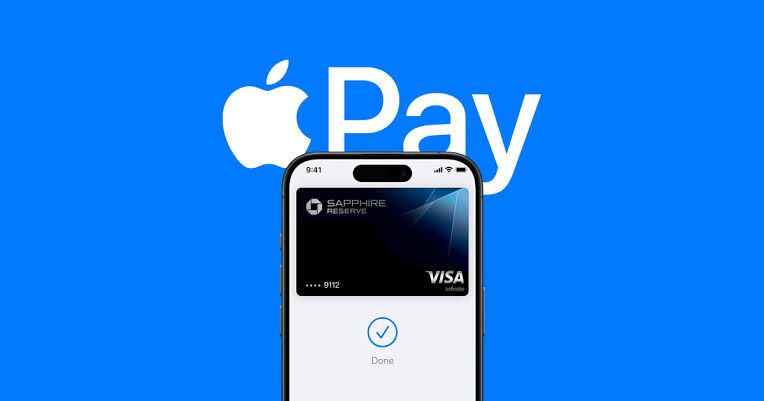
 التطور التكنولوجي بات ينتشر بسرعة كبيرة وانتشر مع تطور أنظمة الدفع وأصبح دفع إلكتروني مثل  Apple pay والتطبيقات المصرفية، لم يعد الدفع مجرد عملية اقتصادية، بل أصبح تجربة نفسية مختلفه تمامًا عن الدفع النقدي. أحد أبرز التغيرات التي أحدثها الدفع الإلكتروني وهو لحد من الم الدفع، حيث لم يعد الشخص يشعر بانه يحمل المال أو ينفقه، بل تتم العملية لمسة زر واحدة.

 أوضح احد الأطباء النفسيين، أن عملية الدفع الإلكترونية عبر منصات مختلفة و اشهرها في وقتنا هذا Apple pay، من الناحية النفسية فهي تقلل من ألم الدفع النقدي الملموس، وتابع فالشخص الذي يبادر بالدفع النقدي يمكن أن يري أمواله وهي تناقص مما يعزز من شعورك بخساره المال وألم الدفع، لاكن الدفع الإلكتروني في ظل طور التكنولوجيا جعل هذه العملية اسهل و اسرع حيث أن هذه المنصات حَدت من الشعور المباشر بالإنفاق.

 مضيفا، أن المستهلكين الذين يستخدمون الدفع غير النقدي ينفقون أكثر مقارنة بمن يعتمدون على الدفع النقدي، لأنهم لا يشعرون بمدى الإنفاق بنفس الطريقة، ومع غياب الشعور الفوري بالخسارة، يصبح الشخص أكثر عرضة لشراء أشياء لم يكن يخطط لها او لمجرد الشراء، ومن ناحية أخري ارتفاع مستوي الإنفاق بمعني أن الأشخاص الذين يدفعون إلكترونيا يميلون إلى إنفاق أكثر من لذين يدفعون نقدًا.

 تعزيز الأمان المالي

 ومن جانبه أكد خالد الشافعي خبير اقتصادي، أن الدفع الإلكتروني يؤثر في الاقتصاد بشكل عام بالإيجاب من زاوية حصر كل التعاملات التي تتم داخل السوق المصرفية متابعا، أنه من الناحية المالية، تتيح له تجنب حمل النقود باستمرار، مما يقلل من مخاطر التعرض للسرقة، كما تعزز مستوى الأمان والاطمئنان في تعاملاته اليومية.

 أوضح الشافعي، أن الدفع الإلكتروني من خلال “أبل باي” يعتمد بشكل أساسي على المحفظة المالية لشخصية، حيث يكون الفرد هو المسؤول عن إدارتها، سواء كان ذلك من خلال راتبه، مكافآته، أو أي صدر دخل آخر. ومع ذلك، من الضروري الانتباه إلى أن سهولة الدفع الإلكتروني قد تودي إلى الانفاق غير المحسوب، خاصة وأن العملية لا تتطلب سوى ضغطة زر على الهاتف لتحويل الأموال وإتمام المعاملات.

 لذلك، من المهم توعية الأفراد بضرورة التحكم في نفقاتهم وعدم التسرع في الإنفاق لمجرد سهولة العملية.كما يجب إطلاق برامج توعية لحماية المستهلكين من خطر الإدمان على الدفع الإلكتروني، إلى جانب التحذير من آثاره السلبية على الإدارة المالية الشخصية والاستقرار الاقتصادي للفرد.

 بينما قالت أحد مستخدمي نظام “Apple pay” أنه أصبح دفع النقود أسهل بكثير، ولم أعد شعر بأنني أنفق الكثير من المال على عكس الدفع النقدي، فعندما أخرج المال من محفظتي، أشعر أن المال يتناقص بشكل كبير و متزايد، مما جعلني أكثر حذر في الانفاق، وفي بعض الاوقات اشعر بالانزعاج لأنني قد لا اتمكن من شراء اشياء اخرى خلال اليوم.

 لذلك، من المهم تعزيز الثقافة المالية وتوعية الأفراد بمخاطر الإنفاق المستمر بشكل مبالغ فيه، حتى لا تتحول سهولة الدفع الإلكتروني إلى عبء مالي. فالتكنولوجيا اداة قوية، لكن حسن استخدامها هو ما يحدد تأثيرها على الاستقرار المالي للفرد والمجتمع.


اظهر المزيد

مقالات ذات صلة

اترك تعليقاً

لن يتم نشر عنوان بريدك الإلكتروني. الحقول الإلزامية مشار إليها بـ *

زر الذهاب إلى الأعلى