import * as __WEBPACK_EXTERNAL_MODULE__wordpress_interactivity_8e89b257__ from "@wordpress/interactivity";
/******/ // The require scope
/******/ var __webpack_require__ = {};
/******/
/************************************************************************/
/******/ /* webpack/runtime/define property getters */
/******/ (() => {
/******/ 	// define getter functions for harmony exports
/******/ 	__webpack_require__.d = (exports, definition) => {
/******/ 		for(var key in definition) {
/******/ 			if(__webpack_require__.o(definition, key) && !__webpack_require__.o(exports, key)) {
/******/ 				Object.defineProperty(exports, key, { enumerable: true, get: definition[key] });
/******/ 			}
/******/ 		}
/******/ 	};
/******/ })();
/******/
/******/ /* webpack/runtime/hasOwnProperty shorthand */
/******/ (() => {
/******/ 	__webpack_require__.o = (obj, prop) => (Object.prototype.hasOwnProperty.call(obj, prop))
/******/ })();
/******/
/************************************************************************/
var __webpack_exports__ = {};

;// external "@wordpress/interactivity"
var x = (y) => {
	var x = {}; __webpack_require__.d(x, y); return x
}
var y = (x) => (() => (x))
const interactivity_namespaceObject = x({ ["getContext"]: () => (__WEBPACK_EXTERNAL_MODULE__wordpress_interactivity_8e89b257__.getContext), ["getElement"]: () => (__WEBPACK_EXTERNAL_MODULE__wordpress_interactivity_8e89b257__.getElement), ["store"]: () => (__WEBPACK_EXTERNAL_MODULE__wordpress_interactivity_8e89b257__.store), ["withSyncEvent"]: () => (__WEBPACK_EXTERNAL_MODULE__wordpress_interactivity_8e89b257__.withSyncEvent) });
;// ./node_modules/@wordpress/block-library/build-module/image/view.js
/**
 * WordPress dependencies
 */


/**
 * Tracks whether user is touching screen; used to differentiate behavior for
 * touch and mouse input.
 *
 * @type {boolean}
 */
let isTouching = false;

/**
 * Tracks the last time the screen was touched; used to differentiate behavior
 * for touch and mouse input.
 *
 * @type {number}
 */
let lastTouchTime = 0;
const {
  state,
  actions,
  callbacks
} = (0,interactivity_namespaceObject.store)('core/image', {
  state: {
    currentImageId: null,
    get currentImage() {
      return state.metadata[state.currentImageId];
    },
    get overlayOpened() {
      return state.currentImageId !== null;
    },
    get roleAttribute() {
      return state.overlayOpened ? 'dialog' : null;
    },
    get ariaModal() {
      return state.overlayOpened ? 'true' : null;
    },
    get enlargedSrc() {
      return state.currentImage.uploadedSrc || 'data:image/gif;base64,R0lGODlhAQABAAD/ACwAAAAAAQABAAACADs=';
    },
    get figureStyles() {
      return state.overlayOpened && `${state.currentImage.figureStyles?.replace(/margin[^;]*;?/g, '')};`;
    },
    get imgStyles() {
      return state.overlayOpened && `${state.currentImage.imgStyles?.replace(/;$/, '')}; object-fit:cover;`;
    },
    get imageButtonRight() {
      const {
        imageId
      } = (0,interactivity_namespaceObject.getContext)();
      return state.metadata[imageId].imageButtonRight;
    },
    get imageButtonTop() {
      const {
        imageId
      } = (0,interactivity_namespaceObject.getContext)();
      return state.metadata[imageId].imageButtonTop;
    },
    get isContentHidden() {
      const ctx = (0,interactivity_namespaceObject.getContext)();
      return state.overlayEnabled && state.currentImageId === ctx.imageId;
    },
    get isContentVisible() {
      const ctx = (0,interactivity_namespaceObject.getContext)();
      return !state.overlayEnabled && state.currentImageId === ctx.imageId;
    }
  },
  actions: {
    showLightbox() {
      const {
        imageId
      } = (0,interactivity_namespaceObject.getContext)();

      // Bails out if the image has not loaded yet.
      if (!state.metadata[imageId].imageRef?.complete) {
        return;
      }

      // Stores the positions of the scroll to fix it until the overlay is
      // closed.
      state.scrollTopReset = document.documentElement.scrollTop;
      state.scrollLeftReset = document.documentElement.scrollLeft;

      // Sets the current expanded image in the state and enables the overlay.
      state.overlayEnabled = true;
      state.currentImageId = imageId;

      // Computes the styles of the overlay for the animation.
      callbacks.setOverlayStyles();
    },
    hideLightbox() {
      if (state.overlayEnabled) {
        // Starts the overlay closing animation. The showClosingAnimation
        // class is used to avoid showing it on page load.
        state.showClosingAnimation = true;
        state.overlayEnabled = false;

        // Waits until the close animation has completed before allowing a
        // user to scroll again. The duration of this animation is defined in
        // the `styles.scss` file, but in any case we should wait a few
        // milliseconds longer than the duration, otherwise a user may scroll
        // too soon and cause the animation to look sloppy.
        setTimeout(function () {
          // Delays before changing the focus. Otherwise the focus ring will
          // appear on Firefox before the image has finished animating, which
          // looks broken.
          state.currentImage.buttonRef.focus({
            preventScroll: true
          });

          // Resets the current image id to mark the overlay as closed.
          state.currentImageId = null;
        }, 450);
      }
    },
    handleKeydown: (0,interactivity_namespaceObject.withSyncEvent)(event => {
      if (state.overlayEnabled) {
        // Focuses the close button when the user presses the tab key.
        if (event.key === 'Tab') {
          event.preventDefault();
          const {
            ref
          } = (0,interactivity_namespaceObject.getElement)();
          ref.querySelector('button').focus();
        }
        // Closes the lightbox when the user presses the escape key.
        if (event.key === 'Escape') {
          actions.hideLightbox();
        }
      }
    }),
    handleTouchMove: (0,interactivity_namespaceObject.withSyncEvent)(event => {
      // On mobile devices, prevents triggering the scroll event because
      // otherwise the page jumps around when it resets the scroll position.
      // This also means that closing the lightbox requires that a user
      // perform a simple tap. This may be changed in the future if there is a
      // better alternative to override or reset the scroll position during
      // swipe actions.
      if (state.overlayEnabled) {
        event.preventDefault();
      }
    }),
    handleTouchStart() {
      isTouching = true;
    },
    handleTouchEnd() {
      // Waits a few milliseconds before resetting to ensure that pinch to
      // zoom works consistently on mobile devices when the lightbox is open.
      lastTouchTime = Date.now();
      isTouching = false;
    },
    handleScroll() {
      // Prevents scrolling behaviors that trigger content shift while the
      // lightbox is open. It would be better to accomplish through CSS alone,
      // but using overflow: hidden is currently the only way to do so and
      // that causes a layout to shift and prevents the zoom animation from
      // working in some cases because it's not possible to account for the
      // layout shift when doing the animation calculations. Instead, it uses
      // JavaScript to prevent and reset the scrolling behavior.
      if (state.overlayOpened) {
        // Avoids overriding the scroll behavior on mobile devices because
        // doing so breaks the pinch to zoom functionality, and users should
        // be able to zoom in further on the high-res image.
        if (!isTouching && Date.now() - lastTouchTime > 450) {
          // It doesn't rely on `event.preventDefault()` to prevent scrolling
          // because the scroll event can't be canceled, so it resets the
          // position instead.
          window.scrollTo(state.scrollLeftReset, state.scrollTopReset);
        }
      }
    }
  },
  callbacks: {
    setOverlayStyles() {
      if (!state.overlayEnabled) {
        return;
      }
      let {
        naturalWidth,
        naturalHeight,
        offsetWidth: originalWidth,
        offsetHeight: originalHeight
      } = state.currentImage.imageRef;
      let {
        x: screenPosX,
        y: screenPosY
      } = state.currentImage.imageRef.getBoundingClientRect();

      // Natural ratio of the image clicked to open the lightbox.
      const naturalRatio = naturalWidth / naturalHeight;
      // Original ratio of the image clicked to open the lightbox.
      let originalRatio = originalWidth / originalHeight;

      // If it has object-fit: contain, recalculates the original sizes
      // and the screen position without the blank spaces.
      if (state.currentImage.scaleAttr === 'contain') {
        if (naturalRatio > originalRatio) {
          const heightWithoutSpace = originalWidth / naturalRatio;
          // Recalculates screen position without the top space.
          screenPosY += (originalHeight - heightWithoutSpace) / 2;
          originalHeight = heightWithoutSpace;
        } else {
          const widthWithoutSpace = originalHeight * naturalRatio;
          // Recalculates screen position without the left space.
          screenPosX += (originalWidth - widthWithoutSpace) / 2;
          originalWidth = widthWithoutSpace;
        }
      }
      originalRatio = originalWidth / originalHeight;

      // Typically, it uses the image's full-sized dimensions. If those
      // dimensions have not been set (i.e. an external image with only one
      // size), the image's dimensions in the lightbox are the same
      // as those of the image in the content.
      let imgMaxWidth = parseFloat(state.currentImage.targetWidth !== 'none' ? state.currentImage.targetWidth : naturalWidth);
      let imgMaxHeight = parseFloat(state.currentImage.targetHeight !== 'none' ? state.currentImage.targetHeight : naturalHeight);

      // Ratio of the biggest image stored in the database.
      let imgRatio = imgMaxWidth / imgMaxHeight;
      let containerMaxWidth = imgMaxWidth;
      let containerMaxHeight = imgMaxHeight;
      let containerWidth = imgMaxWidth;
      let containerHeight = imgMaxHeight;

      // Checks if the target image has a different ratio than the original
      // one (thumbnail). Recalculates the width and height.
      if (naturalRatio.toFixed(2) !== imgRatio.toFixed(2)) {
        if (naturalRatio > imgRatio) {
          // If the width is reached before the height, it keeps the maxWidth
          // and recalculates the height unless the difference between the
          // maxHeight and the reducedHeight is higher than the maxWidth,
          // where it keeps the reducedHeight and recalculate the width.
          const reducedHeight = imgMaxWidth / naturalRatio;
          if (imgMaxHeight - reducedHeight > imgMaxWidth) {
            imgMaxHeight = reducedHeight;
            imgMaxWidth = reducedHeight * naturalRatio;
          } else {
            imgMaxHeight = imgMaxWidth / naturalRatio;
          }
        } else {
          // If the height is reached before the width, it keeps the maxHeight
          // and recalculate the width unlesss the difference between the
          // maxWidth and the reducedWidth is higher than the maxHeight, where
          // it keeps the reducedWidth and recalculate the height.
          const reducedWidth = imgMaxHeight * naturalRatio;
          if (imgMaxWidth - reducedWidth > imgMaxHeight) {
            imgMaxWidth = reducedWidth;
            imgMaxHeight = reducedWidth / naturalRatio;
          } else {
            imgMaxWidth = imgMaxHeight * naturalRatio;
          }
        }
        containerWidth = imgMaxWidth;
        containerHeight = imgMaxHeight;
        imgRatio = imgMaxWidth / imgMaxHeight;

        // Calculates the max size of the container.
        if (originalRatio > imgRatio) {
          containerMaxWidth = imgMaxWidth;
          containerMaxHeight = containerMaxWidth / originalRatio;
        } else {
          containerMaxHeight = imgMaxHeight;
          containerMaxWidth = containerMaxHeight * originalRatio;
        }
      }

      // If the image has been pixelated on purpose, it keeps that size.
      if (originalWidth > containerWidth || originalHeight > containerHeight) {
        containerWidth = originalWidth;
        containerHeight = originalHeight;
      }

      // Calculates the final lightbox image size and the scale factor.
      // MaxWidth is either the window container (accounting for padding) or
      // the image resolution.
      let horizontalPadding = 0;
      if (window.innerWidth > 480) {
        horizontalPadding = 80;
      } else if (window.innerWidth > 1920) {
        horizontalPadding = 160;
      }
      const verticalPadding = 80;
      const targetMaxWidth = Math.min(window.innerWidth - horizontalPadding, containerWidth);
      const targetMaxHeight = Math.min(window.innerHeight - verticalPadding, containerHeight);
      const targetContainerRatio = targetMaxWidth / targetMaxHeight;
      if (originalRatio > targetContainerRatio) {
        // If targetMaxWidth is reached before targetMaxHeight.
        containerWidth = targetMaxWidth;
        containerHeight = containerWidth / originalRatio;
      } else {
        // If targetMaxHeight is reached before targetMaxWidth.
        containerHeight = targetMaxHeight;
        containerWidth = containerHeight * originalRatio;
      }
      const containerScale = originalWidth / containerWidth;
      const lightboxImgWidth = imgMaxWidth * (containerWidth / containerMaxWidth);
      const lightboxImgHeight = imgMaxHeight * (containerHeight / containerMaxHeight);

      // As of this writing, using the calculations above will render the
      // lightbox with a small, erroneous whitespace on the left side of the
      // image in iOS Safari, perhaps due to an inconsistency in how browsers
      // handle absolute positioning and CSS transformation. In any case,
      // adding 1 pixel to the container width and height solves the problem,
      // though this can be removed if the issue is fixed in the future.
      state.overlayStyles = `
					--wp--lightbox-initial-top-position: ${screenPosY}px;
					--wp--lightbox-initial-left-position: ${screenPosX}px;
					--wp--lightbox-container-width: ${containerWidth + 1}px;
					--wp--lightbox-container-height: ${containerHeight + 1}px;
					--wp--lightbox-image-width: ${lightboxImgWidth}px;
					--wp--lightbox-image-height: ${lightboxImgHeight}px;
					--wp--lightbox-scale: ${containerScale};
					--wp--lightbox-scrollbar-width: ${window.innerWidth - document.documentElement.clientWidth}px;
				`;
    },
    setButtonStyles() {
      const {
        imageId
      } = (0,interactivity_namespaceObject.getContext)();
      const {
        ref
      } = (0,interactivity_namespaceObject.getElement)();
      state.metadata[imageId].imageRef = ref;
      state.metadata[imageId].currentSrc = ref.currentSrc;
      const {
        naturalWidth,
        naturalHeight,
        offsetWidth,
        offsetHeight
      } = ref;

      // If the image isn't loaded yet, it can't calculate where the button
      // should be.
      if (naturalWidth === 0 || naturalHeight === 0) {
        return;
      }
      const figure = ref.parentElement;
      const figureWidth = ref.parentElement.clientWidth;

      // It needs special handling for the height because a caption will cause
      // the figure to be taller than the image, which means it needs to
      // account for that when calculating the placement of the button in the
      // top right corner of the image.
      let figureHeight = ref.parentElement.clientHeight;
      const caption = figure.querySelector('figcaption');
      if (caption) {
        const captionComputedStyle = window.getComputedStyle(caption);
        if (!['absolute', 'fixed'].includes(captionComputedStyle.position)) {
          figureHeight = figureHeight - caption.offsetHeight - parseFloat(captionComputedStyle.marginTop) - parseFloat(captionComputedStyle.marginBottom);
        }
      }
      const buttonOffsetTop = figureHeight - offsetHeight;
      const buttonOffsetRight = figureWidth - offsetWidth;
      let imageButtonTop = buttonOffsetTop + 16;
      let imageButtonRight = buttonOffsetRight + 16;

      // In the case of an image with object-fit: contain, the size of the
      // <img> element can be larger than the image itself, so it needs to
      // calculate where to place the button.
      if (state.metadata[imageId].scaleAttr === 'contain') {
        // Natural ratio of the image.
        const naturalRatio = naturalWidth / naturalHeight;
        // Offset ratio of the image.
        const offsetRatio = offsetWidth / offsetHeight;
        if (naturalRatio >= offsetRatio) {
          // If it reaches the width first, it keeps the width and compute the
          // height.
          const referenceHeight = offsetWidth / naturalRatio;
          imageButtonTop = (offsetHeight - referenceHeight) / 2 + buttonOffsetTop + 16;
          imageButtonRight = buttonOffsetRight + 16;
        } else {
          // If it reaches the height first, it keeps the height and compute
          // the width.
          const referenceWidth = offsetHeight * naturalRatio;
          imageButtonTop = buttonOffsetTop + 16;
          imageButtonRight = (offsetWidth - referenceWidth) / 2 + buttonOffsetRight + 16;
        }
      }
      state.metadata[imageId].imageButtonTop = imageButtonTop;
      state.metadata[imageId].imageButtonRight = imageButtonRight;
    },
    setOverlayFocus() {
      if (state.overlayEnabled) {
        // Moves the focus to the dialog when it opens.
        const {
          ref
        } = (0,interactivity_namespaceObject.getElement)();
        ref.focus();
      }
    },
    initTriggerButton() {
      const {
        imageId
      } = (0,interactivity_namespaceObject.getContext)();
      const {
        ref
      } = (0,interactivity_namespaceObject.getElement)();
      state.metadata[imageId].buttonRef = ref;
    }
  }
}, {
  lock: true
});
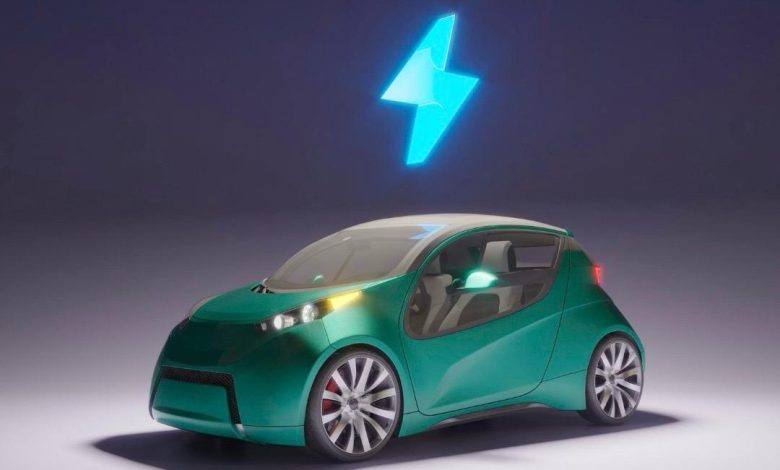
أحدثت التكنولوجيا تطورا كبيرا في عالم السيارات، أبرزها تطوير السيارات الكهربائية كحل مستدام للمستقبل. تتميز هذه السيارات بكفاءة عالية، وانبعاثات منخفضة، وتكاليف تشغيل أقل. رغم ذلك، لا تزال تواجه تحديات، ومع الابتكار المستمر تساهم التكنولوجيا في تجاوز هذه العقبات وتوسيع الاعتماد على النقل الكهربائي.
أكد الأستاذ هاني هشام، مدير إحدي معارض السيارات الكهربائية بالقاهرة، أن معرضة يُعد من المعارض الرائدة في مجال السيارات الكهربائية في مصر، حيث اتخذ خطوة جريئة بافتتاح معرض متخصص بالكامل في السيارات الكهربائية. وأضاف: “خطوتنا جاءت من إيماننا بأن المستقبل في سيارتك، لأن البنزين في طريقه للنهاية”. وأضاف، أن السبب الثاني لاتخاذ هذه الخطوة هو الارتفاع الكبير في تكلفة البنزين، مما يجعل السيارات الكهربائية هي البديل القوي للسيارات التقليدية خلال الفترة القادمة.
ومن جانبه، أكد الأستاذ مجدي كيلاني، أحد مسؤولي المبيعات لإحدي معارض السيارات بالقاهرة، أن التوجه للسيارات الكهربائية لم يعد رفاهية، بل ضرورة تفرضها المعايير البيئية والاقتصادية الحديثة. وأضاف أن المعرض يسعى لتوفير موديلات متنوعة تناسب احتياجات السوق المصري، مع تقديم خدمات ما بعد البيع وتوفير الدعم الفني اللازم، في خطوة تهدف إلى بناء ثقة المستهلك وتشجيعه على التحول لهذا النوع من السيارات
مميزات سيارات الكهرباء:
أوضح هشام، أنه من أبرز مميزات السيارات الكهربائية أنها تعتمد على بطاريات ليثيوم مما يجعل عمرها الافتراضي طويلاً ، ويجعلها أيضاً خيارًا عمليًا واقتصاديًا على المدى البعيد. كما أن قطع غيارها متوفرة، وصيانتها محدودة مقارنة بالسيارات التقليدية، كما أنها تحافظ على البيئة المحيطة بها وتُعد صديقة للبيئة، بفضل خلوّها من الانبعاثات الضارة.
وهناك نظام تمتاز به سيارات الكهرباء ليست في السيارات العادية وهي قدرتها على قراءة إرشادات الطريق الموجودة عليه، والتعرف على اللوحات والإشارات المنتشرة في الشوارع، مما يعزز من أمان القيادة ويسهل على السائقين التنقل بذكاء وسهولة.
اتفق معه كيلاني، وأضاف أن السيارات الكهربائية تتميز بعدة مزايا تجعلها خيارًا أفضل للمستقبل، أولها نها لا تستهلك البنزين، مما يجعلها وسيلة موفرة بالمقارنة بالسيارات التقليدية المستهلكة للبنزين المستمر.
وتزوّد بعض من انواع سيارات الكهرباء المتقدمة في الطراز بأنظمة أمان ذكية، خاصة في السيارات ذاتية القيادة، فعلى سبيل المثال، إذا وجدت طفلا يقطع الطريق فجأة، تقوم السيارة تلقائيًا بتفعيل وضع منع التصادم والتوقف الفوري، مما يعزز من مستوى الامان على الطرق و علي المستخدم.
التحديات التي تواجه سيارات الكهرباء :
قال هشام، إن أولى التحديات التي تواجه انتشار السيارات الكهربائية تتعلق بالعقلية و التفكير، حيث لايزال كثير من الناس غير مقتنعين تمامًا بفكرة الاعتماد على هذا النوع من السيارات، ويشعرون بالتخوف من السير بسيارة تعمل فقط بالبطارية. هذا التخوف يُشكل عامل قلق لدى العديد من الأفراد، نتيجة لعدم الاطمئنان الكامل تجاه مدى أمان البطارية وكفاءتها، وهو ما يتطلب جهود أكبر لنشر الوعي وتوضيح مزايا هذه التكنولوجيا الجديدة.
بينما يري الكيلاني، ان هناك تحدي واضح يتمثل في غياب المراكز المعتمدة لصيانتها حتى الآن فبالرغم من انها لا تحتاج صيانه في اغلب الاوقات الا انه لا يمكن شراء سيارة بدون معرفه مراكز صيانتها وذلك ايضا هو نوع من تخوف الافراد لشرائها، وذلك يحدث بسبب ضعف البنية التحتية اللازمة لدعم هذا النوع من السيارات بالشكل الكافي.
وحول مدى تطور التكنولوجيا في مجال السيارات الكهربائية، يرى الأستاذ هشام، أن ما وصلت إليه هذه الصناعة يؤكد انها تمثل المستقبل الحقيقي لعالم السيارات، وان هذا التطور التكنولوجي يسهم في تعزيز ثقة المستهلك ويدعم توجه السوق نحو البدائل النظيفة والمستدامة.
ومن جانبه، أشار الكيلاني، إلي أن هذا التطور يمهد لتحول في قطاع النقل، خاصة على المدى البعيد. وأكد أن انتشار السيارات الكهربائية سيسهم بشكل كبير في تقليل نسبة التلوث الذي يتعرض له الهواء نتيجة الانبعاثات الناتجة عن وقود السيارات التقليدية.
تمثل السيارات الكهربائية مستقبل النقل الذكي والمستدام، وسط التطور التكنولوجي المتسارع والجهود المستمرة لتجاوز هذه التحديات وبناء ثقة المستهلك نحو بيئة أنظف وقيادة أكثر كفاءة.